
Manzin - Minecraft Skins & Skin History
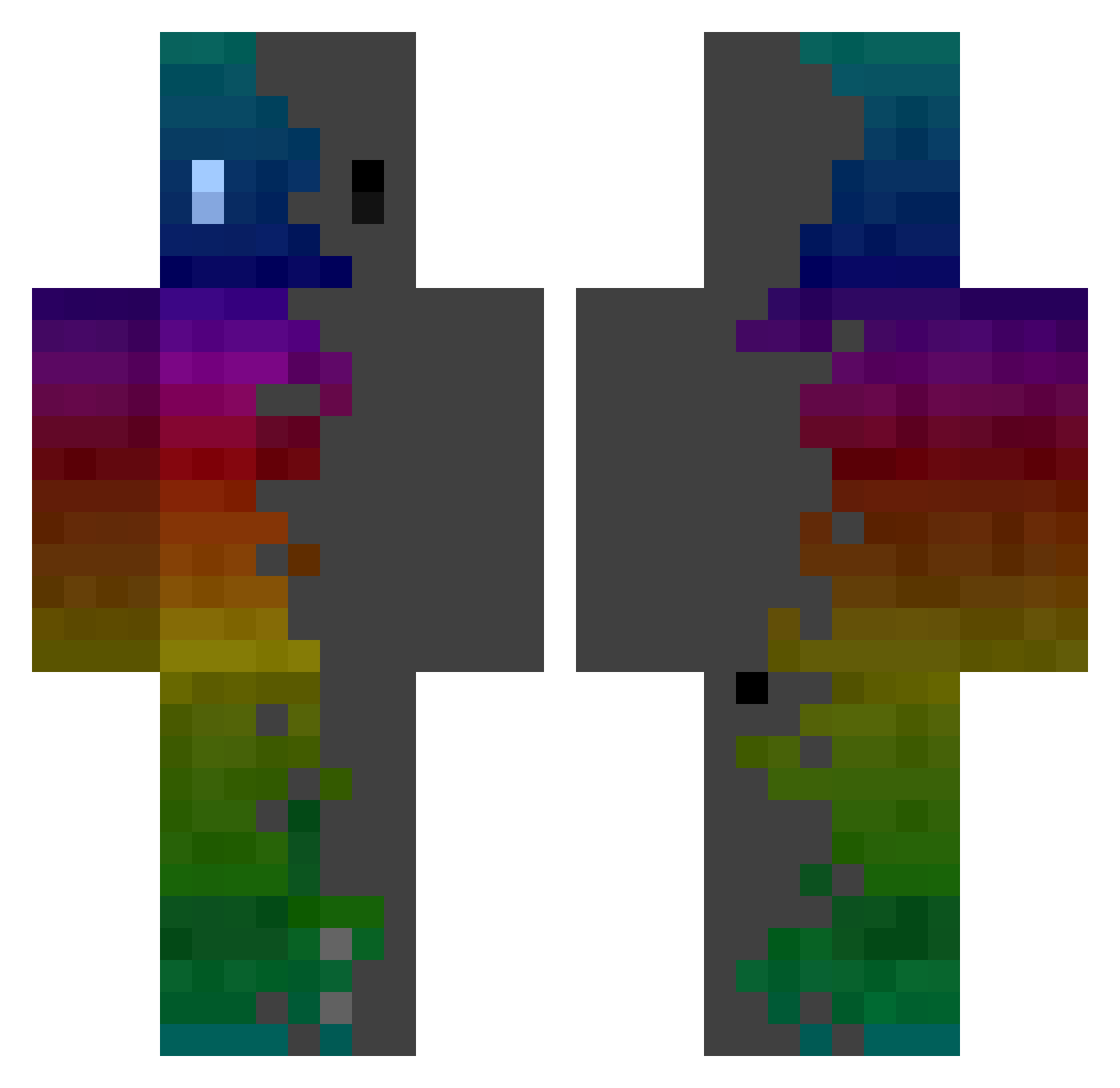
Current Minecraft skin of the player Manzin, loaded from the official Mojang API. Rotate the 3D model with your mouse or finger, then download the skin as a PNG file and use it in Minecraft: Bedrock Edition or Java Edition for free. When Manzin changes their skin, this page updates automatically and the old skin stays in the history below.
Other players with this skin (364)
Manzin was the 120th player we have seen with this skin, first spotted on 29.08.2026. The same skin was seen on these players. Open a nickname to see their current skin and skin history.
 Adam_xo komodoragon sanghoon17s Traybi_2105 1111G Dudedek TrustedGod SakalAlex Hazmatexe pirao_ xhKf FL_nwar FRooZ_TV GooeyMonkey1544 Pluimvee Lon_0731 david10407 Lecaitbitz Void_Wyvern Gameprod03 bayernbunny Subject8 Erik102008 Heliopath_ Barny7 SkyFend SrJCBM yutae Gameovaire_ Spigot_API Condolences_ zLims OrioKeks ThB2000 danjnop POVTimoun _Koutz_ knutenren Godito29 oobi0511 bengthegreat LOTMWAIFU Lykos1114 Winterferoce DogKing3311 Antomatrix hebut69 _berleezy_ BakaraXIII JamesT6 CecilioX Kostat Mlnecraft5678 _cardio_ SpottedPluto295 dcascfasdc Dimeiz NelsonTl17 mattypro70 Splno
How to install the Manzin skin
- Press the Download button above to save the skin as a PNG file.
- Minecraft: Bedrock Edition (PE): open the Dressing Room from the main menu (or tap your character → Edit Character), go to Classic Skins → Owned, press the + (new skin) button, choose the downloaded PNG and pick the Classic (Steve) model. Works on PC and mobile; consoles cannot import custom skins.
- Minecraft: Java Edition: open the Minecraft Launcher, go to the Skins tab, click New Skin, load the PNG, pick the Classic (Steve) model and press Save & Use. You can also upload it at minecraft.net → Profile → Change Skin.
The skin does not show up after import - what should I do?
Restart Minecraft and open the Dressing Room again - imported skins sometimes appear only after a restart. Also make sure you selected the imported skin and picked the Classic (Steve) model.
Which model should I choose, Classic or Slim?
This skin is designed for the Classic (Steve) model. If you pick the wrong model, the arms of the skin will look stretched or squeezed.
Is the skin of Manzin free to download?
Yes. Press Download, save the PNG file and use it in Minecraft: Bedrock Edition or Java Edition - no payment or registration needed. The skin also works on multiplayer servers and Realms.
More skins
Looking for more? Go back to all Minecraft skins and check the top skins of the week, month and all time, or find any player's skin by nickname.