
ManOnTheMoon13 - Minecraft Skins & Skin History
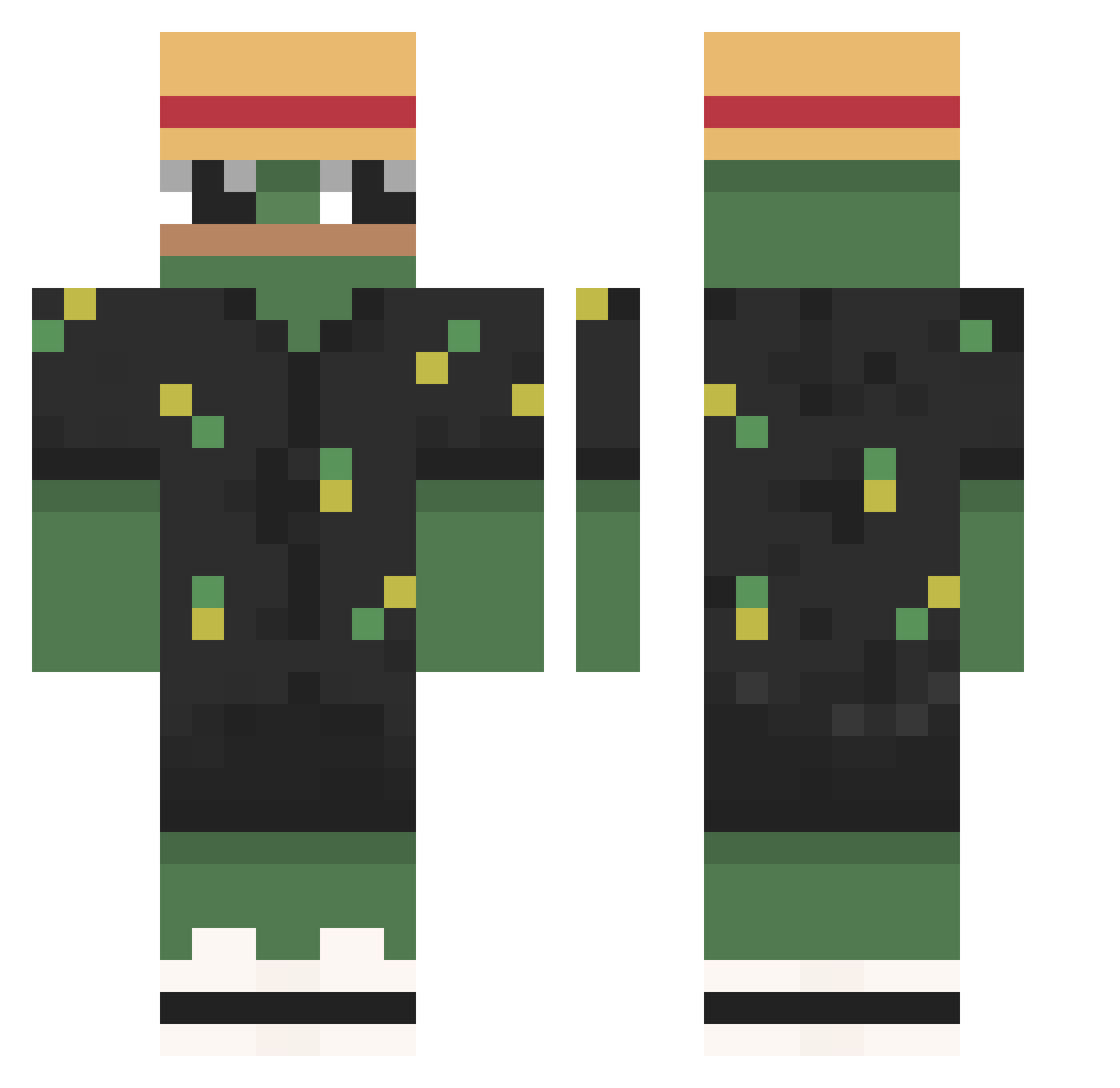
Current Minecraft skin of the player ManOnTheMoon13, loaded from the official Mojang API. Rotate the 3D model with your mouse or finger, then download the skin as a PNG file and use it in Minecraft: Bedrock Edition or Java Edition for free. When ManOnTheMoon13 changes their skin, this page updates automatically and the old skin stays in the history below.
Other players with this skin (787)
ManOnTheMoon13 was the 19th player we have seen with this skin, first spotted on 24.07.2026. The same skin was seen on these players. Open a nickname to see their current skin and skin history.
 WpMeEro FORHELVDE_MARTIN El_Moustash leozz12 Lukaskater nickyname0809 Pompias henriluca1 NzoP6 Irmigo Dimamidus alex327db Thurzax sir_peepo Gamerklafff mixmaista Alone_MuMu xFex Goodba1 dbtkddn Batera04 EmiZaOrLy LaDanette nbnol97 FRIJOLITO1319 JOON0119 Shinimee 1kox_ RedShanks273 lilkey1121 Jabahaarm Elrias1 doskuda Mik3zPow3r portal10 chrissoro1312 qudmen_ Neexxt Notfroz3n CaliTheCat naruter RitzyTable Kopik_58 Sajmonon45 EthicalAphid431 jihye1204 kenaiPG Nico12344 julio____ Pisun_F6 Louie_imb __Tesouro Mathades_ Ryiuuh fbmatos MEGABOX RAZER_Viper_Ulti Bre3zyGrav1t Flexers BRZ96
More Pepe Minecraft skins
How to install the ManOnTheMoon13 skin
- Press the Download button above to save the skin as a PNG file.
- Minecraft: Bedrock Edition (PE): open the Dressing Room from the main menu (or tap your character → Edit Character), go to Classic Skins → Owned, press the + (new skin) button, choose the downloaded PNG and pick the Classic (Steve) model. Works on PC and mobile; consoles cannot import custom skins.
- Minecraft: Java Edition: open the Minecraft Launcher, go to the Skins tab, click New Skin, load the PNG, pick the Classic (Steve) model and press Save & Use. You can also upload it at minecraft.net → Profile → Change Skin.
The skin does not show up after import - what should I do?
Restart Minecraft and open the Dressing Room again - imported skins sometimes appear only after a restart. Also make sure you selected the imported skin and picked the Classic (Steve) model.
Which model should I choose, Classic or Slim?
This skin is designed for the Classic (Steve) model. If you pick the wrong model, the arms of the skin will look stretched or squeezed.
Is the skin of ManOnTheMoon13 free to download?
Yes. Press Download, save the PNG file and use it in Minecraft: Bedrock Edition or Java Edition - no payment or registration needed. The skin also works on multiplayer servers and Realms.
More skins
Looking for more? Go back to all Minecraft skins and check the top skins of the week, month and all time, or find any player's skin by nickname.