
Man9arin - Minecraft Skins & Skin History
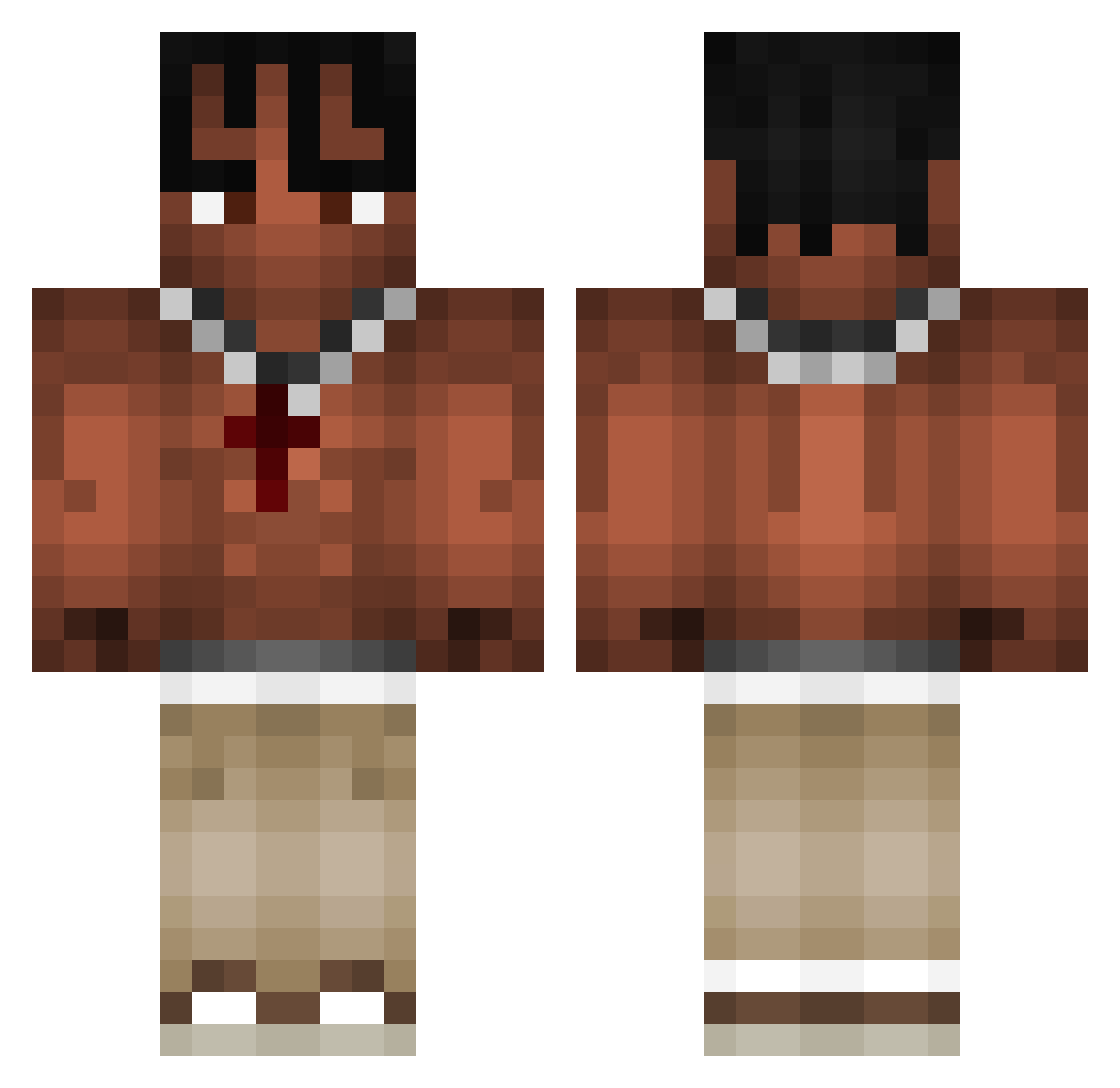
Current Minecraft skin of the player Man9arin, loaded from the official Mojang API. Rotate the 3D model with your mouse or finger, then download the skin as a PNG file and use it in Minecraft: Bedrock Edition or Java Edition for free. When Man9arin changes their skin, this page updates automatically and the old skin stays in the history below.
Other players with this skin (1071)
Man9arin was the 1060th player we have seen with this skin, first spotted on 09.11.2026. The same skin was seen on these players. Open a nickname to see their current skin and skin history.
 jay_hoba gen1uuss Eliastheprogamer leksiuuuuuuuuuuu Szymx_ la_menace_ showmeveins xxKianxx OregonAlman medrre1 toonsahur6_7 xKpoo matopax xJxnxkx M4LINEKK SoryegeGin__ 514da Eschrack Demon7713 BOOSKAUZAG Ratsarecool23 Maksymek_ K0val_ HjalteGaming BigBootybarack22 skatementaal malkiuwu SunSukz seannysinss SireMeunimeux Lockmyshot Louis13055 Alquiin Jrovles Forneeeeee Ashley1703 Secret_LEO34 Dream56709 zplot2 Jordan153 ppr1 Antopolo77 Michael_Wendler_ Pozeda30 xFrowsx Dlikzz Meiller69 1uszekk XterdneX Vraoxx JAJAJA_lipe tiltada MARSC3LL arjenmc Roboyess KakashiObitoRin Miroslaaw fofanovic Nasty2slick Tiproutte
More Xxxtentacion Minecraft skins
See all 444 Xxxtentacion skins
How to install the Man9arin skin
- Press the Download button above to save the skin as a PNG file.
- Minecraft: Bedrock Edition (PE): open the Dressing Room from the main menu (or tap your character → Edit Character), go to Classic Skins → Owned, press the + (new skin) button, choose the downloaded PNG and pick the Classic (Steve) model. Works on PC and mobile; consoles cannot import custom skins.
- Minecraft: Java Edition: open the Minecraft Launcher, go to the Skins tab, click New Skin, load the PNG, pick the Classic (Steve) model and press Save & Use. You can also upload it at minecraft.net → Profile → Change Skin.
The skin does not show up after import - what should I do?
Restart Minecraft and open the Dressing Room again - imported skins sometimes appear only after a restart. Also make sure you selected the imported skin and picked the Classic (Steve) model.
Which model should I choose, Classic or Slim?
This skin is designed for the Classic (Steve) model. If you pick the wrong model, the arms of the skin will look stretched or squeezed.
Is the skin of Man9arin free to download?
Yes. Press Download, save the PNG file and use it in Minecraft: Bedrock Edition or Java Edition - no payment or registration needed. The skin also works on multiplayer servers and Realms.
More skins
Looking for more? Go back to all Minecraft skins and check the top skins of the week, month and all time, or find any player's skin by nickname.