
Malakos - Minecraft Skins & Skin History
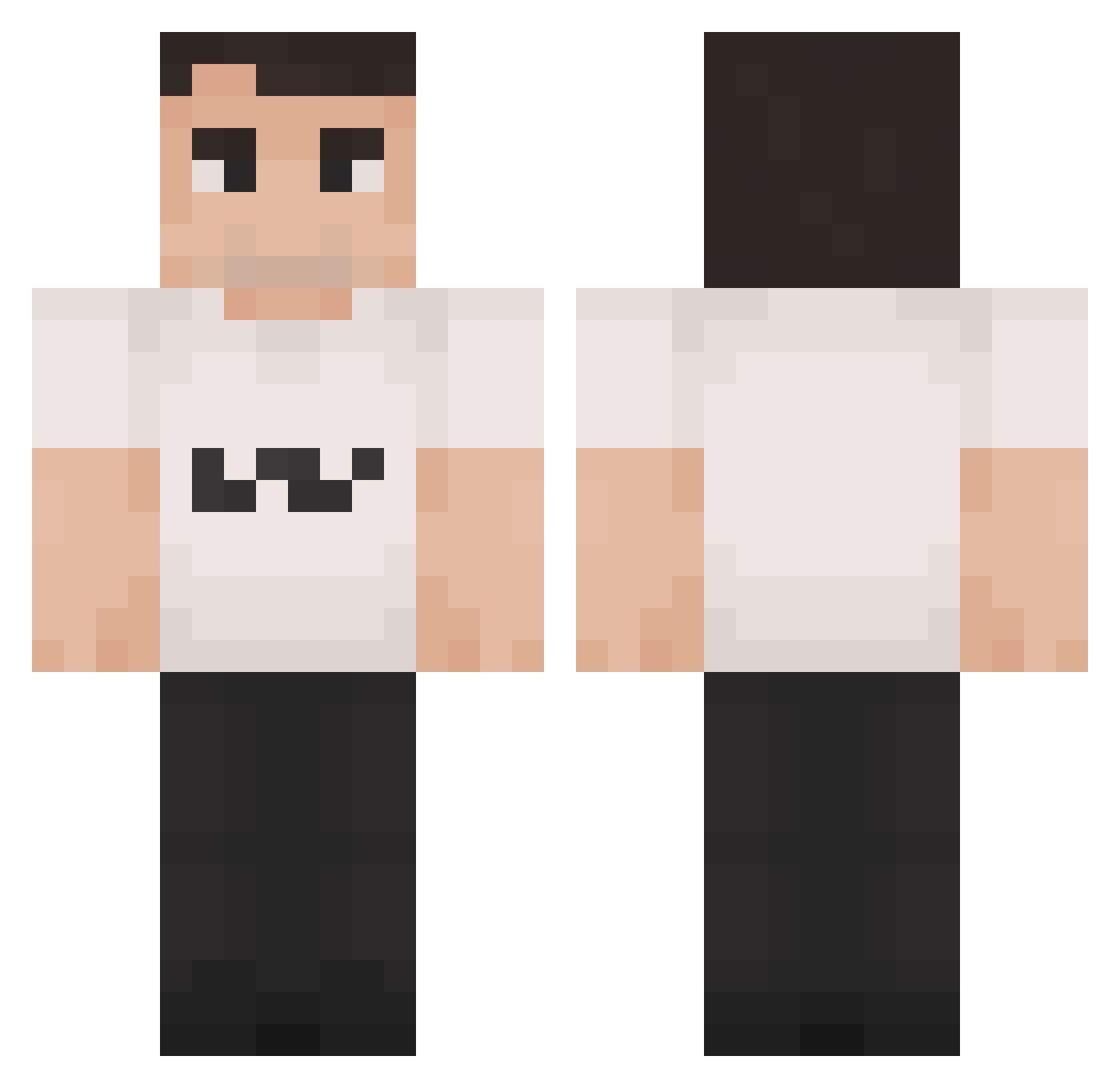
Current Minecraft skin of the player Malakos, loaded from the official Mojang API. Rotate the 3D model with your mouse or finger, then download the skin as a PNG file and use it in Minecraft: Bedrock Edition or Java Edition for free. When Malakos changes their skin, this page updates automatically and the old skin stays in the history below.
Other players with this skin (1349)
Malakos was the 684th player we have seen with this skin, first spotted on 16.09.2026. The same skin was seen on these players. Open a nickname to see their current skin and skin history.
 braintum0rgaming dackral JohnWilkesBoof69 aidonou Pressurrr 0bezy Big_Chungus_____ Daujeuh _X_Per_X_ KirkCharlie Mr_TiT1 foreskyn Raphidooda robogl xdevywevyx Stag_123 BubbaJohn2004 ianchingchong Akeyu6511 ramonzzito Demetora b2tovv astanduser wiseevole41 viviviviv_i N0rthTower 2camper3 seagullz GacelaAsturiana ICEMANWP biscolrabo OwieBlowie chuck_Kirk DeadeyeDillon_MC cannyS04 Adamcobra22 entereeqr Czarny358 IdoR10 JonathanNgu jasqq04 Jaramento Parfuem CltchMcGruff eyelikeblues Rockn_ yungfigi Sore5oh Karat3 Nickpelizz Seldua FetaCheese134 MrDavt Givingcoast1201 TulemMenthe vividddddd TheSource14 DyzioZyzio qrxnico senne0404
More Schlatt Minecraft skins
How to install the Malakos skin
- Press the Download button above to save the skin as a PNG file.
- Minecraft: Bedrock Edition (PE): open the Dressing Room from the main menu (or tap your character → Edit Character), go to Classic Skins → Owned, press the + (new skin) button, choose the downloaded PNG and pick the Classic (Steve) model. Works on PC and mobile; consoles cannot import custom skins.
- Minecraft: Java Edition: open the Minecraft Launcher, go to the Skins tab, click New Skin, load the PNG, pick the Classic (Steve) model and press Save & Use. You can also upload it at minecraft.net → Profile → Change Skin.
The skin does not show up after import - what should I do?
Restart Minecraft and open the Dressing Room again - imported skins sometimes appear only after a restart. Also make sure you selected the imported skin and picked the Classic (Steve) model.
Which model should I choose, Classic or Slim?
This skin is designed for the Classic (Steve) model. If you pick the wrong model, the arms of the skin will look stretched or squeezed.
Is the skin of Malakos free to download?
Yes. Press Download, save the PNG file and use it in Minecraft: Bedrock Edition or Java Edition - no payment or registration needed. The skin also works on multiplayer servers and Realms.
More skins
Looking for more? Go back to all Minecraft skins and check the top skins of the week, month and all time, or find any player's skin by nickname.