
MajorBoofPack - Minecraft Skins & Skin History
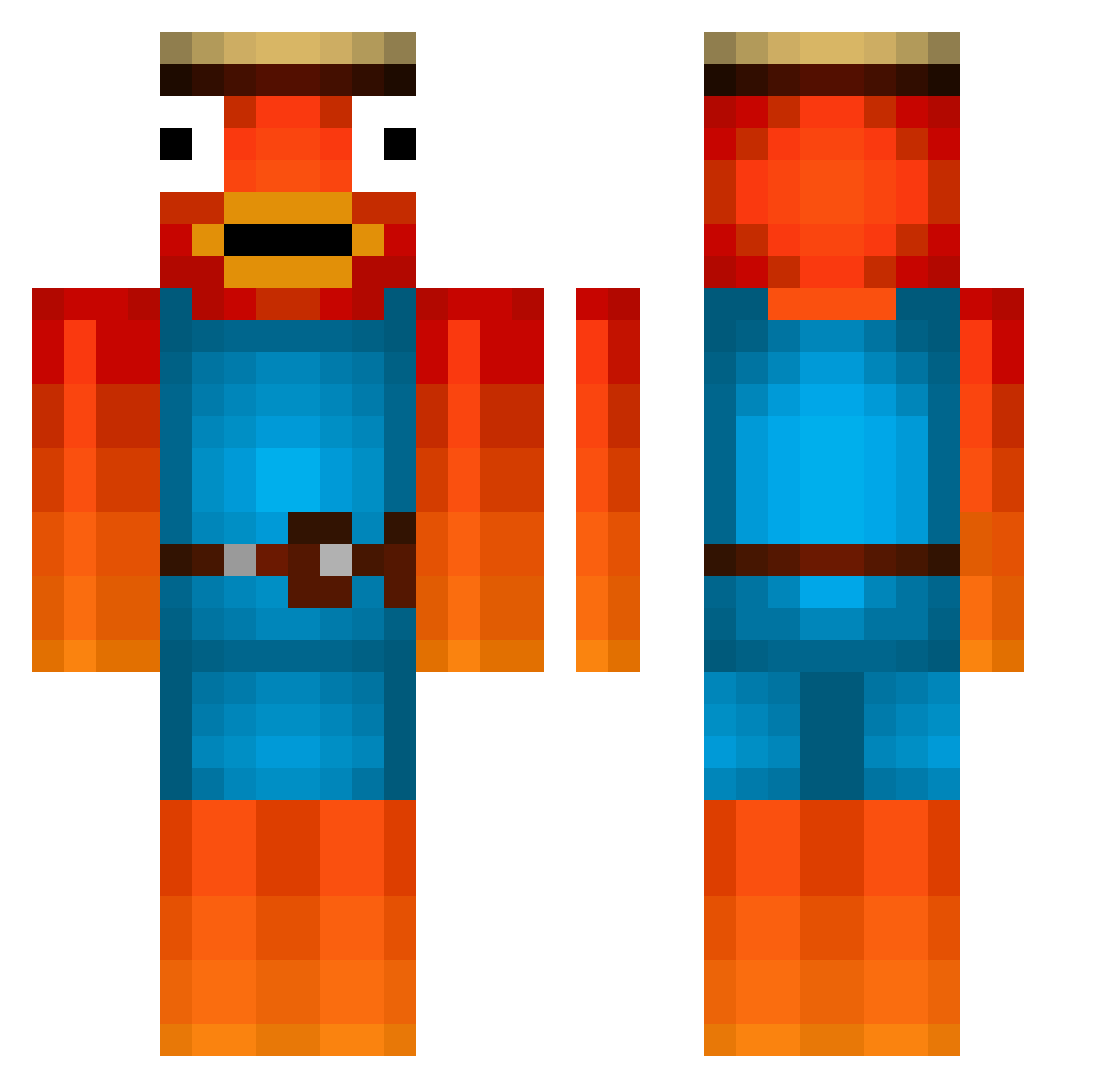
Current Minecraft skin of the player MajorBoofPack, loaded from the official Mojang API. Rotate the 3D model with your mouse or finger, then download the skin as a PNG file and use it in Minecraft: Bedrock Edition or Java Edition for free. When MajorBoofPack changes their skin, this page updates automatically and the old skin stays in the history below.
Other players with this skin (573)
MajorBoofPack was the 551st player we have seen with this skin, first spotted on 15.11.2026. The same skin was seen on these players. Open a nickname to see their current skin and skin history.
 Laurencius04 Softaren69 klumpi2001 joaolucas2007 GGFranderson meessie2007 ChrispyKenny doodie43211 Roader1 AngelRB Alejandrothegoat Benzzo Connor_Nvm MakSanta goldlogge Typhoon_2 Abdou1317 FlashTunes Crewen_ Lost_Christian reverOMEGALUL alex_life_09 lamasock MrNinjaMan03 RaphaelMuster BLADE_074 Julien0609 NONONOABC613 toronzoK Aclava julianthebeste MakrelenMan jijonBboongbbong diemiranda MrFortnitePickle Germshuffle KEL0XX hoodmember IQ_Karmaschelle OG_Fishstick Fishboi52 UltimateConsti ZenMasterWho sKz999 Ibo1502 EulerLine Kaetzlein Marlon361 Schnuffel2015 Mona_Koerber zlikeSlowGHG rezyvx Majorbober TSM_Okami ETicky Maske13 Galaxy_Hunter FinPrema Der_Drachenlord_ Fxsh
More Fishstick Minecraft skins
How to install the MajorBoofPack skin
- Press the Download button above to save the skin as a PNG file.
- Minecraft: Bedrock Edition (PE): open the Dressing Room from the main menu (or tap your character → Edit Character), go to Classic Skins → Owned, press the + (new skin) button, choose the downloaded PNG and pick the Classic (Steve) model. Works on PC and mobile; consoles cannot import custom skins.
- Minecraft: Java Edition: open the Minecraft Launcher, go to the Skins tab, click New Skin, load the PNG, pick the Classic (Steve) model and press Save & Use. You can also upload it at minecraft.net → Profile → Change Skin.
The skin does not show up after import - what should I do?
Restart Minecraft and open the Dressing Room again - imported skins sometimes appear only after a restart. Also make sure you selected the imported skin and picked the Classic (Steve) model.
Which model should I choose, Classic or Slim?
This skin is designed for the Classic (Steve) model. If you pick the wrong model, the arms of the skin will look stretched or squeezed.
Is the skin of MajorBoofPack free to download?
Yes. Press Download, save the PNG file and use it in Minecraft: Bedrock Edition or Java Edition - no payment or registration needed. The skin also works on multiplayer servers and Realms.
More skins
Looking for more? Go back to all Minecraft skins and check the top skins of the week, month and all time, or find any player's skin by nickname.