
MagicPanda1 - Minecraft Skins & Skin History
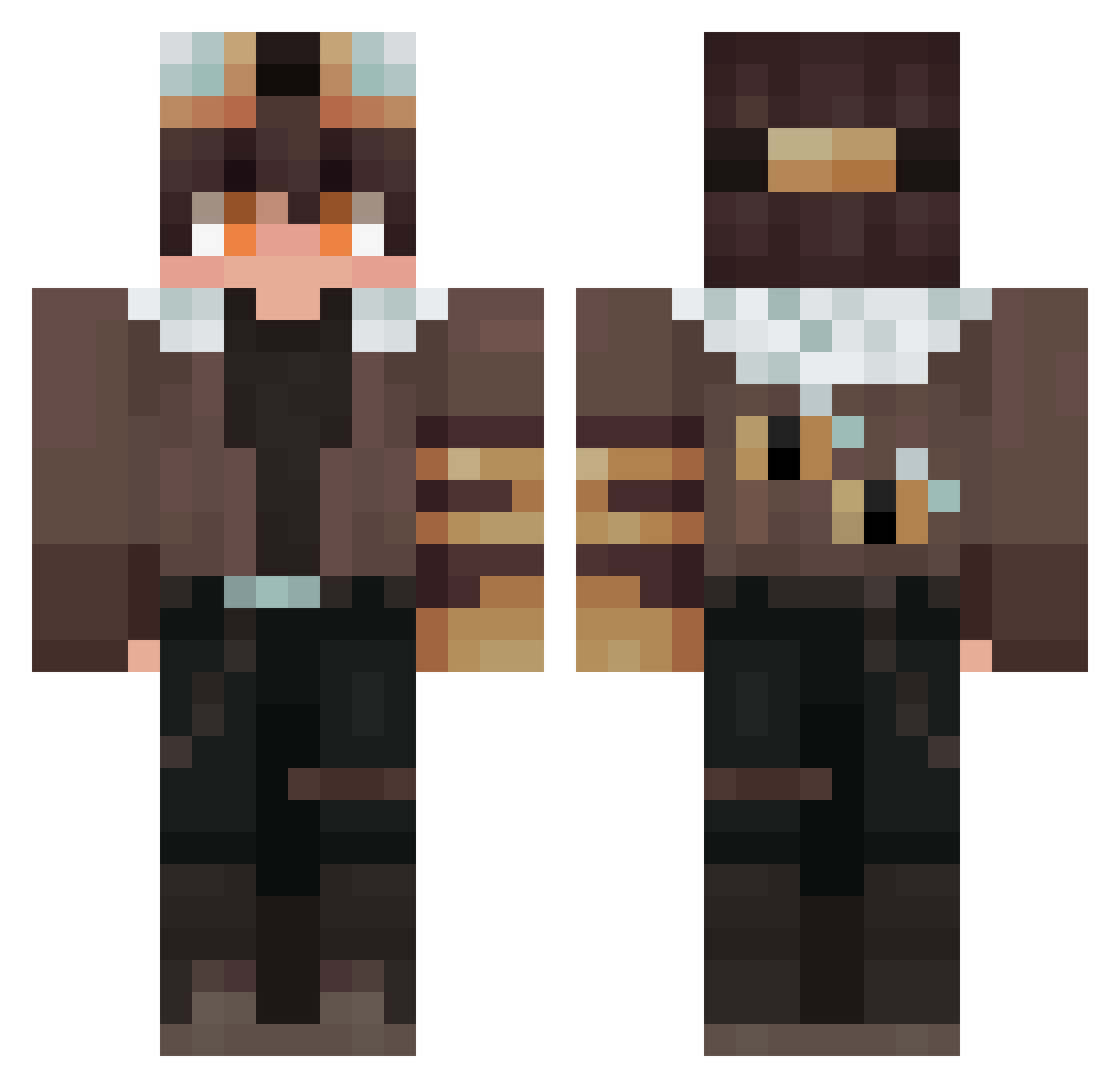
Current Minecraft skin of the player MagicPanda1, loaded from the official Mojang API. Rotate the 3D model with your mouse or finger, then download the skin as a PNG file and use it in Minecraft: Bedrock Edition or Java Edition for free. When MagicPanda1 changes their skin, this page updates automatically and the old skin stays in the history below.
Other players with this skin (284)
MagicPanda1 was the 152nd player we have seen with this skin, first spotted on 23.09.2026. The same skin was seen on these players. Open a nickname to see their current skin and skin history.
 Wol4eHok __God__Complex__ RaptorJebuss SEET4 PeaceKing22 AlonsO___QuijanO JiroGuarz qkfvh1234 JUANCHO_1406 buleiz DanGante NotSora24 Helix600 Laucha117 Evernotex RussianRemi Chiilax 949494111 Ladybug150 Srloinofbeef JUSTBON1 JB_2k Zephriix1 SvaneFlex1 Spring_Min Flappps Jack_Ofc Arcusterrr Alpha2939 ghost_riders2005 OceanalStarry Jannis19609 kkjun1004 clonred woshidashen6666 catfish6969 PetrifHyde EpiconPl RaiXV4 Kanndina kupas_95 Carelage Nyxcann Richard_Brown ITame_OY SaintMartins MALRAENG1 CyanEagle771 Mmoocchhaa y6iopkikk W1_zarD REDRUM114514 cooxa9724 Erent532 Efolder Dazayi2069 Spacellama117 SKYZip Nappboy fililf
More Aviator Minecraft skins
How to install the MagicPanda1 skin
- Press the Download button above to save the skin as a PNG file.
- Minecraft: Bedrock Edition (PE): open the Dressing Room from the main menu (or tap your character → Edit Character), go to Classic Skins → Owned, press the + (new skin) button, choose the downloaded PNG and pick the Classic (Steve) model. Works on PC and mobile; consoles cannot import custom skins.
- Minecraft: Java Edition: open the Minecraft Launcher, go to the Skins tab, click New Skin, load the PNG, pick the Classic (Steve) model and press Save & Use. You can also upload it at minecraft.net → Profile → Change Skin.
The skin does not show up after import - what should I do?
Restart Minecraft and open the Dressing Room again - imported skins sometimes appear only after a restart. Also make sure you selected the imported skin and picked the Classic (Steve) model.
Which model should I choose, Classic or Slim?
This skin is designed for the Classic (Steve) model. If you pick the wrong model, the arms of the skin will look stretched or squeezed.
Is the skin of MagicPanda1 free to download?
Yes. Press Download, save the PNG file and use it in Minecraft: Bedrock Edition or Java Edition - no payment or registration needed. The skin also works on multiplayer servers and Realms.
More skins
Looking for more? Go back to all Minecraft skins and check the top skins of the week, month and all time, or find any player's skin by nickname.