
MagaliWoods - Minecraft Skins & Skin History
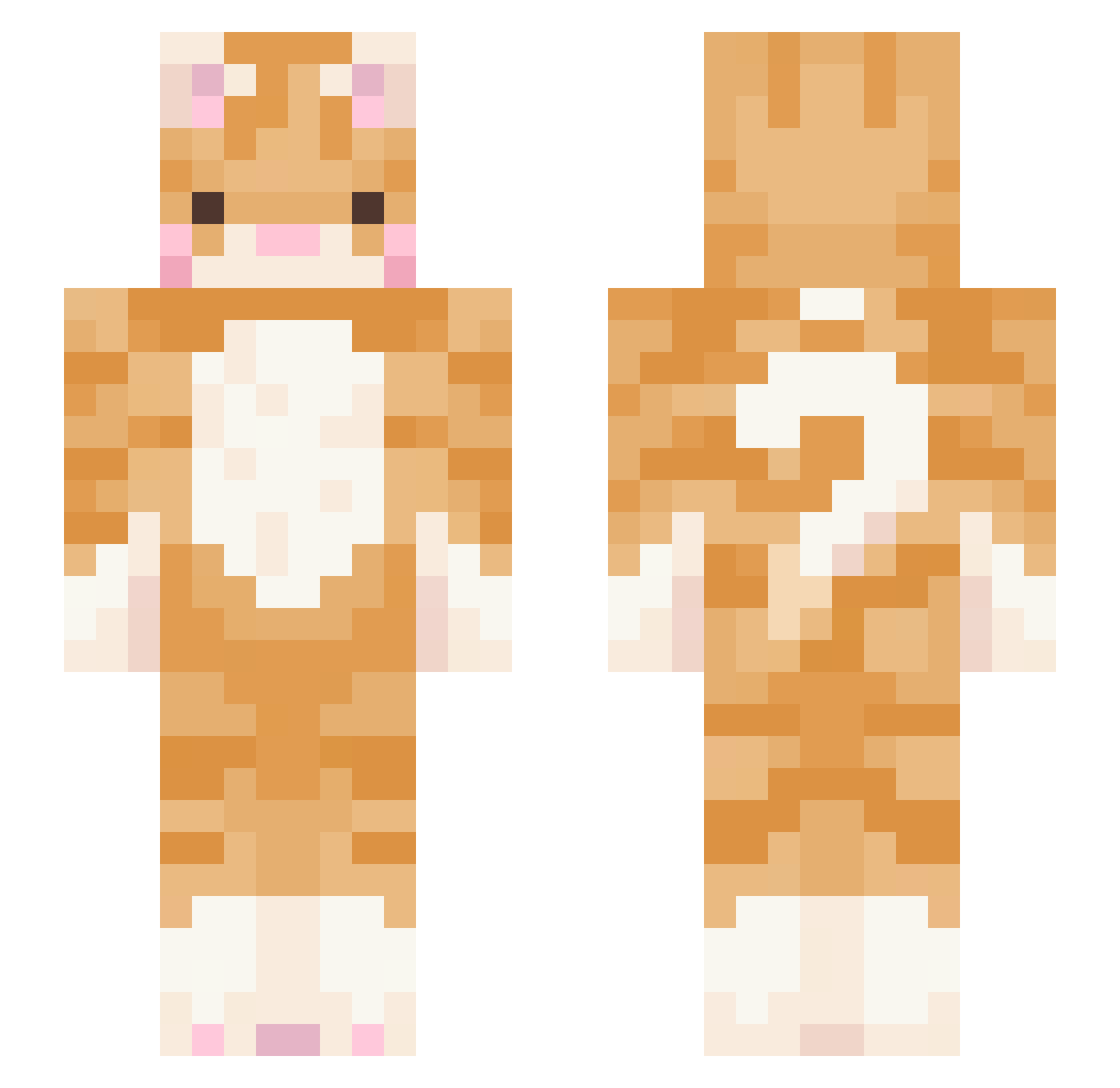
Current Minecraft skin of the player MagaliWoods, loaded from the official Mojang API. Rotate the 3D model with your mouse or finger, then download the skin as a PNG file and use it in Minecraft: Bedrock Edition or Java Edition for free. When MagaliWoods changes their skin, this page updates automatically and the old skin stays in the history below.
Other players with this skin (438)
MagaliWoods was the 72nd player we have seen with this skin, first spotted on 10.08.2026. The same skin was seen on these players. Open a nickname to see their current skin and skin history.
 Owlstar LumBerryyy AntoniBogdan streamhot Selze xdxstinyyz meda004 princessxbala ChestersNutz mothmaidella SparkPug DrKevlagg LauraAragon MarTMHK chongala myaoie lavenderhaz2 Chicorita__ Inf1n1dad inessquecivell NokiaKitty BobrKing MooseBussy ineedacatnap HeavensCrescendo strongnatto kjiu1102 eunbin_ Zobow G4456 Navendri jelly3300 ottawagwan TAXEVA5ION ARIxBABY Mimiiine rocksssss silygoose06 s1lentxkitty AppleCola7845 auvuee izzbuzz123 EmiraPi siiitrus Sprittz420 jckmeh0ff ugrillowanymurko stvieelynn SoapTaco 22trg MarcololGamer monreauxpp IttyBittyKittyyy emanuelfo SireHelios MythicalFIX lReknal jeaniebeanie81 H00N_ MimiTropMimi
More Ginger Cat Minecraft skins
How to install the MagaliWoods skin
- Press the Download button above to save the skin as a PNG file.
- Minecraft: Bedrock Edition (PE): open the Dressing Room from the main menu (or tap your character → Edit Character), go to Classic Skins → Owned, press the + (new skin) button, choose the downloaded PNG and pick the Slim (Alex) model. Works on PC and mobile; consoles cannot import custom skins.
- Minecraft: Java Edition: open the Minecraft Launcher, go to the Skins tab, click New Skin, load the PNG, pick the Slim (Alex) model and press Save & Use. You can also upload it at minecraft.net → Profile → Change Skin.
The skin does not show up after import - what should I do?
Restart Minecraft and open the Dressing Room again - imported skins sometimes appear only after a restart. Also make sure you selected the imported skin and picked the Slim (Alex) model.
Which model should I choose, Classic or Slim?
This skin is designed for the Slim (Alex) model. If you pick the wrong model, the arms of the skin will look stretched or squeezed.
Is the skin of MagaliWoods free to download?
Yes. Press Download, save the PNG file and use it in Minecraft: Bedrock Edition or Java Edition - no payment or registration needed. The skin also works on multiplayer servers and Realms.
More skins
Looking for more? Go back to all Minecraft skins and check the top skins of the week, month and all time, or find any player's skin by nickname.