
Madshot9000 - Minecraft Skins & Skin History
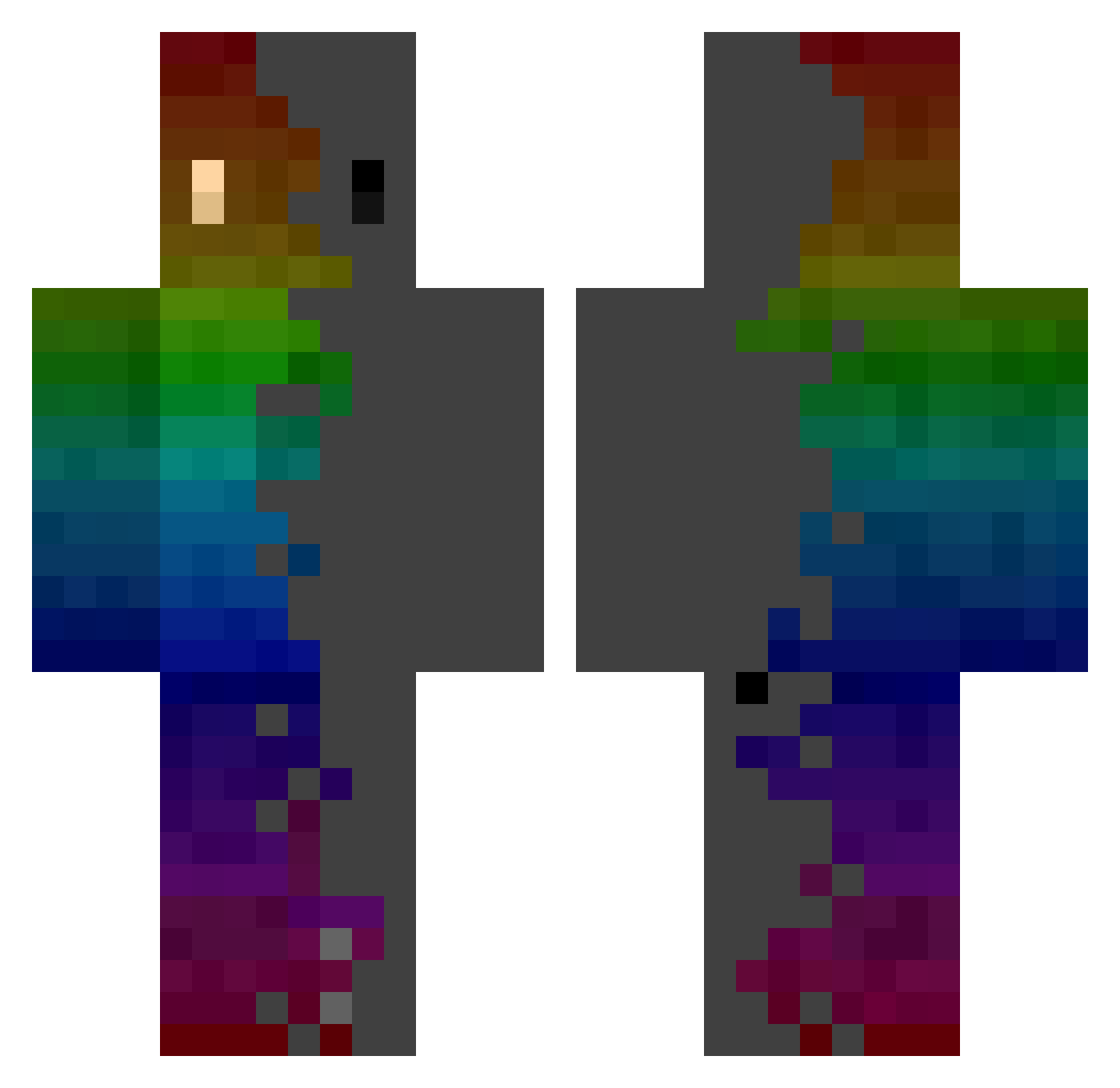
Current Minecraft skin of the player Madshot9000, loaded from the official Mojang API. Rotate the 3D model with your mouse or finger, then download the skin as a PNG file and use it in Minecraft: Bedrock Edition or Java Edition for free. When Madshot9000 changes their skin, this page updates automatically and the old skin stays in the history below.
Other players with this skin (769)
Madshot9000 was the 242nd player we have seen with this skin, first spotted on 27.08.2026. The same skin was seen on these players. Open a nickname to see their current skin and skin history.
 dada_pizza sasuke_V staybreezy Buuchan1x Roi_Snob D0mr Drejokii x66_msmc_7p5 FitAtol93886030 KoiaNiu dltjrdnjs Reafqr Aaron123337 plouk_d_dimanche Jackolaglas FreeZeT13 freri Y_Love_Y zak1314 Jonah112307 Kriskie Nautilus6969 Malkons Aurexis_MC pawel1085 FantomAtom AbstractRz rryong AloneFox1 Mirasus Bastory NokternaI yuan294 UWU_0609 Total_fish _oO000Oo_ InnerFearenc3 AlaskanThunderf Bubba3950 SOKyle TekGen Prophecy255 Fullmoon03 TimDrGamer kirillou32 DARE7792 KoreaHacker Reverietides GoldenKing06 JIHUN0030 Jakub190327 Yahhoidao kotorIV itz_Syn Dead_Control_ barbecuefosse broodjemrtryhard xuzhenxue ___Psych0___ The_Lion_Junior
How to install the Madshot9000 skin
- Press the Download button above to save the skin as a PNG file.
- Minecraft: Bedrock Edition (PE): open the Dressing Room from the main menu (or tap your character → Edit Character), go to Classic Skins → Owned, press the + (new skin) button, choose the downloaded PNG and pick the Classic (Steve) model. Works on PC and mobile; consoles cannot import custom skins.
- Minecraft: Java Edition: open the Minecraft Launcher, go to the Skins tab, click New Skin, load the PNG, pick the Classic (Steve) model and press Save & Use. You can also upload it at minecraft.net → Profile → Change Skin.
The skin does not show up after import - what should I do?
Restart Minecraft and open the Dressing Room again - imported skins sometimes appear only after a restart. Also make sure you selected the imported skin and picked the Classic (Steve) model.
Which model should I choose, Classic or Slim?
This skin is designed for the Classic (Steve) model. If you pick the wrong model, the arms of the skin will look stretched or squeezed.
Is the skin of Madshot9000 free to download?
Yes. Press Download, save the PNG file and use it in Minecraft: Bedrock Edition or Java Edition - no payment or registration needed. The skin also works on multiplayer servers and Realms.
More skins
Looking for more? Go back to all Minecraft skins and check the top skins of the week, month and all time, or find any player's skin by nickname.