
Maciew0sz - Minecraft Skins & Skin History
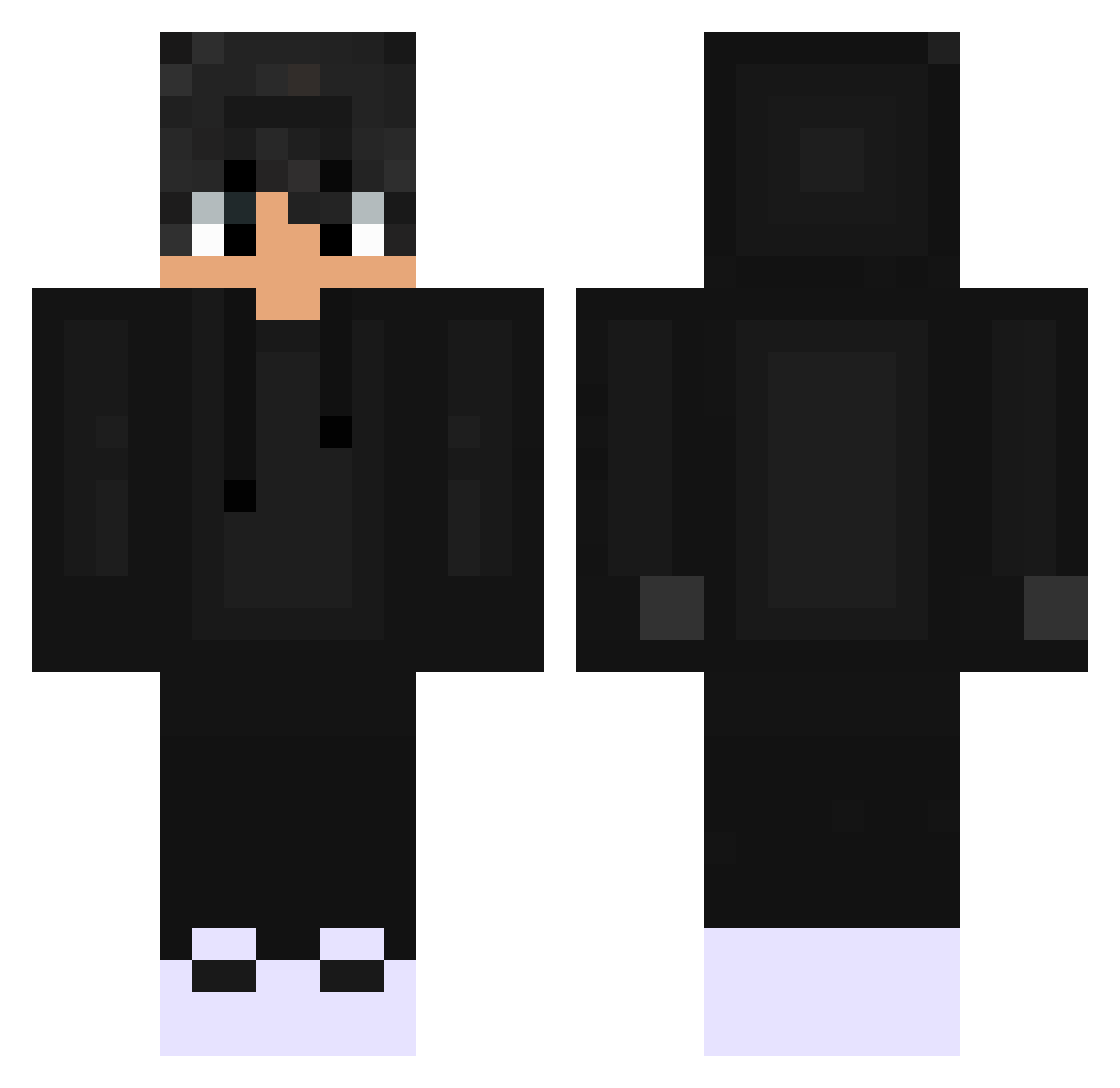
Current Minecraft skin of the player Maciew0sz, loaded from the official Mojang API. Rotate the 3D model with your mouse or finger, then download the skin as a PNG file and use it in Minecraft: Bedrock Edition or Java Edition for free. When Maciew0sz changes their skin, this page updates automatically and the old skin stays in the history below.
Other players with this skin (527)
Maciew0sz was the 308th player we have seen with this skin, first spotted on 29.09.2026. The same skin was seen on these players. Open a nickname to see their current skin and skin history.
 Nero_1408 ItsthisAlfred _chimou_ Michael33 Kamo_2011 Kura993 Dators99 FoosaPRO Nble3 PabloEMR xblysk Remiula02 Kaert Tchky54 Kifier SniperzzYT Nickm28 Ultra_Hyplex PEYTONZOMBKLLR XchristianXsj Mojinoz Streetglider123 arayyy Basti_DE BridouSkull celosz doru1014 shrubbsies TrHf2000 Attecwolf cserii555 Faridd52 dupospl TNTeamC4 Maifera Xellit connorhockey9 Dusking4873 ShiftClips Rakistah XD_Atlas Woitalo found01 kritixes SolarChris BlackSheep0857 just_Matheo Th3Murdock sm85 Kanekiiiiii Cyberkillr eltundgggg GoGicz Txmfln ReGame_LOL BesongGG Guiillee03 Abo_Sl6an AkashaXT aycett
How to install the Maciew0sz skin
- Press the Download button above to save the skin as a PNG file.
- Minecraft: Bedrock Edition (PE): open the Dressing Room from the main menu (or tap your character → Edit Character), go to Classic Skins → Owned, press the + (new skin) button, choose the downloaded PNG and pick the Classic (Steve) model. Works on PC and mobile; consoles cannot import custom skins.
- Minecraft: Java Edition: open the Minecraft Launcher, go to the Skins tab, click New Skin, load the PNG, pick the Classic (Steve) model and press Save & Use. You can also upload it at minecraft.net → Profile → Change Skin.
The skin does not show up after import - what should I do?
Restart Minecraft and open the Dressing Room again - imported skins sometimes appear only after a restart. Also make sure you selected the imported skin and picked the Classic (Steve) model.
Which model should I choose, Classic or Slim?
This skin is designed for the Classic (Steve) model. If you pick the wrong model, the arms of the skin will look stretched or squeezed.
Is the skin of Maciew0sz free to download?
Yes. Press Download, save the PNG file and use it in Minecraft: Bedrock Edition or Java Edition - no payment or registration needed. The skin also works on multiplayer servers and Realms.
More skins
Looking for more? Go back to all Minecraft skins and check the top skins of the week, month and all time, or find any player's skin by nickname.