
Machuu11 - Minecraft Skins & Skin History
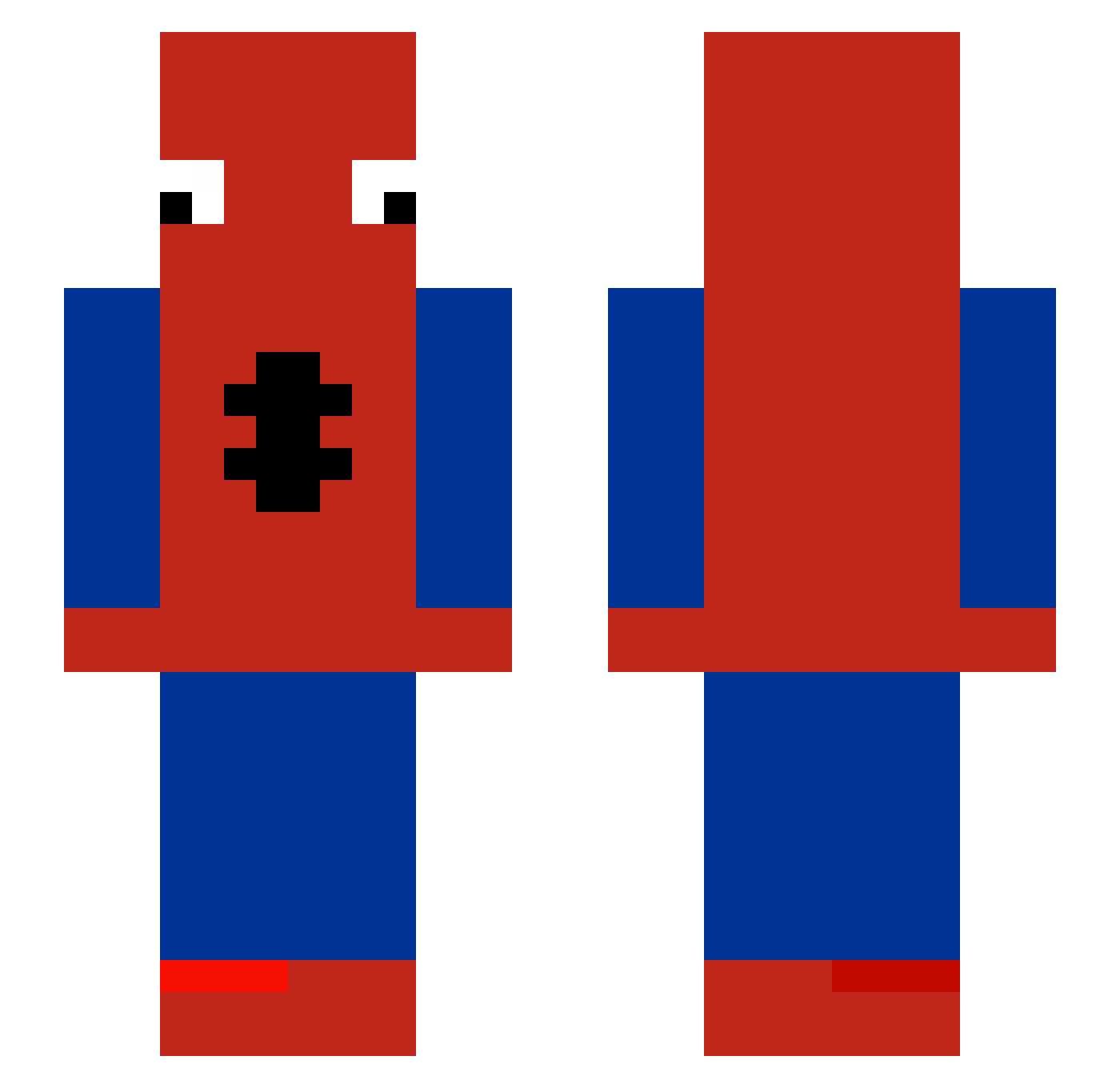
Current Minecraft skin of the player Machuu11, loaded from the official Mojang API. Rotate the 3D model with your mouse or finger, then download the skin as a PNG file and use it in Minecraft: Bedrock Edition or Java Edition for free. When Machuu11 changes their skin, this page updates automatically and the old skin stays in the history below.
Other players with this skin (485)
Machuu11 was the 9th player we have seen with this skin, first spotted on 25.07.2026. The same skin was seen on these players. Open a nickname to see their current skin and skin history.
 DDavita Marqsflh
 MonsterDiddy minatau22 Mystic_298 Wingnut351 Gavbot15 challebale67 Dream_St0rm NerfMarlon Smizma FieryRalcraft Mehmet_0492 ThisIsAdoz1 Leeeo2019 mamutcanpro1478 renato556 Xyphen213 meganxalyssa Kelhs PeterPadella theratthing THETAPWATER1 pede_69 OlaM_ec TypicalTrx FentLean
 Arirou agustinfn MastaTana_Nathan ikeacpvph ara702 kskmodwm napitoo LJY_1 NoOne2523 Noob_Sniper09 GN_Karter Spipo_
 XlegendaryTO Pates_cuites Castigliou JayJ4y15 binomc egebaba31_gg Alby1221 Simply102 Corgislider WilliamHS0807 OhLeen_ yopmerengues gabiigonzalezzz Ian0118 Jonah3sub N3roMx Kevsssss Tw1st__ capybara0928 akaturkey babypuro
More Spider-Man Minecraft skins
How to install the Machuu11 skin
- Press the Download button above to save the skin as a PNG file.
- Minecraft: Bedrock Edition (PE): open the Dressing Room from the main menu (or tap your character → Edit Character), go to Classic Skins → Owned, press the + (new skin) button, choose the downloaded PNG and pick the Slim (Alex) model. Works on PC and mobile; consoles cannot import custom skins.
- Minecraft: Java Edition: open the Minecraft Launcher, go to the Skins tab, click New Skin, load the PNG, pick the Slim (Alex) model and press Save & Use. You can also upload it at minecraft.net → Profile → Change Skin.
The skin does not show up after import - what should I do?
Restart Minecraft and open the Dressing Room again - imported skins sometimes appear only after a restart. Also make sure you selected the imported skin and picked the Slim (Alex) model.
Which model should I choose, Classic or Slim?
This skin is designed for the Slim (Alex) model. If you pick the wrong model, the arms of the skin will look stretched or squeezed.
Is the skin of Machuu11 free to download?
Yes. Press Download, save the PNG file and use it in Minecraft: Bedrock Edition or Java Edition - no payment or registration needed. The skin also works on multiplayer servers and Realms.
More skins
Looking for more? Go back to all Minecraft skins and check the top skins of the week, month and all time, or find any player's skin by nickname.