
MRredwigglywoos - Minecraft Skins & Skin History
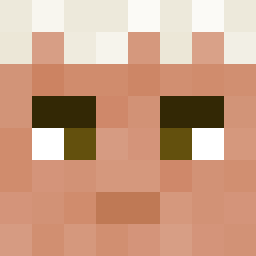
Current Minecraft skin of the player MRredwigglywoos, loaded from the official Mojang API. Rotate the 3D model with your mouse or finger, then download the skin as a PNG file and use it in Minecraft: Bedrock Edition or Java Edition for free. When MRredwigglywoos changes their skin, this page updates automatically and the old skin stays in the history below.

Other players with this skin (73)
MRredwigglywoos was the 30th player we have seen with this skin, first spotted on 03.09.2026. The same skin was seen on these players. Open a nickname to see their current skin and skin history.
 lordigerlord tmac24utm Qbeun yzf2 Abigamer10 IllBeInCharge Thelet1234 xlymesh Blk PapoyF Jackbox00 TungSahura Rikatu StopRhombus8922 sNowpwd Ninjajedi2000 GuillaumeBoss11 kairiff zocwastaken _Rinat2_ powerdenis06 theSlater202
 Creeper1025 Oc_Oc_Oc_Oc syqqqqqq I_drink_I 1FarfadetDePala _killer_123 MissionNA Pichulinha09 QX_King bidi1337 Zeirogz F4v3L00nS TMHR_0_5_1_3 reptron412 Mnvs_0 darkdemonfighter sohta1112 kingzy01 Frissyn Azik1379 Hxram absonli Trailerpark9 commanderbirdie Mrflinky choraprofelipe SalamiAleykujm Kyungju11 imtrash2 tiagosilvas123 game_gutt IFoxxGold inventivelight Taithi52 deiorisss VerifyAttacks Cair IHO_
How to install the MRredwigglywoos skin
- Press the Download button above to save the skin as a PNG file.
- Minecraft: Bedrock Edition (PE): open the Dressing Room from the main menu (or tap your character → Edit Character), go to Classic Skins → Owned, press the + (new skin) button, choose the downloaded PNG and pick the Slim (Alex) model. Works on PC and mobile; consoles cannot import custom skins.
- Minecraft: Java Edition: open the Minecraft Launcher, go to the Skins tab, click New Skin, load the PNG, pick the Slim (Alex) model and press Save & Use. You can also upload it at minecraft.net → Profile → Change Skin.
The skin does not show up after import - what should I do?
Restart Minecraft and open the Dressing Room again - imported skins sometimes appear only after a restart. Also make sure you selected the imported skin and picked the Slim (Alex) model.
Which model should I choose, Classic or Slim?
This skin is designed for the Slim (Alex) model. If you pick the wrong model, the arms of the skin will look stretched or squeezed.
Is the skin of MRredwigglywoos free to download?
Yes. Press Download, save the PNG file and use it in Minecraft: Bedrock Edition or Java Edition - no payment or registration needed. The skin also works on multiplayer servers and Realms.
More skins
Looking for more? Go back to all Minecraft skins and check the top skins of the week, month and all time, or find any player's skin by nickname.