
MR_SORG - Minecraft Skins & Skin History
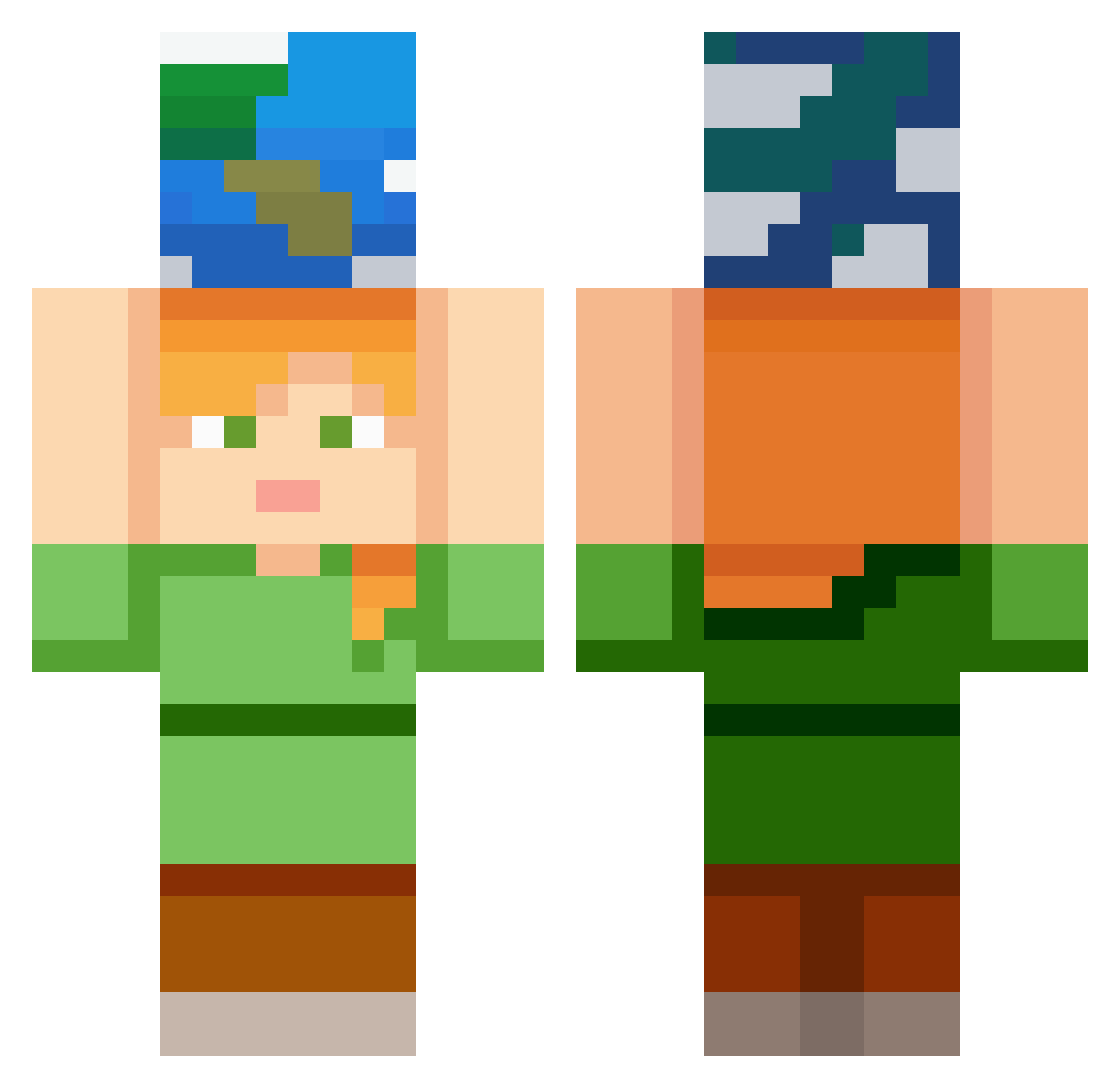
Current Minecraft skin of the player MR_SORG, loaded from the official Mojang API. Rotate the 3D model with your mouse or finger, then download the skin as a PNG file and use it in Minecraft: Bedrock Edition or Java Edition for free. When MR_SORG changes their skin, this page updates automatically and the old skin stays in the history below.
Other players with this skin (367)
MR_SORG was the 228th player we have seen with this skin, first spotted on 01.10.2026. The same skin was seen on these players. Open a nickname to see their current skin and skin history.
 Varik_Ares xoxiimc AGaMerOnline NoRetry VALENTAIN2000 Maddilel SpaceK___ choiyechan TheCrafter3773 maxbow15 husans whwnsgud elite457 XxPatatita69xX fifi0177 ArthurFC2018 ChocoMilk0809 Rift7Z7 vinifarenzena BoxedByCat cutebeaver Lagisibb cha1123 Lipieceasy6 JBearez Ulananatalka NikitaPle HEROBRINE2501 Korosen08 natalie9570 dvdmski mixxxgin6699 Bubblegumyy rurusut12 Shiro050 nahonjasanda vivim31 gokli10 samy_sbr sutertobias nixweil Darkness_Nix GreenSiyo Ddark1989 luuul8833 layoutvz lunaforest Filipisme jbulet sccart vladgas Mase1245 Meggadonut kassu_02 cdsq GeoFortBricks kajamath Mr__Backstab simonasta Zred2
More Planet Minecraft skins
How to install the MR_SORG skin
- Press the Download button above to save the skin as a PNG file.
- Minecraft: Bedrock Edition (PE): open the Dressing Room from the main menu (or tap your character → Edit Character), go to Classic Skins → Owned, press the + (new skin) button, choose the downloaded PNG and pick the Classic (Steve) model. Works on PC and mobile; consoles cannot import custom skins.
- Minecraft: Java Edition: open the Minecraft Launcher, go to the Skins tab, click New Skin, load the PNG, pick the Classic (Steve) model and press Save & Use. You can also upload it at minecraft.net → Profile → Change Skin.
The skin does not show up after import - what should I do?
Restart Minecraft and open the Dressing Room again - imported skins sometimes appear only after a restart. Also make sure you selected the imported skin and picked the Classic (Steve) model.
Which model should I choose, Classic or Slim?
This skin is designed for the Classic (Steve) model. If you pick the wrong model, the arms of the skin will look stretched or squeezed.
Is the skin of MR_SORG free to download?
Yes. Press Download, save the PNG file and use it in Minecraft: Bedrock Edition or Java Edition - no payment or registration needed. The skin also works on multiplayer servers and Realms.
More skins
Looking for more? Go back to all Minecraft skins and check the top skins of the week, month and all time, or find any player's skin by nickname.