
MRGravestoneyt - Minecraft Skins & Skin History
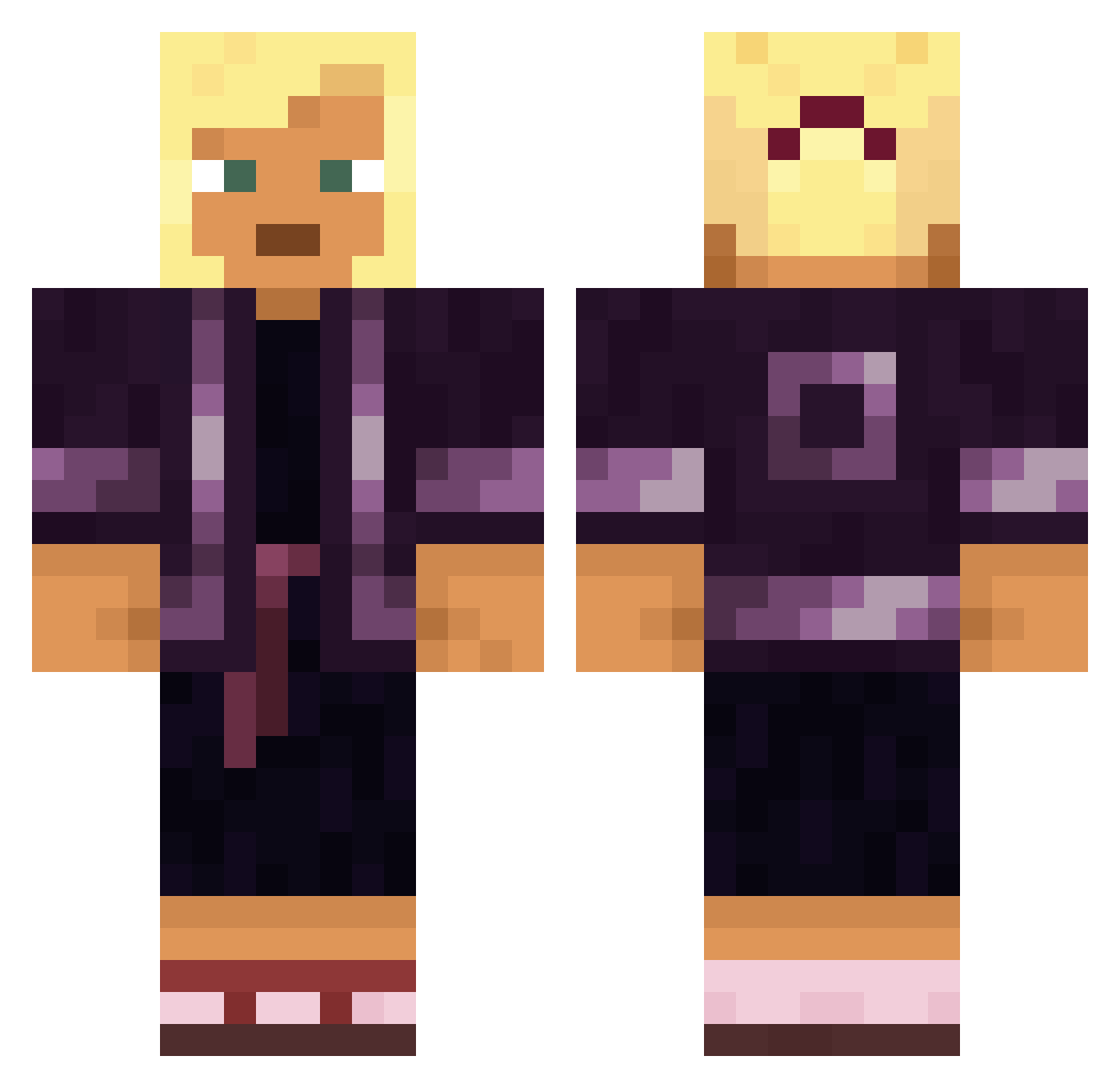
Current Minecraft skin of the player MRGravestoneyt, loaded from the official Mojang API. Rotate the 3D model with your mouse or finger, then download the skin as a PNG file and use it in Minecraft: Bedrock Edition or Java Edition for free. When MRGravestoneyt changes their skin, this page updates automatically and the old skin stays in the history below.
Other players with this skin (1887)
MRGravestoneyt was the 1726th player we have seen with this skin, first spotted on 11.11.2026. The same skin was seen on these players. Open a nickname to see their current skin and skin history.
 zRazer1 Bamderbam syyzkk R_a_m_S Firehall ferter GoyaAdobo pomposo zambloq GusTheGreat07 Looney Gerrit030 LordMefedron Raorang Selago xerotherm Moeyerke a8888888 Aporia Lalib159 MineCrafterCV03 Arenosity Swatted CrolenStone MCMLIII_ Dreadfang Implicant alisplustax Principium CrispoSomeone_ _MOUSE_22 kaikkai446 Kenbones JotaR_ ctnz WilliamSvarstad makaveli38 Dan_Yuu sallie Ancs01 JoshDawson DoctorDonut Stampy0704 itsukibanana Albizzia aneath GOLLYItsHolly hottler Dethronement agee saundra The_Pro_HUNTER _LiKeR_ GoofierChicken A_H1tl3r Orbx slayyerss skull_hunter_yt CasualJesus Vergaloo
More Kimono Minecraft skins
How to install the MRGravestoneyt skin
- Press the Download button above to save the skin as a PNG file.
- Minecraft: Bedrock Edition (PE): open the Dressing Room from the main menu (or tap your character → Edit Character), go to Classic Skins → Owned, press the + (new skin) button, choose the downloaded PNG and pick the Classic (Steve) model. Works on PC and mobile; consoles cannot import custom skins.
- Minecraft: Java Edition: open the Minecraft Launcher, go to the Skins tab, click New Skin, load the PNG, pick the Classic (Steve) model and press Save & Use. You can also upload it at minecraft.net → Profile → Change Skin.
The skin does not show up after import - what should I do?
Restart Minecraft and open the Dressing Room again - imported skins sometimes appear only after a restart. Also make sure you selected the imported skin and picked the Classic (Steve) model.
Which model should I choose, Classic or Slim?
This skin is designed for the Classic (Steve) model. If you pick the wrong model, the arms of the skin will look stretched or squeezed.
Is the skin of MRGravestoneyt free to download?
Yes. Press Download, save the PNG file and use it in Minecraft: Bedrock Edition or Java Edition - no payment or registration needed. The skin also works on multiplayer servers and Realms.
More skins
Looking for more? Go back to all Minecraft skins and check the top skins of the week, month and all time, or find any player's skin by nickname.