
MRBlau2012 - Minecraft Skins & Skin History
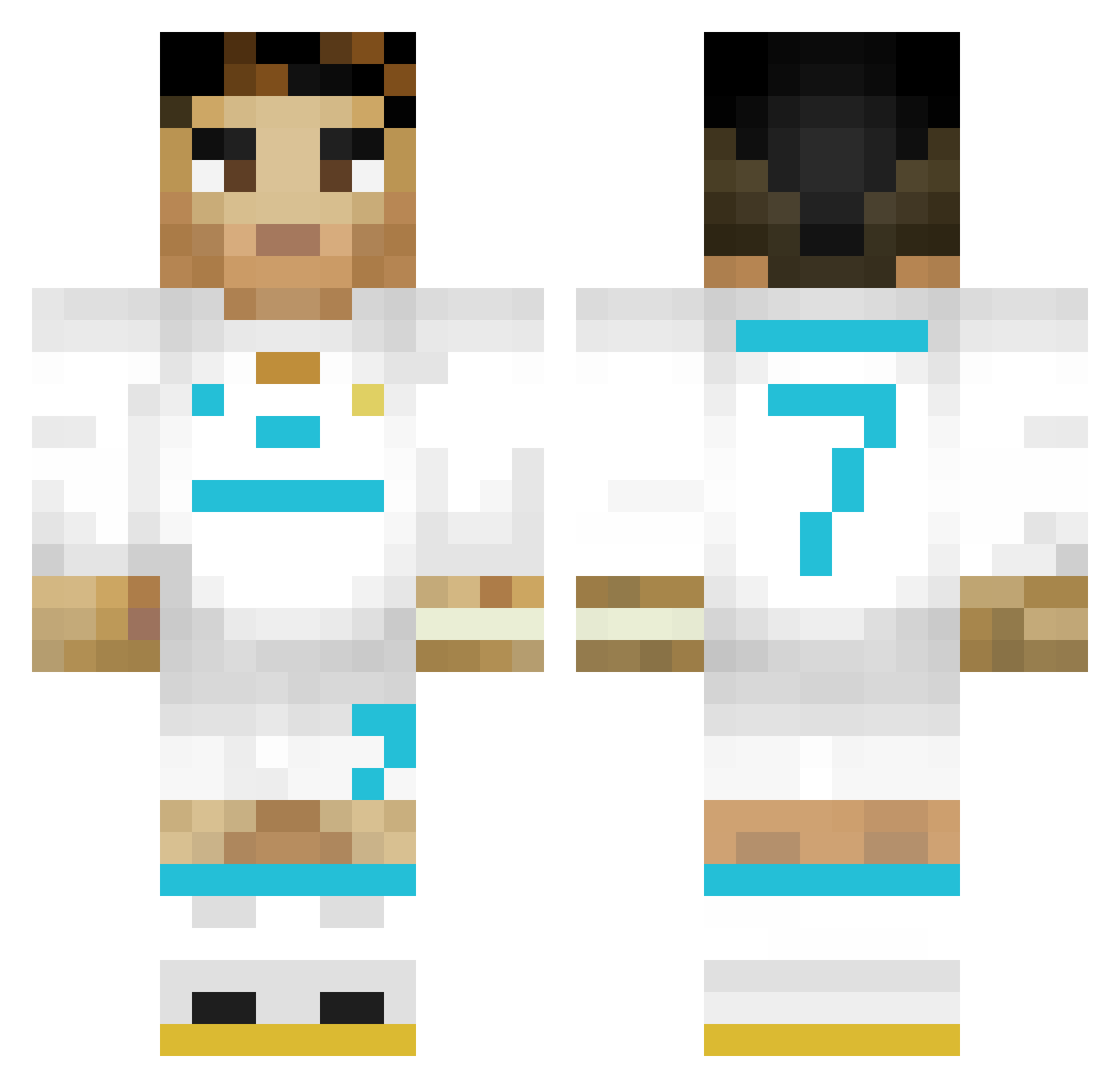
Current Minecraft skin of the player MRBlau2012, loaded from the official Mojang API. Rotate the 3D model with your mouse or finger, then download the skin as a PNG file and use it in Minecraft: Bedrock Edition or Java Edition for free. When MRBlau2012 changes their skin, this page updates automatically and the old skin stays in the history below.
Other players with this skin (303)
MRBlau2012 was the 178th player we have seen with this skin, first spotted on 21.09.2026. The same skin was seen on these players. Open a nickname to see their current skin and skin history.
 Chickenwing1098 Goenj M972au CR7Lovver GALLEGOBBY ZidaneVengiXx_ KimlengYT not_7 conek321 ScarJogos SalvadorLycee07 yslvale YajaTMF Gabrielcast123 Darius_04 YusufRemindd ChuniNAO EricKing40 SOKUCU11 pello59 DIAZKID Kristalikk abelsdf CauaXY Cascacocos1 RicardoTikTok Sn1pA_ di3go9998 siset99 Tilki68 iklikreet MuslimanRonaldo putin2712 Tedzik1 Obamna9846 dklase SAADISTCOOL THELASTSIUUU HawkZv maciejovsky1 MalikBaba KEMORA_27 iFxbsz D3STR0Y3R1001 Daniel153535 vDiegoHD athipphat DV35 samuu27 AlejandrClT KC_PessiFinito nolu_214 Naruuuza AlexConTelmex PricyGazelle543 Joakieche_ SandManTim celtix09 Jasiulaa Mrbunnyrabbit22
More Cristiano Ronaldo Minecraft skins
See all 189 Cristiano Ronaldo skins
How to install the MRBlau2012 skin
- Press the Download button above to save the skin as a PNG file.
- Minecraft: Bedrock Edition (PE): open the Dressing Room from the main menu (or tap your character → Edit Character), go to Classic Skins → Owned, press the + (new skin) button, choose the downloaded PNG and pick the Classic (Steve) model. Works on PC and mobile; consoles cannot import custom skins.
- Minecraft: Java Edition: open the Minecraft Launcher, go to the Skins tab, click New Skin, load the PNG, pick the Classic (Steve) model and press Save & Use. You can also upload it at minecraft.net → Profile → Change Skin.
The skin does not show up after import - what should I do?
Restart Minecraft and open the Dressing Room again - imported skins sometimes appear only after a restart. Also make sure you selected the imported skin and picked the Classic (Steve) model.
Which model should I choose, Classic or Slim?
This skin is designed for the Classic (Steve) model. If you pick the wrong model, the arms of the skin will look stretched or squeezed.
Is the skin of MRBlau2012 free to download?
Yes. Press Download, save the PNG file and use it in Minecraft: Bedrock Edition or Java Edition - no payment or registration needed. The skin also works on multiplayer servers and Realms.
More skins
Looking for more? Go back to all Minecraft skins and check the top skins of the week, month and all time, or find any player's skin by nickname.