
MOTORRRRR - Minecraft Skins & Skin History
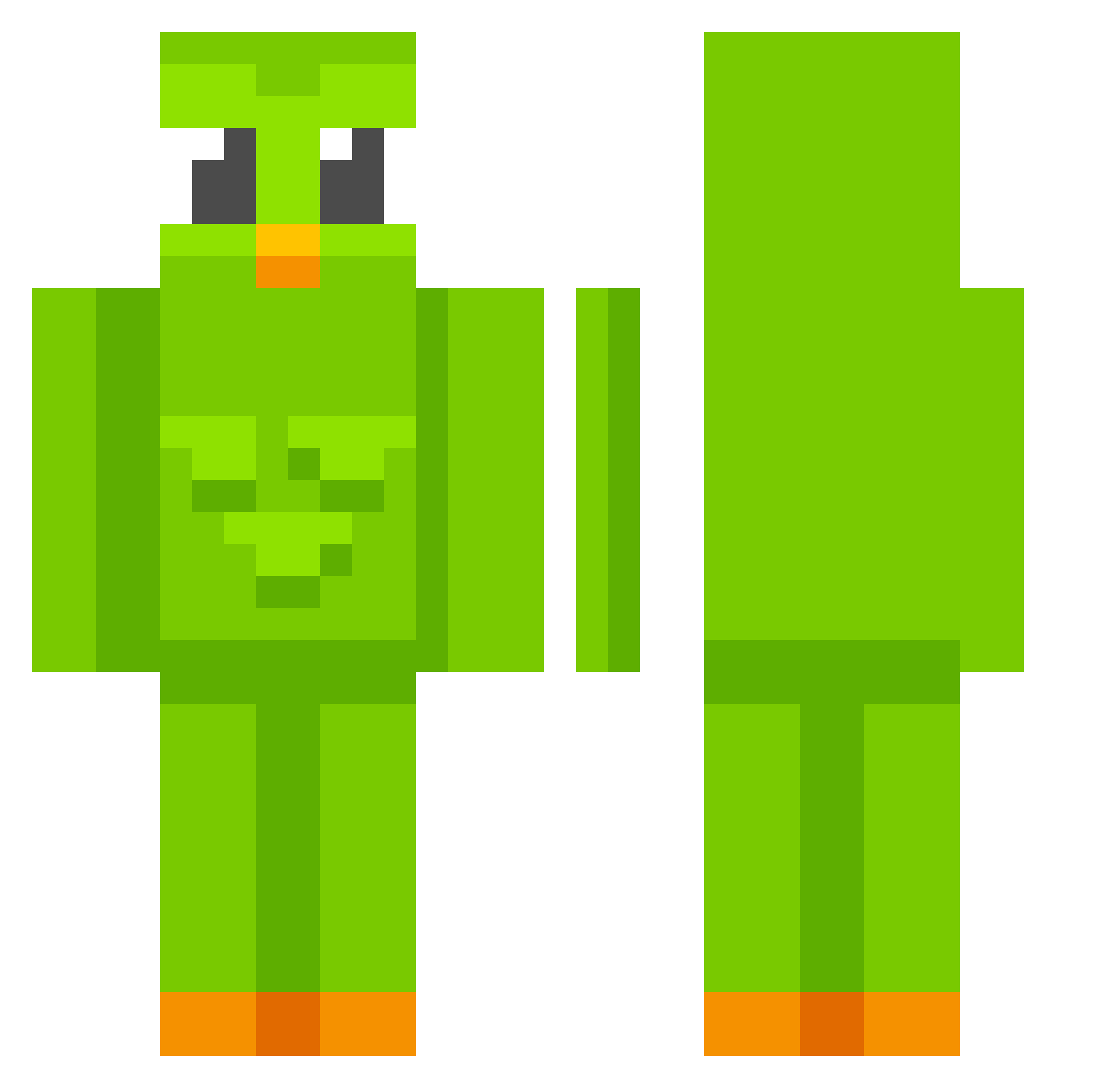
Current Minecraft skin of the player MOTORRRRR, loaded from the official Mojang API. Rotate the 3D model with your mouse or finger, then download the skin as a PNG file and use it in Minecraft: Bedrock Edition or Java Edition for free. When MOTORRRRR changes their skin, this page updates automatically and the old skin stays in the history below.
Other players with this skin (597)
MOTORRRRR was the 385th player we have seen with this skin, first spotted on 22.09.2026. The same skin was seen on these players. Open a nickname to see their current skin and skin history.
 D1LFL0V3R666 DUOlingoBRIDZ SPACE37 Mixtos olemarac13 gldrizle Medi1213 Shogun2_0 Dromsomeras chen940606 toorgal JavierCorado Wicked45 Iszotera jesseeeeh Azrahr ZweTy psyzindogafi_ofc CoronaCarl MatesCZ1 Kimnho KOLD6565 iDartx vembo0 awetizum KPLilly TheOddPigeon Pedrosalinas123 SikeyMz Snappect kunza123 Holy1Shade Eferet ImKylo Gamboa_11 FreeTopG Carnish1 epicgamers35 Annieeeee Carlos081 Ewa__chan siesta422 goldminer533 spocony17 KAMABOKOSUN Tobolli Marimoomoo JotaV12 Spongebob213769 _PanTadeusz_ VanHohenheiim UnreadKnight990 shot_boi KitsuMini LiuXuhong9487 Nath54 _mouse_L Cessare9 EtherealWik uhohaero
More Duo Minecraft skins
How to install the MOTORRRRR skin
- Press the Download button above to save the skin as a PNG file.
- Minecraft: Bedrock Edition (PE): open the Dressing Room from the main menu (or tap your character → Edit Character), go to Classic Skins → Owned, press the + (new skin) button, choose the downloaded PNG and pick the Classic (Steve) model. Works on PC and mobile; consoles cannot import custom skins.
- Minecraft: Java Edition: open the Minecraft Launcher, go to the Skins tab, click New Skin, load the PNG, pick the Classic (Steve) model and press Save & Use. You can also upload it at minecraft.net → Profile → Change Skin.
The skin does not show up after import - what should I do?
Restart Minecraft and open the Dressing Room again - imported skins sometimes appear only after a restart. Also make sure you selected the imported skin and picked the Classic (Steve) model.
Which model should I choose, Classic or Slim?
This skin is designed for the Classic (Steve) model. If you pick the wrong model, the arms of the skin will look stretched or squeezed.
Is the skin of MOTORRRRR free to download?
Yes. Press Download, save the PNG file and use it in Minecraft: Bedrock Edition or Java Edition - no payment or registration needed. The skin also works on multiplayer servers and Realms.
More skins
Looking for more? Go back to all Minecraft skins and check the top skins of the week, month and all time, or find any player's skin by nickname.