
ML_Miguel - Minecraft Skins & Skin History
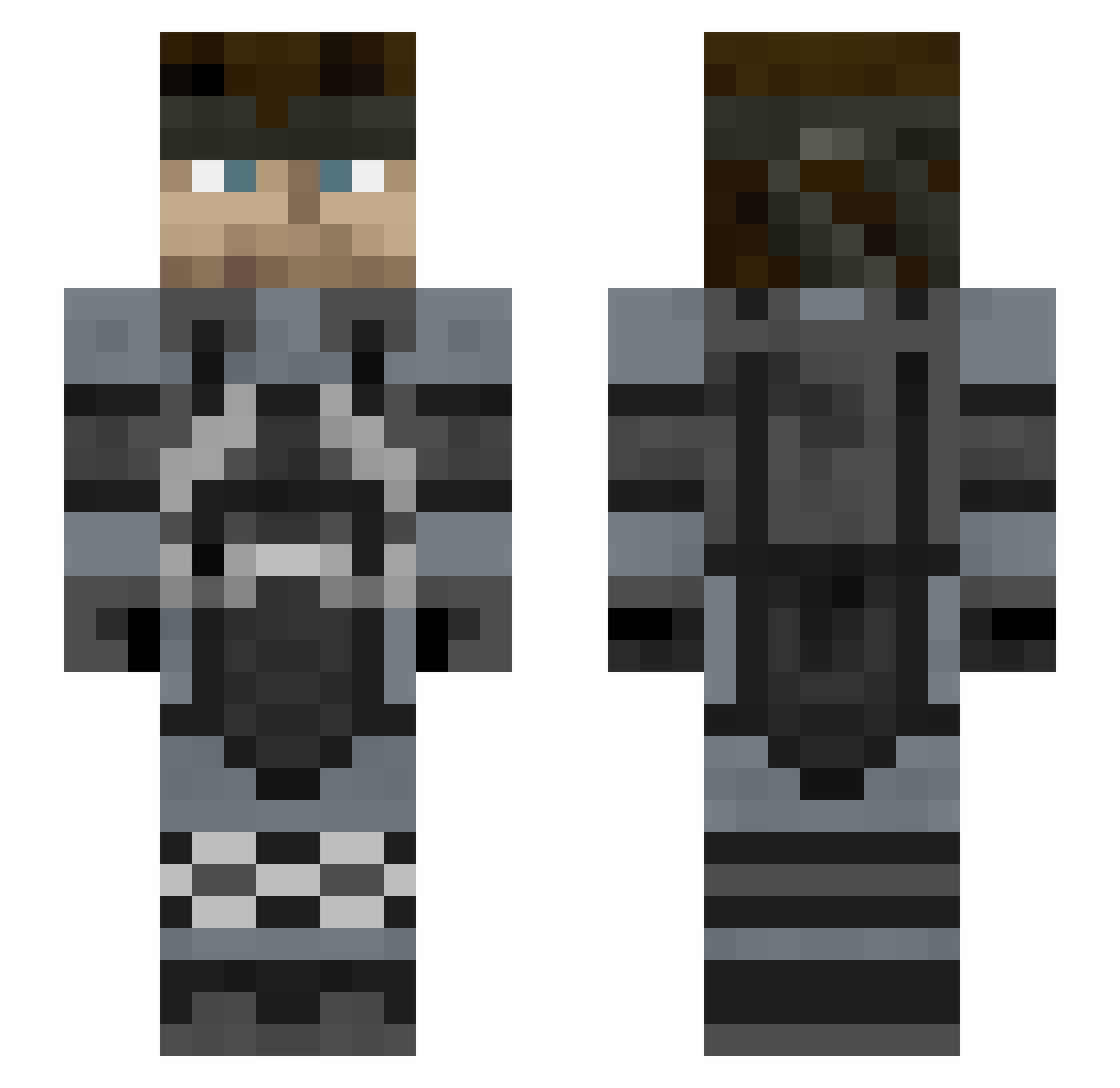
Current Minecraft skin of the player ML_Miguel, loaded from the official Mojang API. Rotate the 3D model with your mouse or finger, then download the skin as a PNG file and use it in Minecraft: Bedrock Edition or Java Edition for free. When ML_Miguel changes their skin, this page updates automatically and the old skin stays in the history below.
Other players with this skin (306)
ML_Miguel was the 85th player we have seen with this skin, first spotted on 22.08.2026. The same skin was seen on these players. Open a nickname to see their current skin and skin history.
 doublehung27 NightmarishPwny Hinata_Is_Wifey jokisilent meeeeeeeeeei inti23 MakingTrollSir jonnyab65 Lamz06 SolidSnake666 BaitMaster Subilupi _RealGamerHours_ Mexileo777 JoCyanide_ shadowblade098 DSnake00 Hazardlife_ Axel99 Hiru709 skslow _TreeFiddy_ HonziMonzi fleXx911 rambles_1 MrSnake1010 watashiyomi Dragon2303 zj_starydziad nemo_lov Bill9098 xXNighthawkXx delight321boom LUCA308_ nomico1 MasterKaczka1 binson224 Vitanie_00 Camaste3 RATIMOZA PerfextPineapple Jklop1510 35XX TerminusII RavnGhosT Laufox2 RubyRyder Meowkiller SWAG_Monkey69 WildeBeast15 Lepek1 Mag0scuro Artists_Only Jinsee Kryptyyy1 Hayate0712 TheRespawned xAntoniokiller SkealTem7 Rik200
More Stealth Minecraft skins
How to install the ML_Miguel skin
- Press the Download button above to save the skin as a PNG file.
- Minecraft: Bedrock Edition (PE): open the Dressing Room from the main menu (or tap your character → Edit Character), go to Classic Skins → Owned, press the + (new skin) button, choose the downloaded PNG and pick the Slim (Alex) model. Works on PC and mobile; consoles cannot import custom skins.
- Minecraft: Java Edition: open the Minecraft Launcher, go to the Skins tab, click New Skin, load the PNG, pick the Slim (Alex) model and press Save & Use. You can also upload it at minecraft.net → Profile → Change Skin.
The skin does not show up after import - what should I do?
Restart Minecraft and open the Dressing Room again - imported skins sometimes appear only after a restart. Also make sure you selected the imported skin and picked the Slim (Alex) model.
Which model should I choose, Classic or Slim?
This skin is designed for the Slim (Alex) model. If you pick the wrong model, the arms of the skin will look stretched or squeezed.
Is the skin of ML_Miguel free to download?
Yes. Press Download, save the PNG file and use it in Minecraft: Bedrock Edition or Java Edition - no payment or registration needed. The skin also works on multiplayer servers and Realms.
More skins
Looking for more? Go back to all Minecraft skins and check the top skins of the week, month and all time, or find any player's skin by nickname.