
MIranha15798 - Minecraft Skins & Skin History
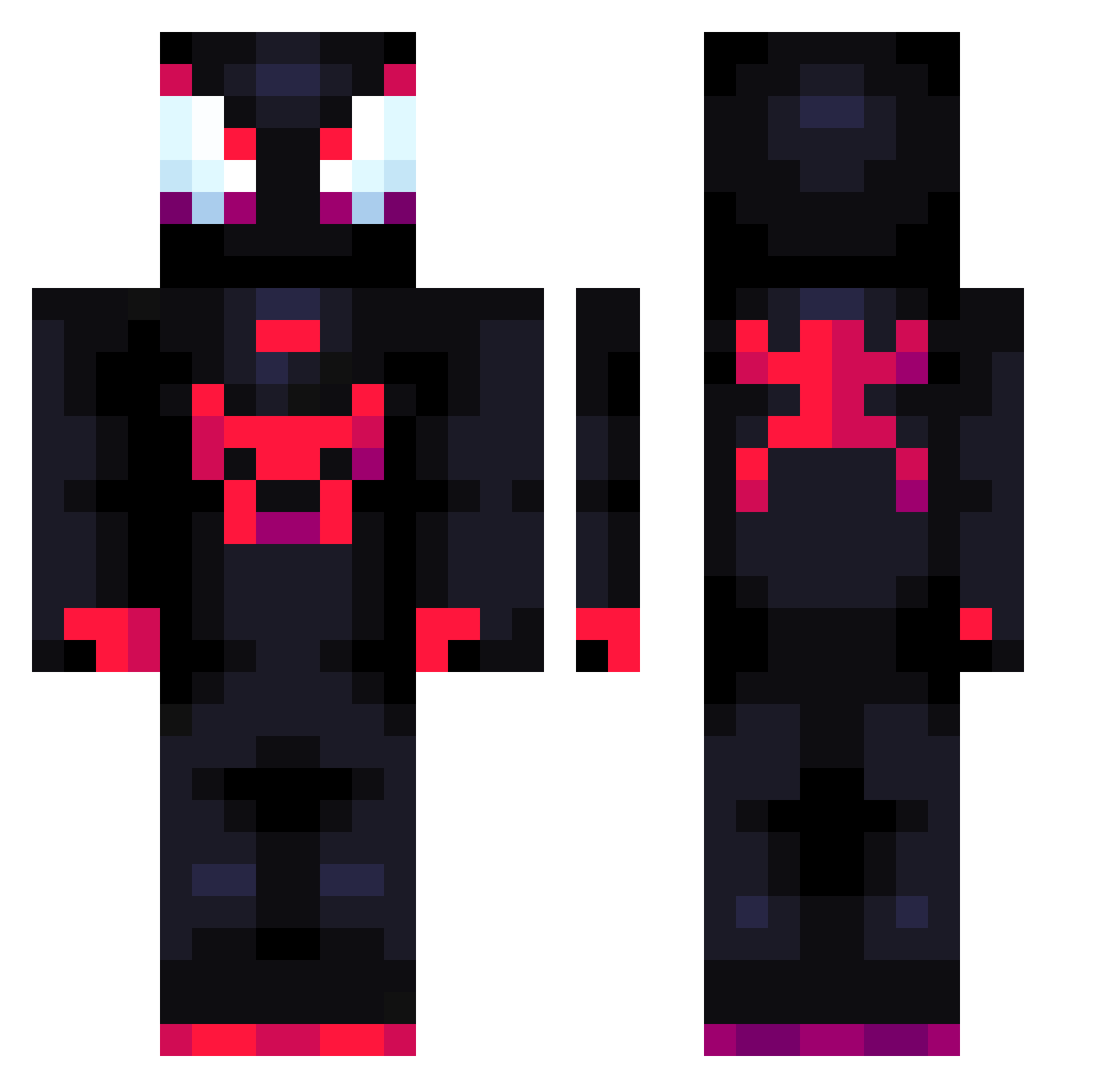
Current Minecraft skin of the player MIranha15798, loaded from the official Mojang API. Rotate the 3D model with your mouse or finger, then download the skin as a PNG file and use it in Minecraft: Bedrock Edition or Java Edition for free. When MIranha15798 changes their skin, this page updates automatically and the old skin stays in the history below.
Other players with this skin (711)
MIranha15798 was the 236th player we have seen with this skin, first spotted on 24.08.2026. The same skin was seen on these players. Open a nickname to see their current skin and skin history.
 tara729 Bless_full tutodepollo Nayytiz SNiper8307 Emdgh Eetch alixixi 586694
 SnowParalysisD Grimouuu__ SteamJunky CEERTIFIEDHaki dylanzuky12 MaximKim123 MrCueas sonysang Castelo20 Lysy_z_Balut IngeManfred41 Capapu255 monke_lindao Rhgic miyavlipasa JdotWick _Darkounette_ mangito Mrpickaxe10 Aaaaa_3 Simonezombie20 Pinuto Astra3l Smashhingg Nicky1030 w3xzera shiyiyii promise314 sweetsweetcircle wyatthan OPALA7 Danilo___ ElyGOAT DINGZHEN222 Szuflaa_ xiaoboi NeonDaGoat zoinkvw mazdaspeed04 Deonair Hoxing KDK1314 F3rrerinha Angeloide123 D0M1_
 Nel_swider2115 ryannzinn9j SUBLOW2525 Wearce Titymon Bauuht
More Miles Morales Minecraft skins
See all 234 Miles Morales skins
How to install the MIranha15798 skin
- Press the Download button above to save the skin as a PNG file.
- Minecraft: Bedrock Edition (PE): open the Dressing Room from the main menu (or tap your character → Edit Character), go to Classic Skins → Owned, press the + (new skin) button, choose the downloaded PNG and pick the Classic (Steve) model. Works on PC and mobile; consoles cannot import custom skins.
- Minecraft: Java Edition: open the Minecraft Launcher, go to the Skins tab, click New Skin, load the PNG, pick the Classic (Steve) model and press Save & Use. You can also upload it at minecraft.net → Profile → Change Skin.
The skin does not show up after import - what should I do?
Restart Minecraft and open the Dressing Room again - imported skins sometimes appear only after a restart. Also make sure you selected the imported skin and picked the Classic (Steve) model.
Which model should I choose, Classic or Slim?
This skin is designed for the Classic (Steve) model. If you pick the wrong model, the arms of the skin will look stretched or squeezed.
Is the skin of MIranha15798 free to download?
Yes. Press Download, save the PNG file and use it in Minecraft: Bedrock Edition or Java Edition - no payment or registration needed. The skin also works on multiplayer servers and Realms.
More skins
Looking for more? Go back to all Minecraft skins and check the top skins of the week, month and all time, or find any player's skin by nickname.