
MISKO666 - Minecraft Skins & Skin History
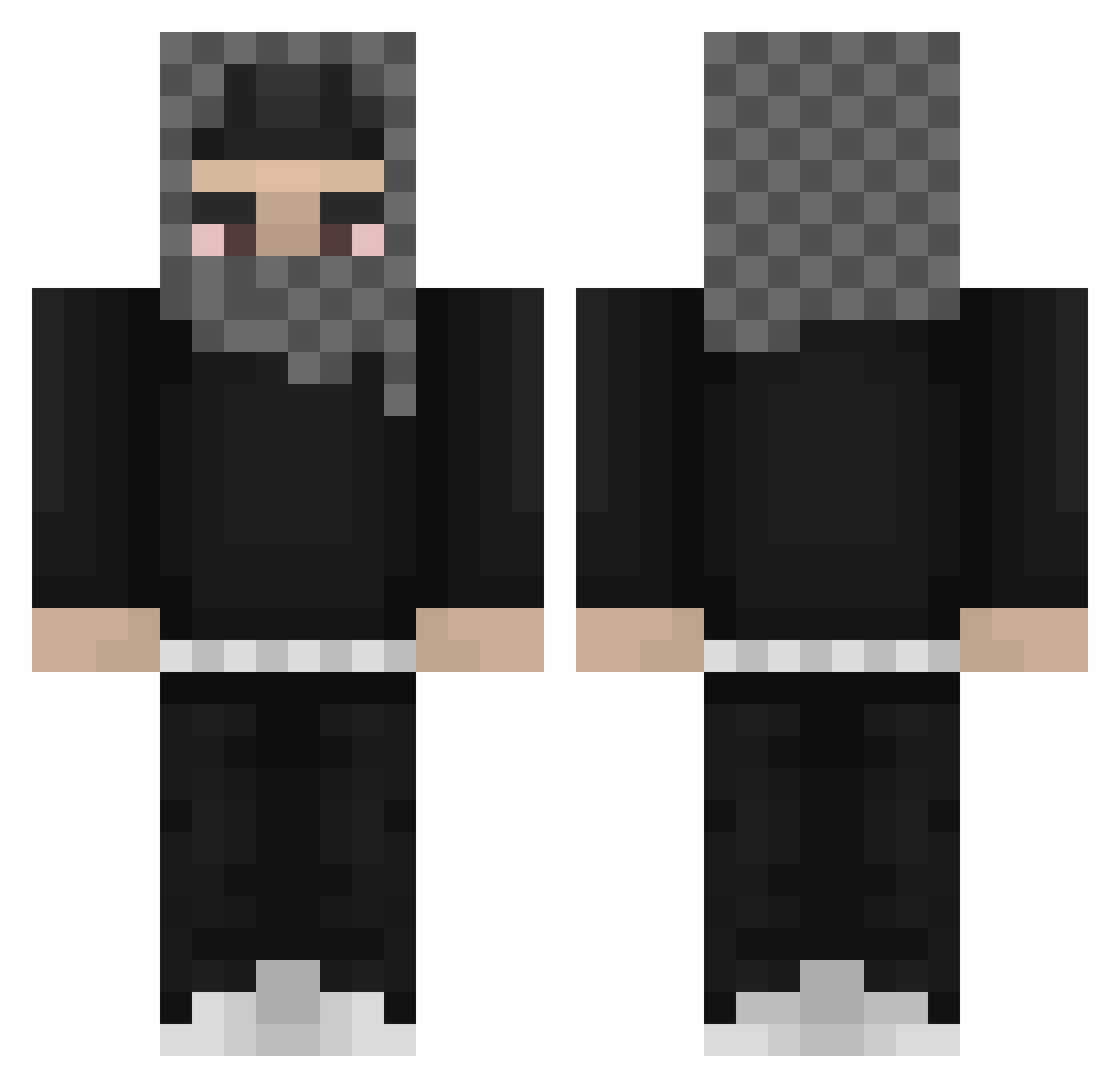
Current Minecraft skin of the player MISKO666, loaded from the official Mojang API. Rotate the 3D model with your mouse or finger, then download the skin as a PNG file and use it in Minecraft: Bedrock Edition or Java Edition for free. When MISKO666 changes their skin, this page updates automatically and the old skin stays in the history below.
Other players with this skin (812)
MISKO666 was the 757th player we have seen with this skin, first spotted on 29.10.2026. The same skin was seen on these players. Open a nickname to see their current skin and skin history.
 INSNARE ayoub2093 Zekkec_ xaxvi Jetz529 RICHIE4201 xMathyy watato7 TwizzDreww Bigbodytonkaguy DuaneyILY 50DOLLARSS blyxc yungbukyyy mbappe2443 9billabong9 Shiru07 oTraumzy texmexgio cowb0yZOJ b6uch Jrocklol KumaIaIa Jx2flare SosaV2 Dehydrated_Duck Kosugaming1 xKDTx sadaprdx shmunkem Way2Geekeddd Grockel YeatPoppin lunarrvl touhf stzy808 Sundown115 eren1234567 4astaroth LKPSA lalavanov to_m sheaj212 tfw22 yuph Sstormzie Sxlvage Bauducco007 benz0dark BaudL IamMookie19 KrankyKrankyAP VeganceXD loj123win stryker0977 ys9lma 00Nocturne JallaFrank420 Minskis Yspiritx
More Streetwear Minecraft skins
How to install the MISKO666 skin
- Press the Download button above to save the skin as a PNG file.
- Minecraft: Bedrock Edition (PE): open the Dressing Room from the main menu (or tap your character → Edit Character), go to Classic Skins → Owned, press the + (new skin) button, choose the downloaded PNG and pick the Classic (Steve) model. Works on PC and mobile; consoles cannot import custom skins.
- Minecraft: Java Edition: open the Minecraft Launcher, go to the Skins tab, click New Skin, load the PNG, pick the Classic (Steve) model and press Save & Use. You can also upload it at minecraft.net → Profile → Change Skin.
The skin does not show up after import - what should I do?
Restart Minecraft and open the Dressing Room again - imported skins sometimes appear only after a restart. Also make sure you selected the imported skin and picked the Classic (Steve) model.
Which model should I choose, Classic or Slim?
This skin is designed for the Classic (Steve) model. If you pick the wrong model, the arms of the skin will look stretched or squeezed.
Is the skin of MISKO666 free to download?
Yes. Press Download, save the PNG file and use it in Minecraft: Bedrock Edition or Java Edition - no payment or registration needed. The skin also works on multiplayer servers and Realms.
More skins
Looking for more? Go back to all Minecraft skins and check the top skins of the week, month and all time, or find any player's skin by nickname.