
MICHIXT - Minecraft Skins & Skin History
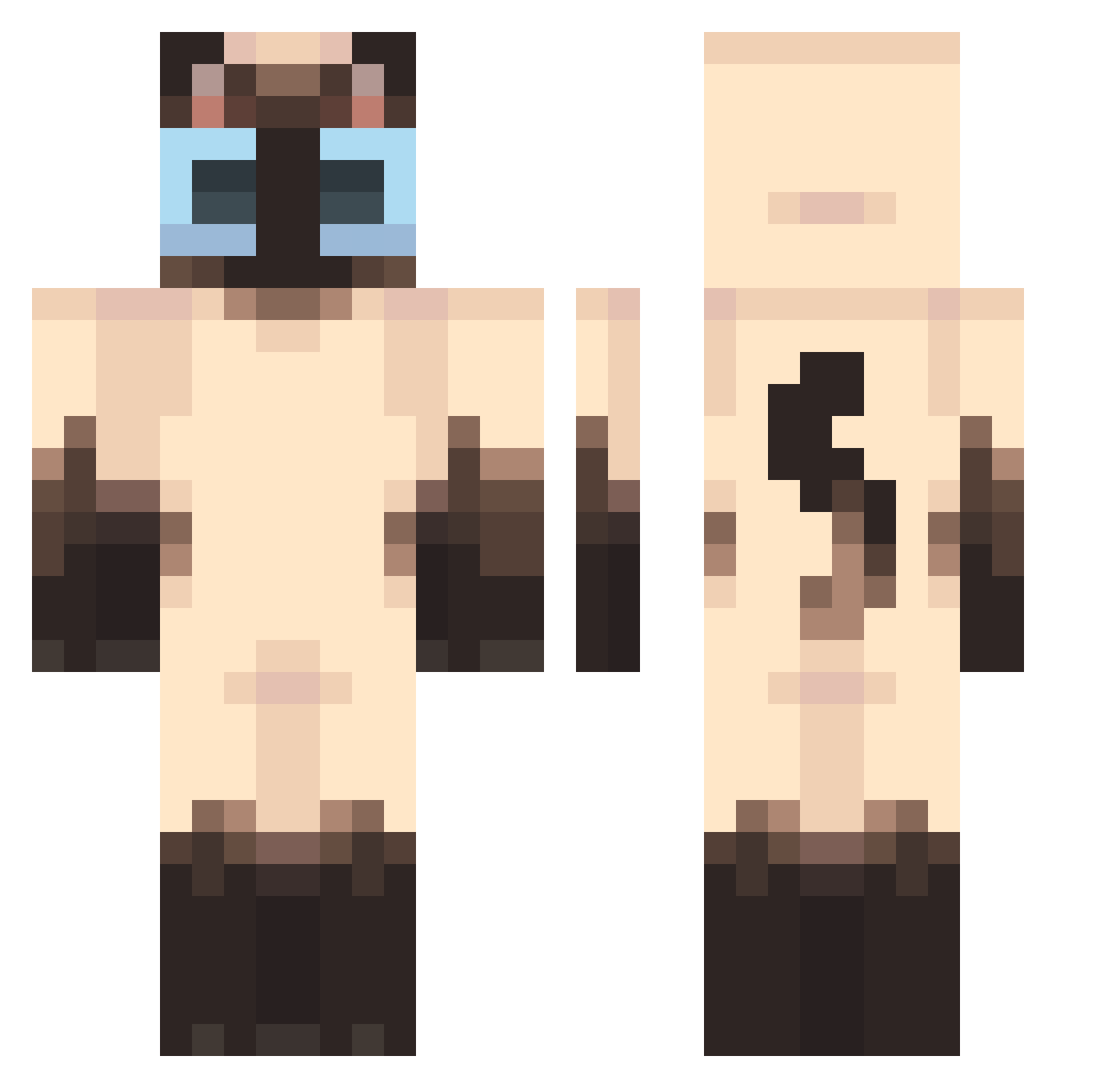
Current Minecraft skin of the player MICHIXT, loaded from the official Mojang API. Rotate the 3D model with your mouse or finger, then download the skin as a PNG file and use it in Minecraft: Bedrock Edition or Java Edition for free. When MICHIXT changes their skin, this page updates automatically and the old skin stays in the history below.
Other players with this skin (439)
MICHIXT was the 389th player we have seen with this skin, first spotted on 22.10.2026. The same skin was seen on these players. Open a nickname to see their current skin and skin history.
 AwerYes 7jiji Hachi_8k iseeyoupeehehe aoxz ZandereK01 Shastalicious voraphat21 Dollarlampp DogePandy ColdBark1235652 chilipopcicle jumbl3dcat su3n2008 235iQ roginlavachicken Tragulidae Pychosis Abby8545 YWEXIXA BigbossZiv Yunrai Lucasalgal bruvalord10 StolasGoethia Gatitinho __K0CI__ zxx_z ElateGold KarmaL121 JugMaster69 binarycodes Chysso Furnthecat Jiraichi CicciBubu KwertyApple Fergat selixon sunnymung xyj1111 TunaEgg7 Maku_f NuLr_ Pastram xixi70 Hyungoo starrythecat16 aquabun TOMSHAP chademaconha PALADiN83 Wavebananaaa wilou2362 Aloe_san SpookyPigeon13 Blein42 EpicMiner96 MALOWW__ Luke1z
More Siamese Cat Minecraft skins
How to install the MICHIXT skin
- Press the Download button above to save the skin as a PNG file.
- Minecraft: Bedrock Edition (PE): open the Dressing Room from the main menu (or tap your character → Edit Character), go to Classic Skins → Owned, press the + (new skin) button, choose the downloaded PNG and pick the Classic (Steve) model. Works on PC and mobile; consoles cannot import custom skins.
- Minecraft: Java Edition: open the Minecraft Launcher, go to the Skins tab, click New Skin, load the PNG, pick the Classic (Steve) model and press Save & Use. You can also upload it at minecraft.net → Profile → Change Skin.
The skin does not show up after import - what should I do?
Restart Minecraft and open the Dressing Room again - imported skins sometimes appear only after a restart. Also make sure you selected the imported skin and picked the Classic (Steve) model.
Which model should I choose, Classic or Slim?
This skin is designed for the Classic (Steve) model. If you pick the wrong model, the arms of the skin will look stretched or squeezed.
Is the skin of MICHIXT free to download?
Yes. Press Download, save the PNG file and use it in Minecraft: Bedrock Edition or Java Edition - no payment or registration needed. The skin also works on multiplayer servers and Realms.
More skins
Looking for more? Go back to all Minecraft skins and check the top skins of the week, month and all time, or find any player's skin by nickname.