
MAYOOD_ALAQRABI - Minecraft Skins & Skin History
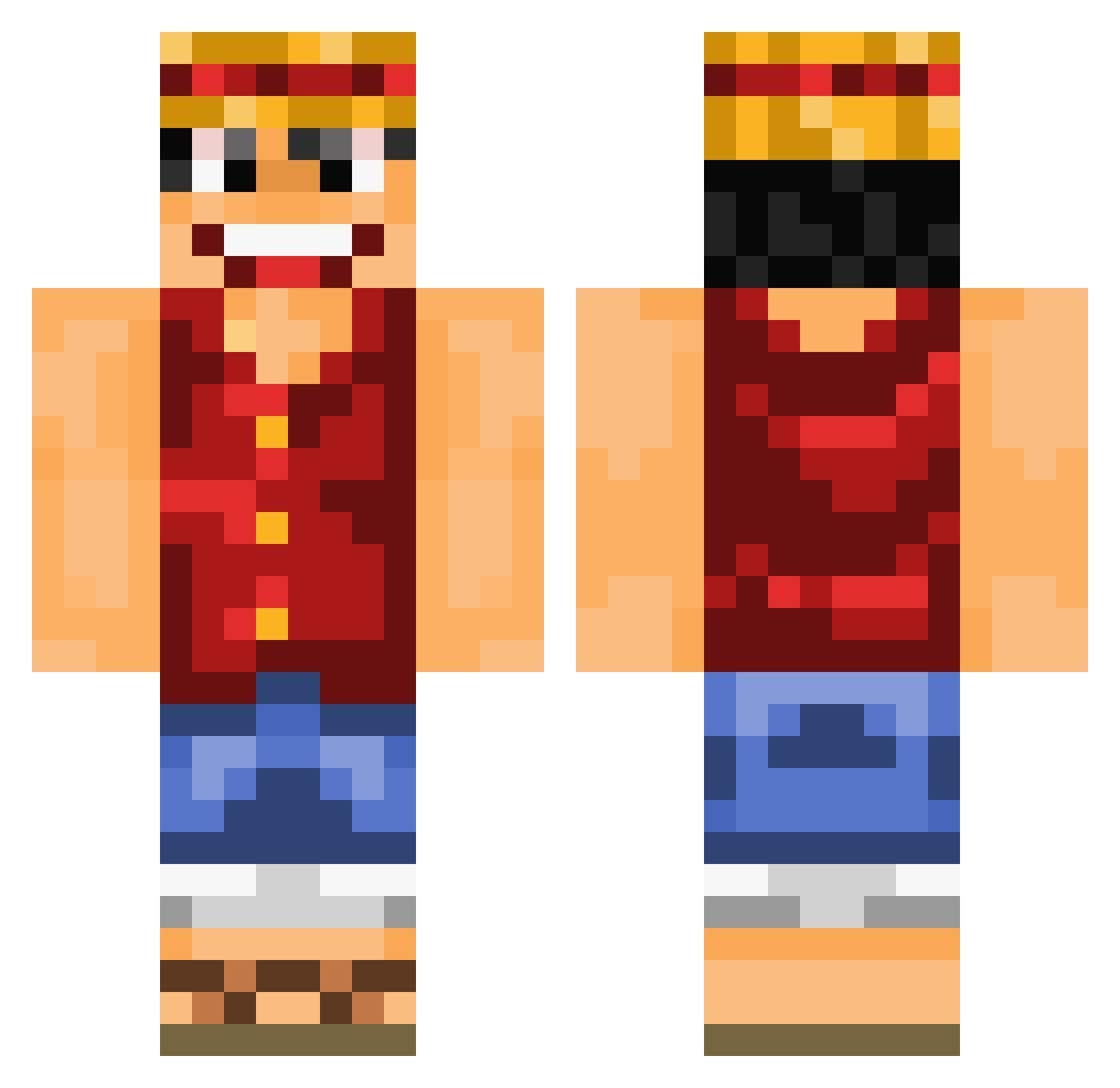
Current Minecraft skin of the player MAYOOD_ALAQRABI, loaded from the official Mojang API. Rotate the 3D model with your mouse or finger, then download the skin as a PNG file and use it in Minecraft: Bedrock Edition or Java Edition for free. When MAYOOD_ALAQRABI changes their skin, this page updates automatically and the old skin stays in the history below.
Other players with this skin (890)
MAYOOD_ALAQRABI was the 828th player we have seen with this skin, first spotted on 17.10.2026. The same skin was seen on these players. Open a nickname to see their current skin and skin history.
 xilocamp Der_Matze LPPPP_ TristanMonkey177 sebjoe Jaxhammer8 Waixr11 Bgan ptitval83 UnchainedWarrior MMatriXek x_xPsychOx_x lucy19989 LaStvSaphir Viralen 4idax chengtse iCumberdale RoscoDoggo1 Ongladen dylanbilodeau TrueMaker22 Bodnike alirida Mikelontxo Thegamefizz Raphanickels wjtphtcad FEITICEIROBRUNO BauerHoschi freakyplayer787 Cui_San murid_ loves2spwge Webside79 TriHard7 pyricfire Nitrox_ AndrisGoodman saintkd JusD Brolikeluke Captain__Luffy vilhelm92 vaklu32 Nischi khalifadxb11 Beddongmischer legion532 TheSausageGamer MoZZZi Litricio Fuzzy_04 Tipsy_Tourist ghost14091998 Wauzzi SergeyKing vetzascoa Dr_Shy raito38
More Luffy Minecraft skins
How to install the MAYOOD_ALAQRABI skin
- Press the Download button above to save the skin as a PNG file.
- Minecraft: Bedrock Edition (PE): open the Dressing Room from the main menu (or tap your character → Edit Character), go to Classic Skins → Owned, press the + (new skin) button, choose the downloaded PNG and pick the Classic (Steve) model. Works on PC and mobile; consoles cannot import custom skins.
- Minecraft: Java Edition: open the Minecraft Launcher, go to the Skins tab, click New Skin, load the PNG, pick the Classic (Steve) model and press Save & Use. You can also upload it at minecraft.net → Profile → Change Skin.
The skin does not show up after import - what should I do?
Restart Minecraft and open the Dressing Room again - imported skins sometimes appear only after a restart. Also make sure you selected the imported skin and picked the Classic (Steve) model.
Which model should I choose, Classic or Slim?
This skin is designed for the Classic (Steve) model. If you pick the wrong model, the arms of the skin will look stretched or squeezed.
Is the skin of MAYOOD_ALAQRABI free to download?
Yes. Press Download, save the PNG file and use it in Minecraft: Bedrock Edition or Java Edition - no payment or registration needed. The skin also works on multiplayer servers and Realms.
More skins
Looking for more? Go back to all Minecraft skins and check the top skins of the week, month and all time, or find any player's skin by nickname.