
MAXMATHYS - Minecraft Skins & Skin History
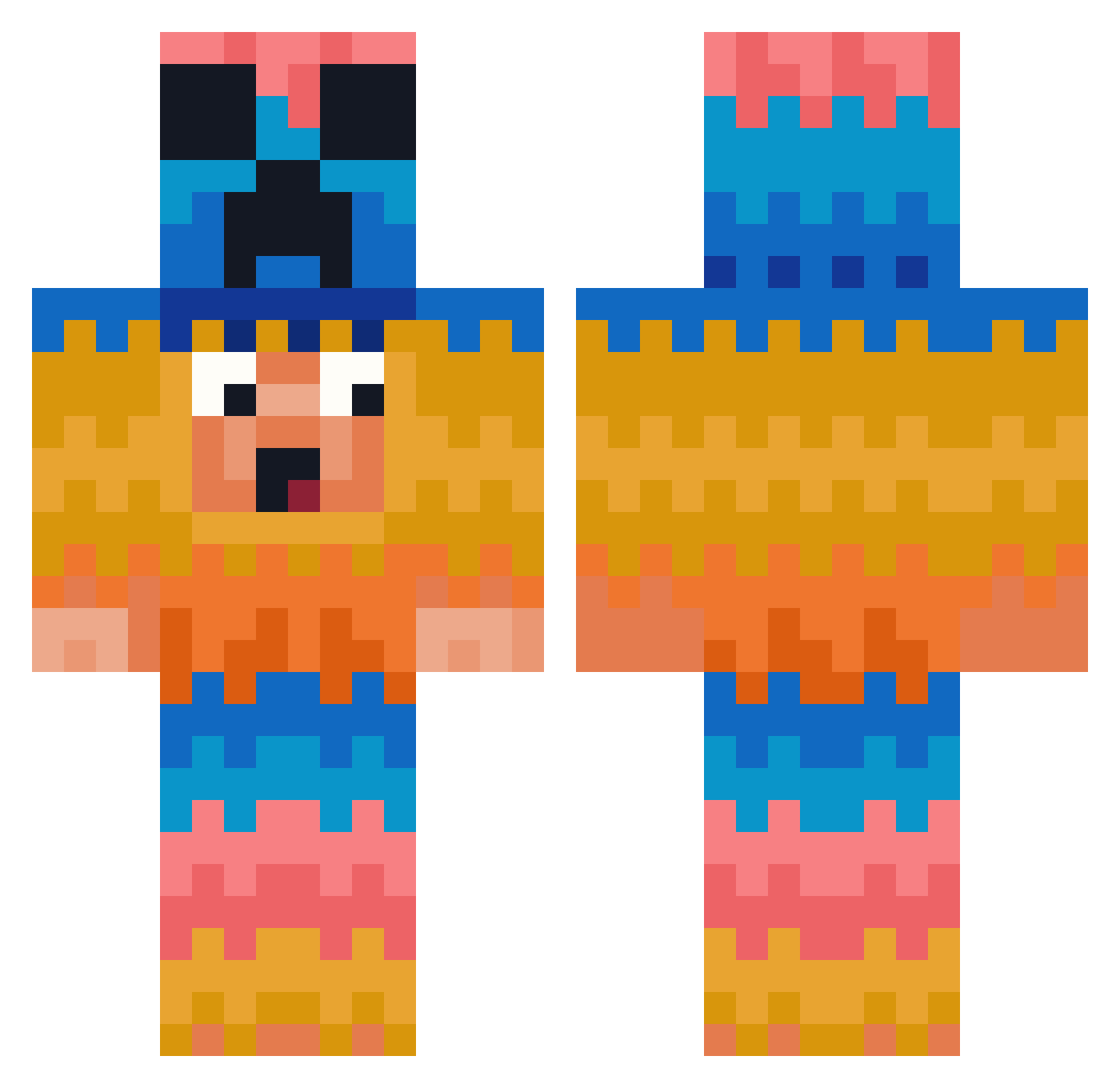
Current Minecraft skin of the player MAXMATHYS, loaded from the official Mojang API. Rotate the 3D model with your mouse or finger, then download the skin as a PNG file and use it in Minecraft: Bedrock Edition or Java Edition for free. When MAXMATHYS changes their skin, this page updates automatically and the old skin stays in the history below.
Other players with this skin (381)
MAXMATHYS was the 237th player we have seen with this skin, first spotted on 28.09.2026. The same skin was seen on these players. Open a nickname to see their current skin and skin history.
 rvn_dkm KevinSteve ezhp_ TeddeOwnsMe hjig235 KeellaM4 Jaeelan mythic_gamer1 Olaussen03 AlterrokOG LNF_alejno26 bestgamer36 Cesarmz081 TlHacking cheesy1905 GeneralDumbo ENKL007 lucapacewiczh Naji6 _Ben____________ Arda6617 EsZiti tallatsu _Heser_ Niiam92 felisis larroo Sixty405 HYing9555 Boycey420 Zachman50002 pixel_rush1 ClydeCash_ BIBI4397 PedigRay JSKB Noname_2009 bigbaconboy0969 AutoPilot152 xbrillianto azzy329 avreageDuck Emilos0210 Egospacer12 Yoshiii1103 PopGoat TherealPante Marc22101110 hottot456 glx25 BOMBOCLAP_9 greyrags1 LodosWar Dziura21 Abbe2015 F3li9 nyhq6061 tjcksdn789 DireCypress2545 Playton1
More Pinata Minecraft skins
How to install the MAXMATHYS skin
- Press the Download button above to save the skin as a PNG file.
- Minecraft: Bedrock Edition (PE): open the Dressing Room from the main menu (or tap your character → Edit Character), go to Classic Skins → Owned, press the + (new skin) button, choose the downloaded PNG and pick the Classic (Steve) model. Works on PC and mobile; consoles cannot import custom skins.
- Minecraft: Java Edition: open the Minecraft Launcher, go to the Skins tab, click New Skin, load the PNG, pick the Classic (Steve) model and press Save & Use. You can also upload it at minecraft.net → Profile → Change Skin.
The skin does not show up after import - what should I do?
Restart Minecraft and open the Dressing Room again - imported skins sometimes appear only after a restart. Also make sure you selected the imported skin and picked the Classic (Steve) model.
Which model should I choose, Classic or Slim?
This skin is designed for the Classic (Steve) model. If you pick the wrong model, the arms of the skin will look stretched or squeezed.
Is the skin of MAXMATHYS free to download?
Yes. Press Download, save the PNG file and use it in Minecraft: Bedrock Edition or Java Edition - no payment or registration needed. The skin also works on multiplayer servers and Realms.
More skins
Looking for more? Go back to all Minecraft skins and check the top skins of the week, month and all time, or find any player's skin by nickname.