
MAJOR76 - Minecraft Skins & Skin History
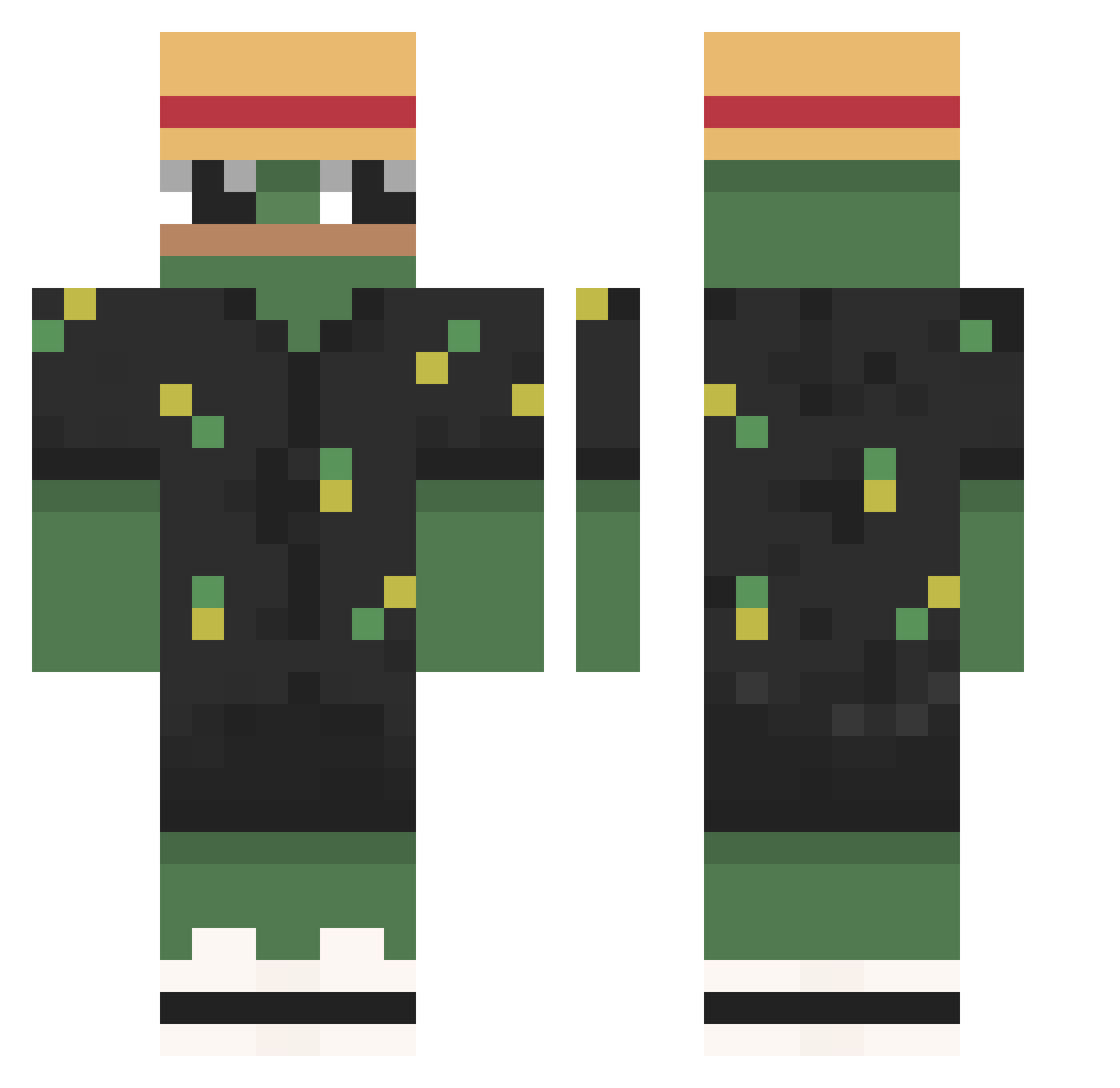
Current Minecraft skin of the player MAJOR76, loaded from the official Mojang API. Rotate the 3D model with your mouse or finger, then download the skin as a PNG file and use it in Minecraft: Bedrock Edition or Java Edition for free. When MAJOR76 changes their skin, this page updates automatically and the old skin stays in the history below.
Other players with this skin (789)
MAJOR76 was the 276th player we have seen with this skin, first spotted on 30.08.2026. The same skin was seen on these players. Open a nickname to see their current skin and skin history.
 Kaithxd Leloko creeperboi008 ksj0418 Cwfhh Poison187 vinniele Vector920 croosstrike iChrisR wnsks d3m0nfra256 katiegenevaa elmonoxd12098 skyerSIDE NocMusic James2039 5020junior Ellej_Rax zapekk zsola_ CW3L1337 almar25 kingeatcake GlebVader Sloppy7 ZeFreez5293 Rodvvin GUBOOK Beluuga_ Mikael0690 Raresik24 _vMitzuu Dwally Webleon Paulthekill XenaninX jeonghun7703 4ndres23 BHP007 CHASTIN__ crwdng7 zequn15 L__Y__C BabyRaptorKing Nikster_ Babypercio Nick_30_QQ felippee_ RedFox80000 Rajo__ mufama jojoslunchbox en_sung maxmax09 bradly809 GESUVERDE DubscheksLilpipi user2m Buto_
More Pepe Minecraft skins
How to install the MAJOR76 skin
- Press the Download button above to save the skin as a PNG file.
- Minecraft: Bedrock Edition (PE): open the Dressing Room from the main menu (or tap your character → Edit Character), go to Classic Skins → Owned, press the + (new skin) button, choose the downloaded PNG and pick the Classic (Steve) model. Works on PC and mobile; consoles cannot import custom skins.
- Minecraft: Java Edition: open the Minecraft Launcher, go to the Skins tab, click New Skin, load the PNG, pick the Classic (Steve) model and press Save & Use. You can also upload it at minecraft.net → Profile → Change Skin.
The skin does not show up after import - what should I do?
Restart Minecraft and open the Dressing Room again - imported skins sometimes appear only after a restart. Also make sure you selected the imported skin and picked the Classic (Steve) model.
Which model should I choose, Classic or Slim?
This skin is designed for the Classic (Steve) model. If you pick the wrong model, the arms of the skin will look stretched or squeezed.
Is the skin of MAJOR76 free to download?
Yes. Press Download, save the PNG file and use it in Minecraft: Bedrock Edition or Java Edition - no payment or registration needed. The skin also works on multiplayer servers and Realms.
More skins
Looking for more? Go back to all Minecraft skins and check the top skins of the week, month and all time, or find any player's skin by nickname.