
M4rcelo17 - Minecraft Skins & Skin History
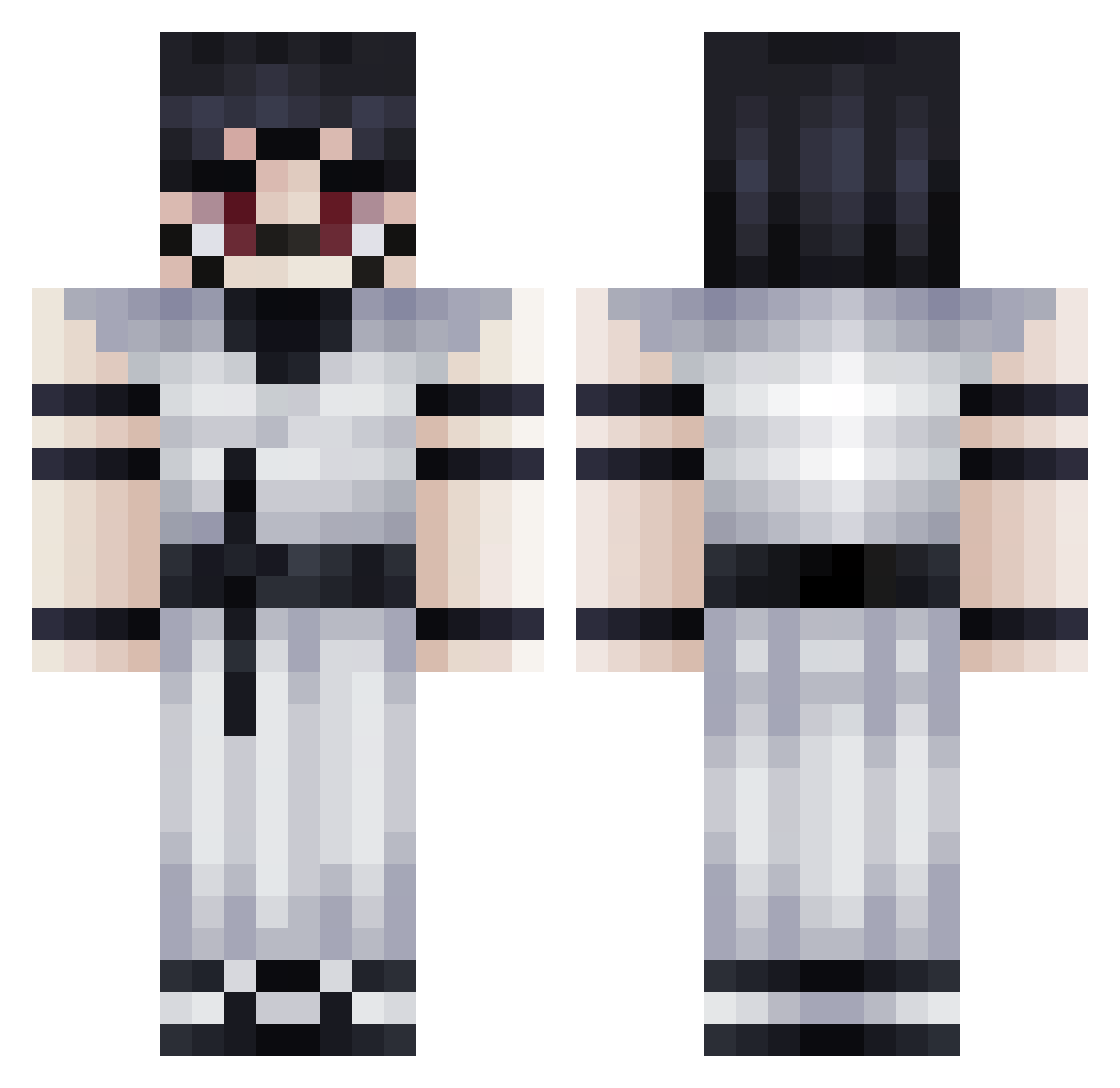
Current Minecraft skin of the player M4rcelo17, loaded from the official Mojang API. Rotate the 3D model with your mouse or finger, then download the skin as a PNG file and use it in Minecraft: Bedrock Edition or Java Edition for free. When M4rcelo17 changes their skin, this page updates automatically and the old skin stays in the history below.
Other players with this skin (271)
M4rcelo17 was the 190th player we have seen with this skin, first spotted on 25.09.2026. The same skin was seen on these players. Open a nickname to see their current skin and skin history.
 colombianojuan mulbangul123 PandaKai LilPoyraz RespecteMoi Xrunner01 Zoguratisu chokofast manhand1221 Yumi7976 Maxlyst Ralapatate Zim2Kon Cirox13 wiktor26 B0rdem123 litikon kdballer247 JJ7812 s8win Sizierung pepelon3 Heinriichh HunterxRuSh OmniDaBBer Tezqn Xeantinal L3o4rce AITookMyJob wlixr mateus9910 SaddestOnes ff_alexxx guggaslindo SoberanoMuerte lovejwoo msa336 Pimnas Cozy_Axolotl FLBY_ Abugulo101006 lil_marshmello12 Chaos_Rxspect el_sullipro zzTILI_XD inerrelico45 Moru2115 Renake velourss Iphailnots Orb_Master69 LeoJagd ERROR872 Finemidnight5000 thmoca Offroadgear NoSound_ezzz kantuby _Himmothy Duckyboi3
More Oni Minecraft skins
How to install the M4rcelo17 skin
- Press the Download button above to save the skin as a PNG file.
- Minecraft: Bedrock Edition (PE): open the Dressing Room from the main menu (or tap your character → Edit Character), go to Classic Skins → Owned, press the + (new skin) button, choose the downloaded PNG and pick the Classic (Steve) model. Works on PC and mobile; consoles cannot import custom skins.
- Minecraft: Java Edition: open the Minecraft Launcher, go to the Skins tab, click New Skin, load the PNG, pick the Classic (Steve) model and press Save & Use. You can also upload it at minecraft.net → Profile → Change Skin.
The skin does not show up after import - what should I do?
Restart Minecraft and open the Dressing Room again - imported skins sometimes appear only after a restart. Also make sure you selected the imported skin and picked the Classic (Steve) model.
Which model should I choose, Classic or Slim?
This skin is designed for the Classic (Steve) model. If you pick the wrong model, the arms of the skin will look stretched or squeezed.
Is the skin of M4rcelo17 free to download?
Yes. Press Download, save the PNG file and use it in Minecraft: Bedrock Edition or Java Edition - no payment or registration needed. The skin also works on multiplayer servers and Realms.
More skins
Looking for more? Go back to all Minecraft skins and check the top skins of the week, month and all time, or find any player's skin by nickname.