
M3rcy - Minecraft Skins & Skin History
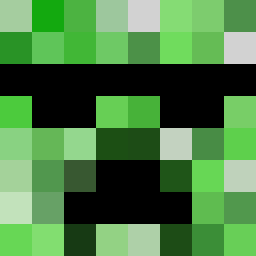
Current Minecraft skin of the player M3rcy, loaded from the official Mojang API. Rotate the 3D model with your mouse or finger, then download the skin as a PNG file and use it in Minecraft: Bedrock Edition or Java Edition for free. When M3rcy changes their skin, this page updates automatically and the old skin stays in the history below.

Other players with this skin (1783)
M3rcy was the 242nd player we have seen with this skin, first spotted on 10.08.2026. The same skin was seen on these players. Open a nickname to see their current skin and skin history.
 Blickeys Dangerous_01 lux_Mandarino ThoughtGuide551 14Ruby88 GETSOMETALIBAN Zhayxl GosteMane Compulse illaf thesword144 SMALLTIME Smartroll abuveSUS acefemboy Uniflow leeeeehi
 Doge025 secondfive25 Schorsch69slushy agvaldezc BradyWyland SibCoalMiner Ver_Kh TiaoGhost Difrictas Misstatement bigballs76 Ben7284920480274 psychedelia INEEDYOUUUUU ulasttn119 blackboy10000 Pitpit DropperPost disastrously Virusux Babatunde_ sanwall87 covnko cetanes
 ratree Xeenbruv Fungible Willi_der_Opel meongcheongi81 Enz0_39 Kelethe Majsu bvt D3nestis iLikeYou_ NoHaxJustMan iLuculia Predamn Swaginator1 Shippings louiespitfire winish
 NuclearCorn
How to install the M3rcy skin
- Press the Download button above to save the skin as a PNG file.
- Minecraft: Bedrock Edition (PE): open the Dressing Room from the main menu (or tap your character → Edit Character), go to Classic Skins → Owned, press the + (new skin) button, choose the downloaded PNG and pick the Classic (Steve) model. Works on PC and mobile; consoles cannot import custom skins.
- Minecraft: Java Edition: open the Minecraft Launcher, go to the Skins tab, click New Skin, load the PNG, pick the Classic (Steve) model and press Save & Use. You can also upload it at minecraft.net → Profile → Change Skin.
The skin does not show up after import - what should I do?
Restart Minecraft and open the Dressing Room again - imported skins sometimes appear only after a restart. Also make sure you selected the imported skin and picked the Classic (Steve) model.
Which model should I choose, Classic or Slim?
This skin is designed for the Classic (Steve) model. If you pick the wrong model, the arms of the skin will look stretched or squeezed.
Is the skin of M3rcy free to download?
Yes. Press Download, save the PNG file and use it in Minecraft: Bedrock Edition or Java Edition - no payment or registration needed. The skin also works on multiplayer servers and Realms.
More skins
Looking for more? Go back to all Minecraft skins and check the top skins of the week, month and all time, or find any player's skin by nickname.