
M1rox7 - Minecraft Skins & Skin History
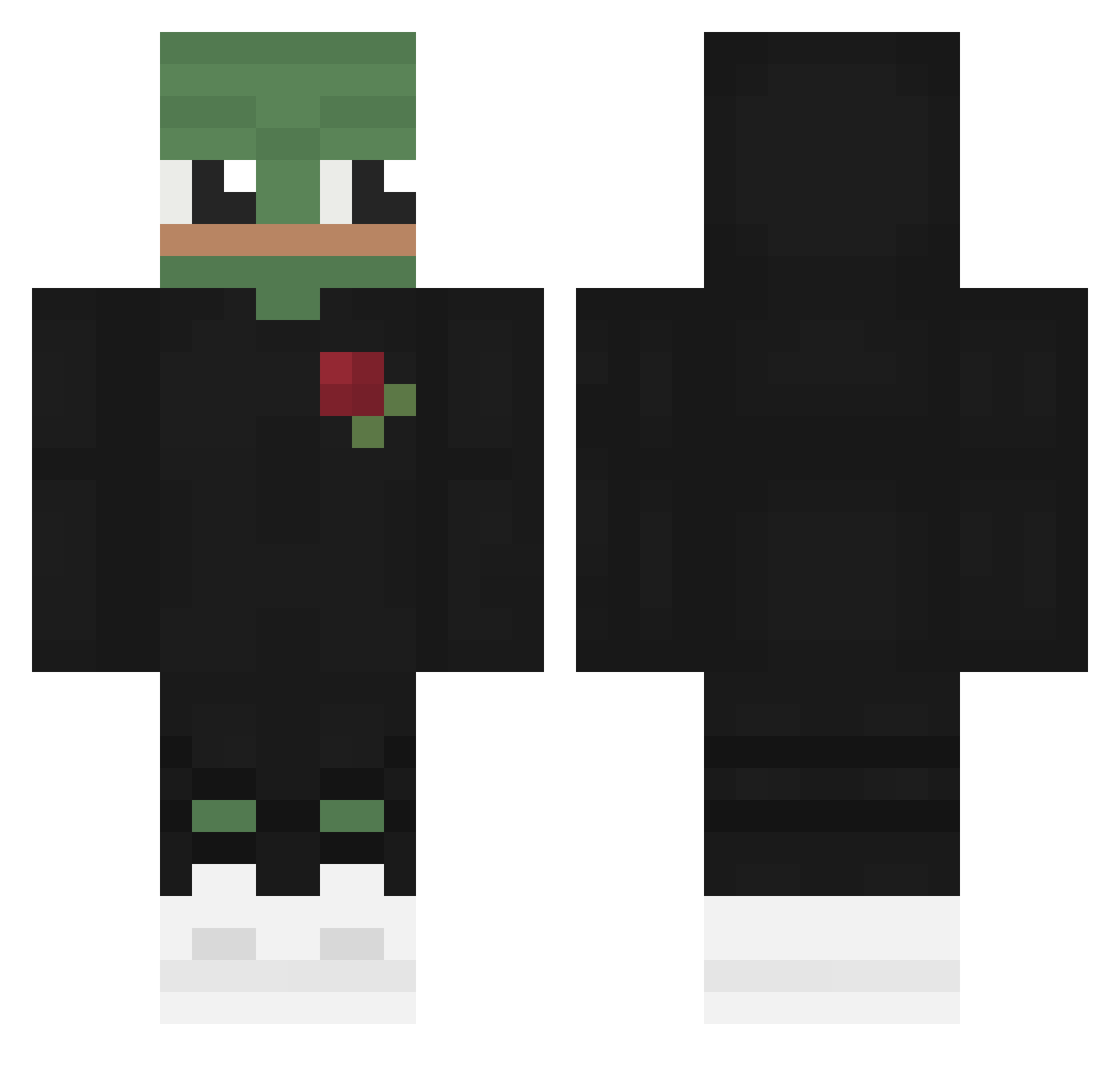
Current Minecraft skin of the player M1rox7, loaded from the official Mojang API. Rotate the 3D model with your mouse or finger, then download the skin as a PNG file and use it in Minecraft: Bedrock Edition or Java Edition for free. When M1rox7 changes their skin, this page updates automatically and the old skin stays in the history below.
Other players with this skin (567)
M1rox7 was the 141st player we have seen with this skin, first spotted on 20.08.2026. The same skin was seen on these players. Open a nickname to see their current skin and skin history.
 marwil13 jeonghyen ASH_gg n_p206 Jeff202rey
 Itz_Craggy GodSabo1995 Lastessa bbqbis K0T_ YSIN Sooocky woroxer TelloGG MrStealUrKill98 ARB_UZIK Twirlychaff Giyami xKudloo MegaLeopard Spidlemur96 Edi_bb koiqe xlu20 PepeGod_hehe BirbCsgo MythicNoodle markcorn NIKITET SkylineOFF ddukdak D_irk Cuppa1979 Kabuross CroliDEV NICOCAKED V0I0K1LL CrippledFrog Zeusek__ Mr_Charli_03 totemzzz _FrozenHeart_ AticSelfi GrapcioK ELPEL0S BoerMatthias Larxin Kubequ HiImArk Schaqu86 David_A2 Muthuka Jumpykiller100 Cursin37 Yaoka Dinokitty0706 jamja12345
 Hansii102 AVOKADO8484 OliverHDK
More Pepe Minecraft skins
How to install the M1rox7 skin
- Press the Download button above to save the skin as a PNG file.
- Minecraft: Bedrock Edition (PE): open the Dressing Room from the main menu (or tap your character → Edit Character), go to Classic Skins → Owned, press the + (new skin) button, choose the downloaded PNG and pick the Classic (Steve) model. Works on PC and mobile; consoles cannot import custom skins.
- Minecraft: Java Edition: open the Minecraft Launcher, go to the Skins tab, click New Skin, load the PNG, pick the Classic (Steve) model and press Save & Use. You can also upload it at minecraft.net → Profile → Change Skin.
The skin does not show up after import - what should I do?
Restart Minecraft and open the Dressing Room again - imported skins sometimes appear only after a restart. Also make sure you selected the imported skin and picked the Classic (Steve) model.
Which model should I choose, Classic or Slim?
This skin is designed for the Classic (Steve) model. If you pick the wrong model, the arms of the skin will look stretched or squeezed.
Is the skin of M1rox7 free to download?
Yes. Press Download, save the PNG file and use it in Minecraft: Bedrock Edition or Java Edition - no payment or registration needed. The skin also works on multiplayer servers and Realms.
More skins
Looking for more? Go back to all Minecraft skins and check the top skins of the week, month and all time, or find any player's skin by nickname.