
Lysmasken1337 - Minecraft Skins & Skin History
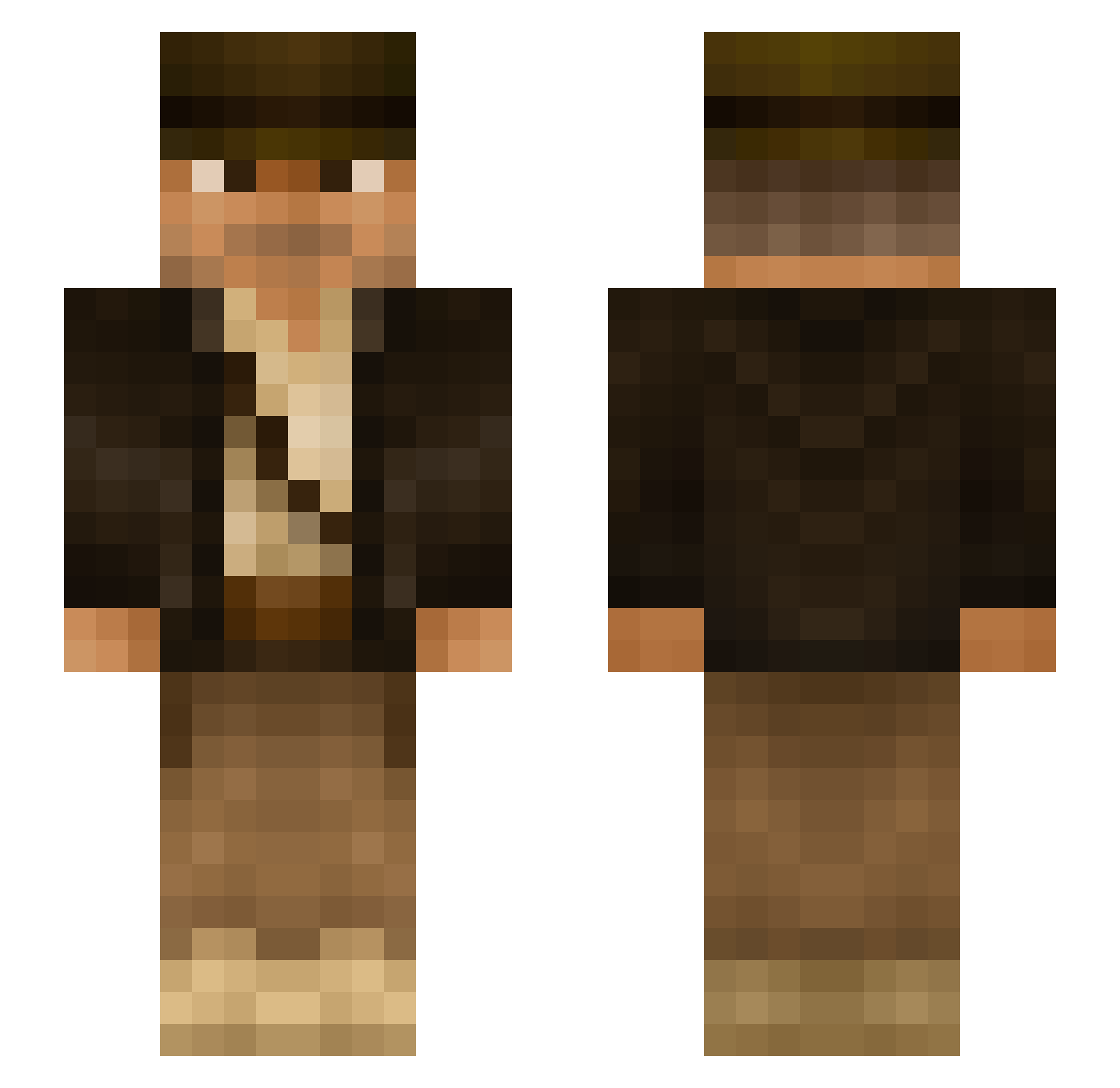
Current Minecraft skin of the player Lysmasken1337, loaded from the official Mojang API. Rotate the 3D model with your mouse or finger, then download the skin as a PNG file and use it in Minecraft: Bedrock Edition or Java Edition for free. When Lysmasken1337 changes their skin, this page updates automatically and the old skin stays in the history below.
Other players with this skin (354)
Lysmasken1337 was the 307th player we have seen with this skin, first spotted on 05.11.2026. The same skin was seen on these players. Open a nickname to see their current skin and skin history.
 Gibbs2470 HUBON Froden2126 CrashCougar Keeper84 Vollan00 mibba69 Lyngved agodevr DelBoy5683 RichiK86 Leans123 Balzertown DOMANG SuperChicken501 stickjuice LitteBlackX Mavial AlexRoca83 mrTitoChang EMORY4 7he3rain Dawn_Killer Joca_JK avidgamer643 LeoJck WoodMaster2 Neczale GUOJ 0rius CREATUR3 wackal Micao007 LeninElTeso bigjojo234 Hornwood509 CorsEire Kouros_Bartel Procs0 irof Steffo4500 tw4tm4n Mark_Nutt_7 Mdawgy Leyland4100 Osren Strudel_Pagnotta Wilssonn68 ItsM33X redbull425wu nobe4 Hsu5497 STANCE707 _Louison_Bobet_ jacyne SubuGatai15 xix155 DrTropau Flakey1997 RafterJ24
More Indiana Jones Minecraft skins
See all 92 Indiana Jones skins
How to install the Lysmasken1337 skin
- Press the Download button above to save the skin as a PNG file.
- Minecraft: Bedrock Edition (PE): open the Dressing Room from the main menu (or tap your character → Edit Character), go to Classic Skins → Owned, press the + (new skin) button, choose the downloaded PNG and pick the Slim (Alex) model. Works on PC and mobile; consoles cannot import custom skins.
- Minecraft: Java Edition: open the Minecraft Launcher, go to the Skins tab, click New Skin, load the PNG, pick the Slim (Alex) model and press Save & Use. You can also upload it at minecraft.net → Profile → Change Skin.
The skin does not show up after import - what should I do?
Restart Minecraft and open the Dressing Room again - imported skins sometimes appear only after a restart. Also make sure you selected the imported skin and picked the Slim (Alex) model.
Which model should I choose, Classic or Slim?
This skin is designed for the Slim (Alex) model. If you pick the wrong model, the arms of the skin will look stretched or squeezed.
Is the skin of Lysmasken1337 free to download?
Yes. Press Download, save the PNG file and use it in Minecraft: Bedrock Edition or Java Edition - no payment or registration needed. The skin also works on multiplayer servers and Realms.
More skins
Looking for more? Go back to all Minecraft skins and check the top skins of the week, month and all time, or find any player's skin by nickname.