
Lynn0303 - Minecraft Skins & Skin History
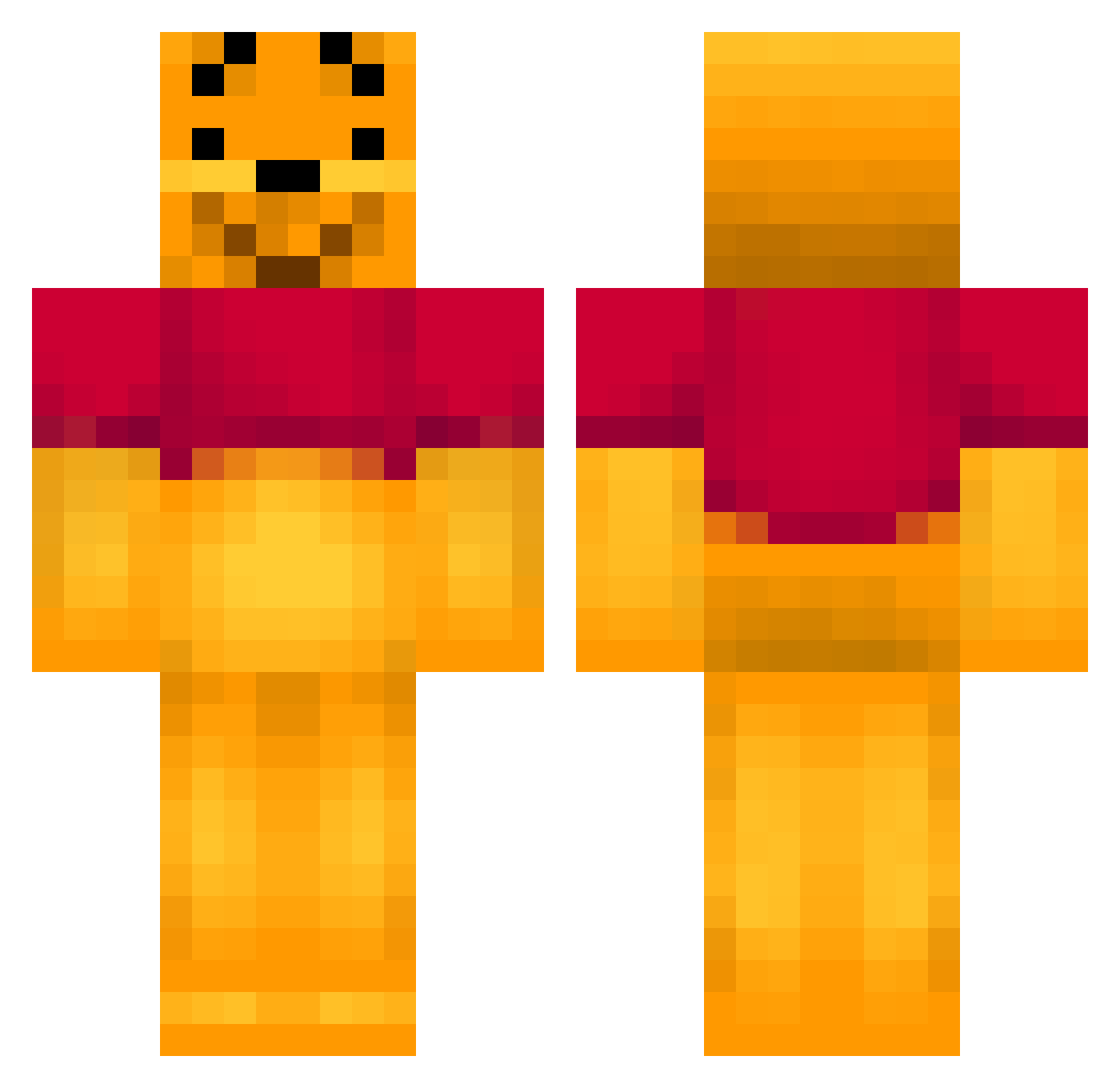
Current Minecraft skin of the player Lynn0303, loaded from the official Mojang API. Rotate the 3D model with your mouse or finger, then download the skin as a PNG file and use it in Minecraft: Bedrock Edition or Java Edition for free. When Lynn0303 changes their skin, this page updates automatically and the old skin stays in the history below.
Other players with this skin (404)
Lynn0303 was the 95th player we have seen with this skin, first spotted on 20.08.2026. The same skin was seen on these players. Open a nickname to see their current skin and skin history.
 Annilatord NYYalex2 Jack_Devo 1Cita1 mikke_1999 lori1809 Fates33 WinneyPooh BlueSky0905 Neophyte_88 tarou0520 PonyPower13 topimartinez pieniewienie breyn93 c2ellis105 my2sons jerry3773 kalhys CraftyMom75 Pauley007 Eddan22 marwil96 SkullBoyuk xxRUIRUIxx vBradders taratator quaarX Yangso VQKev Samles OXDADDY nouk12 seb_jwz MiksuEspoo J0K3RBOI LeadViper resistrain blake303 Mamoomi meatboy029 BoodinBeedinBop Pimpusss exeray513 sophied33 tobiasilothe pu_san19 QueenKong1st craftynerd99 MC_WIGAL NAMI_73 ridetherhodes FysjogPysj darbos123 Krogsa isacros Jannick28 aengeby KrypKi henninglad
More Winnie The Pooh Minecraft skins
See all 342 Winnie The Pooh skins
How to install the Lynn0303 skin
- Press the Download button above to save the skin as a PNG file.
- Minecraft: Bedrock Edition (PE): open the Dressing Room from the main menu (or tap your character → Edit Character), go to Classic Skins → Owned, press the + (new skin) button, choose the downloaded PNG and pick the Classic (Steve) model. Works on PC and mobile; consoles cannot import custom skins.
- Minecraft: Java Edition: open the Minecraft Launcher, go to the Skins tab, click New Skin, load the PNG, pick the Classic (Steve) model and press Save & Use. You can also upload it at minecraft.net → Profile → Change Skin.
The skin does not show up after import - what should I do?
Restart Minecraft and open the Dressing Room again - imported skins sometimes appear only after a restart. Also make sure you selected the imported skin and picked the Classic (Steve) model.
Which model should I choose, Classic or Slim?
This skin is designed for the Classic (Steve) model. If you pick the wrong model, the arms of the skin will look stretched or squeezed.
Is the skin of Lynn0303 free to download?
Yes. Press Download, save the PNG file and use it in Minecraft: Bedrock Edition or Java Edition - no payment or registration needed. The skin also works on multiplayer servers and Realms.
More skins
Looking for more? Go back to all Minecraft skins and check the top skins of the week, month and all time, or find any player's skin by nickname.