
Luuqaas - Minecraft Skins & Skin History
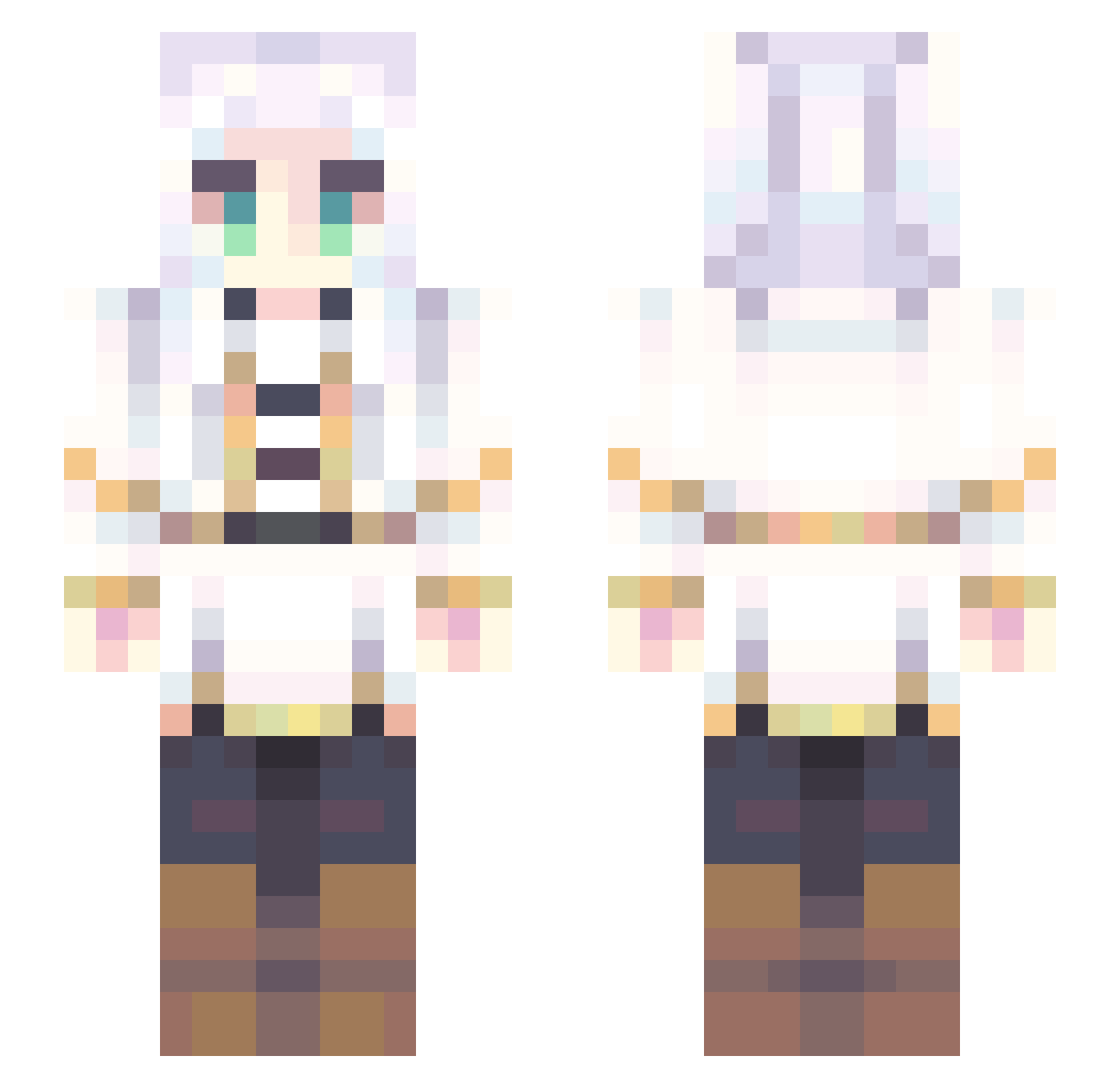
Current Minecraft skin of the player Luuqaas, loaded from the official Mojang API. Rotate the 3D model with your mouse or finger, then download the skin as a PNG file and use it in Minecraft: Bedrock Edition or Java Edition for free. When Luuqaas changes their skin, this page updates automatically and the old skin stays in the history below.
Other players with this skin (861)
Luuqaas was the 775th player we have seen with this skin, first spotted on 08.11.2026. The same skin was seen on these players. Open a nickname to see their current skin and skin history.
 Lin_Jimmy DerpyCrep Zequi4 AntiSocialYuri SrXiu Ailuby Vicho_404 Yakaita AkatsukiRen Pagginator EgiSeils Frorience Tritounet Frieren25 Gooombah HunterHunter240 OtakuCuliao XxViper_04Xx shymmly inoge18 Abuelita05 tesu551 Giaccino DaGHoL1337 BigGrim1234 walnuts31 Ockey1917 DanFacka oPedro24 John08c Gingerninja195 edbtzock Folivora720 BernardoJD BCDan YepHek H813131313131313 kuroshi007 Nebulon333 dongpo618 Roku_JPN LittleFox3699 Skyxzy NewmanXS CommanderNomad17 AthenaParthenos0 kurosuzuran Jayzcr LOTOOOOOOOOOOOOO Miko20111 Weeby_kun sakura589 Alvinius_II sarco2005 Doppiodesu07 BigThiccyBoi Obamasball WDYFSD JellyTheBelly_ ghostgremlinbby
More Fantasy Minecraft skins
How to install the Luuqaas skin
- Press the Download button above to save the skin as a PNG file.
- Minecraft: Bedrock Edition (PE): open the Dressing Room from the main menu (or tap your character → Edit Character), go to Classic Skins → Owned, press the + (new skin) button, choose the downloaded PNG and pick the Slim (Alex) model. Works on PC and mobile; consoles cannot import custom skins.
- Minecraft: Java Edition: open the Minecraft Launcher, go to the Skins tab, click New Skin, load the PNG, pick the Slim (Alex) model and press Save & Use. You can also upload it at minecraft.net → Profile → Change Skin.
The skin does not show up after import - what should I do?
Restart Minecraft and open the Dressing Room again - imported skins sometimes appear only after a restart. Also make sure you selected the imported skin and picked the Slim (Alex) model.
Which model should I choose, Classic or Slim?
This skin is designed for the Slim (Alex) model. If you pick the wrong model, the arms of the skin will look stretched or squeezed.
Is the skin of Luuqaas free to download?
Yes. Press Download, save the PNG file and use it in Minecraft: Bedrock Edition or Java Edition - no payment or registration needed. The skin also works on multiplayer servers and Realms.
More skins
Looking for more? Go back to all Minecraft skins and check the top skins of the week, month and all time, or find any player's skin by nickname.