
Luther11 - Minecraft Skins & Skin History
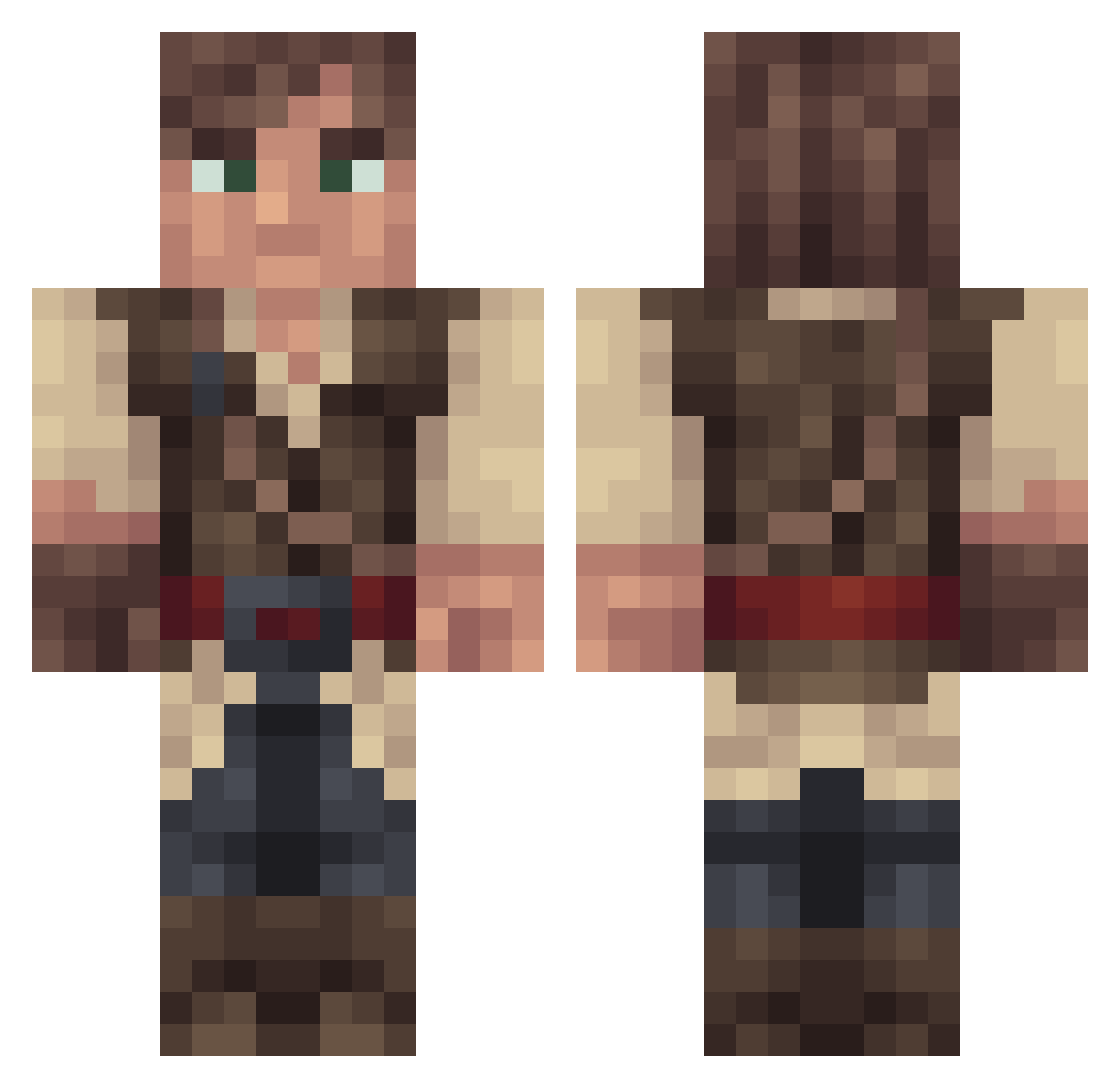
Current Minecraft skin of the player Luther11, loaded from the official Mojang API. Rotate the 3D model with your mouse or finger, then download the skin as a PNG file and use it in Minecraft: Bedrock Edition or Java Edition for free. When Luther11 changes their skin, this page updates automatically and the old skin stays in the history below.
Other players with this skin (316)
Luther11 was the 126th player we have seen with this skin, first spotted on 10.09.2026. The same skin was seen on these players. Open a nickname to see their current skin and skin history.
 Damariaso xKitaez2 XL7amoudi Jetchaolin Spackson TokaDaS Fraggermk23 PapieszMarcin XluX904 Nathan56798 Jykazsa Ksawierasoo Aepherious Seanachie morningtak Qnode DaggoeChapper2 an3ll PeaceRock Zanghya Harald_Antero ZhengXuhong Smarestlight Ambernaga Bunny12_ MiguelSalvatore JFyasuo Lord_Hamath BlackRook_ okasta Lord_Alderaan Razelion DSNYFAN Medium_Travolta 3451Ayberk SavYolf ArmoMoose north040 AR1E5 DeRyL558 OreomisNotAnOreo lagg_mannen_37
 MateusEletronico Dazlinder1 double_tracker23 chnical MabuKou ___Delta____ AttemptedPants Turmtuli Tkm18 Metallictempest SalmonSashimi19 13art BillyMcRay Chick___ carolinemrdn Alektrion Tuyer heiejej
More Nathan Drake Minecraft skins
See all 114 Nathan Drake skins
How to install the Luther11 skin
- Press the Download button above to save the skin as a PNG file.
- Minecraft: Bedrock Edition (PE): open the Dressing Room from the main menu (or tap your character → Edit Character), go to Classic Skins → Owned, press the + (new skin) button, choose the downloaded PNG and pick the Classic (Steve) model. Works on PC and mobile; consoles cannot import custom skins.
- Minecraft: Java Edition: open the Minecraft Launcher, go to the Skins tab, click New Skin, load the PNG, pick the Classic (Steve) model and press Save & Use. You can also upload it at minecraft.net → Profile → Change Skin.
The skin does not show up after import - what should I do?
Restart Minecraft and open the Dressing Room again - imported skins sometimes appear only after a restart. Also make sure you selected the imported skin and picked the Classic (Steve) model.
Which model should I choose, Classic or Slim?
This skin is designed for the Classic (Steve) model. If you pick the wrong model, the arms of the skin will look stretched or squeezed.
Is the skin of Luther11 free to download?
Yes. Press Download, save the PNG file and use it in Minecraft: Bedrock Edition or Java Edition - no payment or registration needed. The skin also works on multiplayer servers and Realms.
More skins
Looking for more? Go back to all Minecraft skins and check the top skins of the week, month and all time, or find any player's skin by nickname.