
Lunus1994 - Minecraft Skins & Skin History
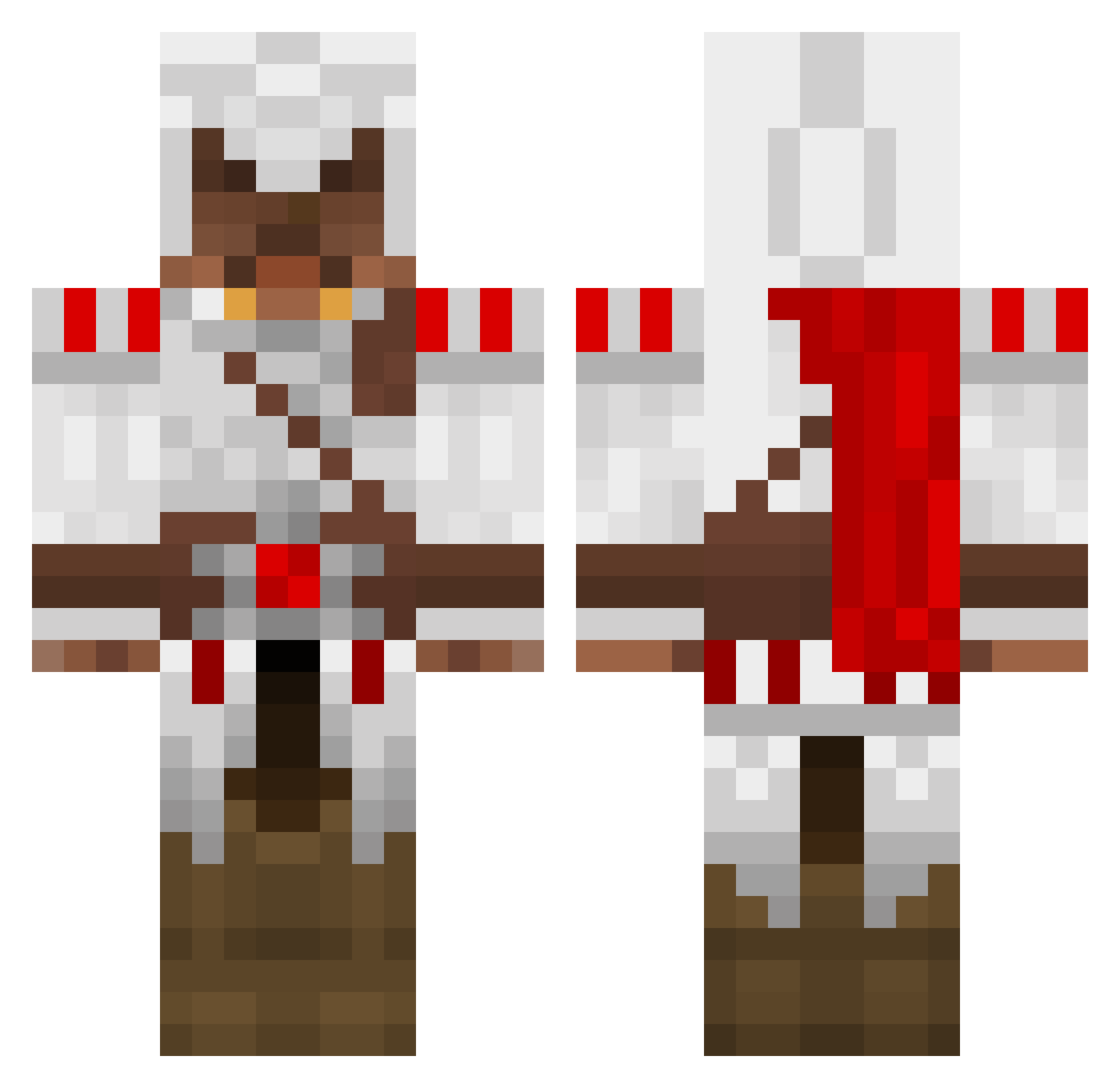
Current Minecraft skin of the player Lunus1994, loaded from the official Mojang API. Rotate the 3D model with your mouse or finger, then download the skin as a PNG file and use it in Minecraft: Bedrock Edition or Java Edition for free. When Lunus1994 changes their skin, this page updates automatically and the old skin stays in the history below.
Other players with this skin (1695)
Lunus1994 was the 1622nd player we have seen with this skin, first spotted on 14.11.2026. The same skin was seen on these players. Open a nickname to see their current skin and skin history.
 chuck8883 R_Spencer death_killer23 GameKiller78910 godnetwork gamert301 whsck Lecrafteur2012 Alexemser Tim113 Baustella110 TuFatSnaka cnwalters13 tobbalobba02 ProManen1337 Supernova1951 D_D4V3 Mints88 tosihama Block_Killerr MineBoogle thekillergod2 W_Lupus freekymine Gilgagrim thezzone123 bhnmr hammer4711 Nekojin71 numseprut1 cryptsneaker TheSwagZilla afapilot BRANDON0NELSON Funding 1337Soul Static_Storm EHicks shanekelsall hambix pooster123 lolCatz129 Calum78 _fam_ NatheNight The_Outsider84 brackenz2000 Matty12sx menvatusan gingy123321 computers_Jiu J_Stape Rocker628 MattWalsh Kokito_Jr Marspark joshkab15 Hyperica MATTM22 AFCISNIPES
More Altair Ibn La Ahad Minecraft skins
See all 226 Altair Ibn La Ahad skins
How to install the Lunus1994 skin
- Press the Download button above to save the skin as a PNG file.
- Minecraft: Bedrock Edition (PE): open the Dressing Room from the main menu (or tap your character → Edit Character), go to Classic Skins → Owned, press the + (new skin) button, choose the downloaded PNG and pick the Classic (Steve) model. Works on PC and mobile; consoles cannot import custom skins.
- Minecraft: Java Edition: open the Minecraft Launcher, go to the Skins tab, click New Skin, load the PNG, pick the Classic (Steve) model and press Save & Use. You can also upload it at minecraft.net → Profile → Change Skin.
The skin does not show up after import - what should I do?
Restart Minecraft and open the Dressing Room again - imported skins sometimes appear only after a restart. Also make sure you selected the imported skin and picked the Classic (Steve) model.
Which model should I choose, Classic or Slim?
This skin is designed for the Classic (Steve) model. If you pick the wrong model, the arms of the skin will look stretched or squeezed.
Is the skin of Lunus1994 free to download?
Yes. Press Download, save the PNG file and use it in Minecraft: Bedrock Edition or Java Edition - no payment or registration needed. The skin also works on multiplayer servers and Realms.
More skins
Looking for more? Go back to all Minecraft skins and check the top skins of the week, month and all time, or find any player's skin by nickname.