
Luljuna - Minecraft Skins & Skin History
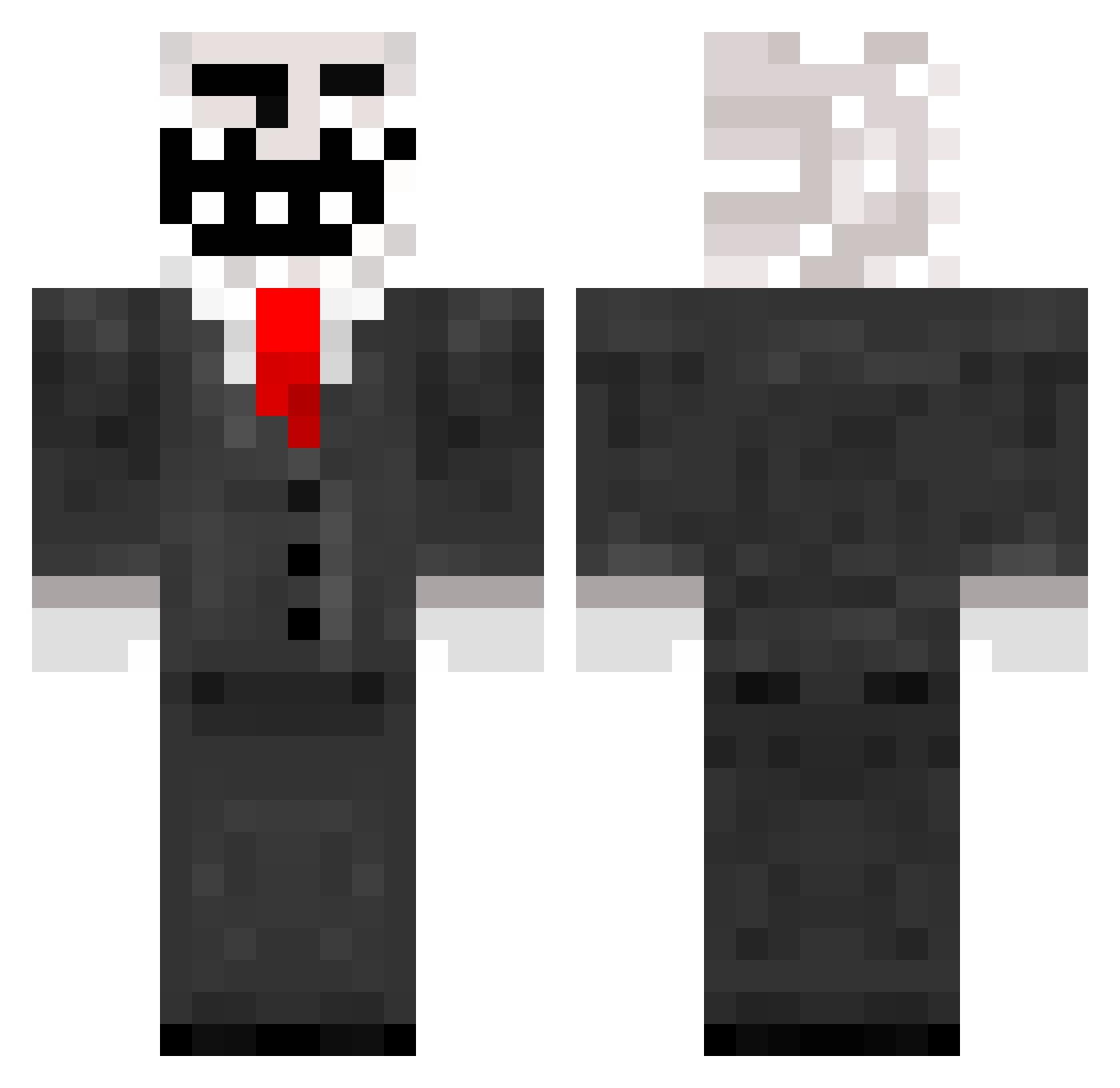
Current Minecraft skin of the player Luljuna, loaded from the official Mojang API. Rotate the 3D model with your mouse or finger, then download the skin as a PNG file and use it in Minecraft: Bedrock Edition or Java Edition for free. When Luljuna changes their skin, this page updates automatically and the old skin stays in the history below.
Other players with this skin (208)
Luljuna was the 85th player we have seen with this skin, first spotted on 10.09.2026. The same skin was seen on these players. Open a nickname to see their current skin and skin history.
 SeanAUS iwant2go JKGK Bobbeu janky1616 Semminov patricksewy Harleyreal Miniiz narinoes PuppytheMonke ruxn StubbenGee juicedDUKE Judge0123 zalatair_ztr m0rsh sweet1337 moreirox CornOnTheCobra sga7289130 SverriFO kintamakirakira areeba420 UhhhNamiel jon_95 TheSpicyCamel7 Gandalf980 ScoobyDrew1 ElCoochieSlayer bimgus10 cornhole2345 mosleyos TornadoBoi17 ronan_04 JamieNoChill cycbizona222 ToughTastyRat iComvo ujel jjgatTTV emojiman123442 Landongle SlimeGuyLsd seawares raybae44 RMan29 ilwo Damus pobopb BiscuitBadit ILuvCome TheVoices2006 gregorito CSQUIDZ sKyKoTe Vortex1x bladeefangirl DarkMadness2721 nicemonkeyrich
More Trollface Minecraft skins
How to install the Luljuna skin
- Press the Download button above to save the skin as a PNG file.
- Minecraft: Bedrock Edition (PE): open the Dressing Room from the main menu (or tap your character → Edit Character), go to Classic Skins → Owned, press the + (new skin) button, choose the downloaded PNG and pick the Classic (Steve) model. Works on PC and mobile; consoles cannot import custom skins.
- Minecraft: Java Edition: open the Minecraft Launcher, go to the Skins tab, click New Skin, load the PNG, pick the Classic (Steve) model and press Save & Use. You can also upload it at minecraft.net → Profile → Change Skin.
The skin does not show up after import - what should I do?
Restart Minecraft and open the Dressing Room again - imported skins sometimes appear only after a restart. Also make sure you selected the imported skin and picked the Classic (Steve) model.
Which model should I choose, Classic or Slim?
This skin is designed for the Classic (Steve) model. If you pick the wrong model, the arms of the skin will look stretched or squeezed.
Is the skin of Luljuna free to download?
Yes. Press Download, save the PNG file and use it in Minecraft: Bedrock Edition or Java Edition - no payment or registration needed. The skin also works on multiplayer servers and Realms.
More skins
Looking for more? Go back to all Minecraft skins and check the top skins of the week, month and all time, or find any player's skin by nickname.