
LulinhaTropical - Minecraft Skins & Skin History
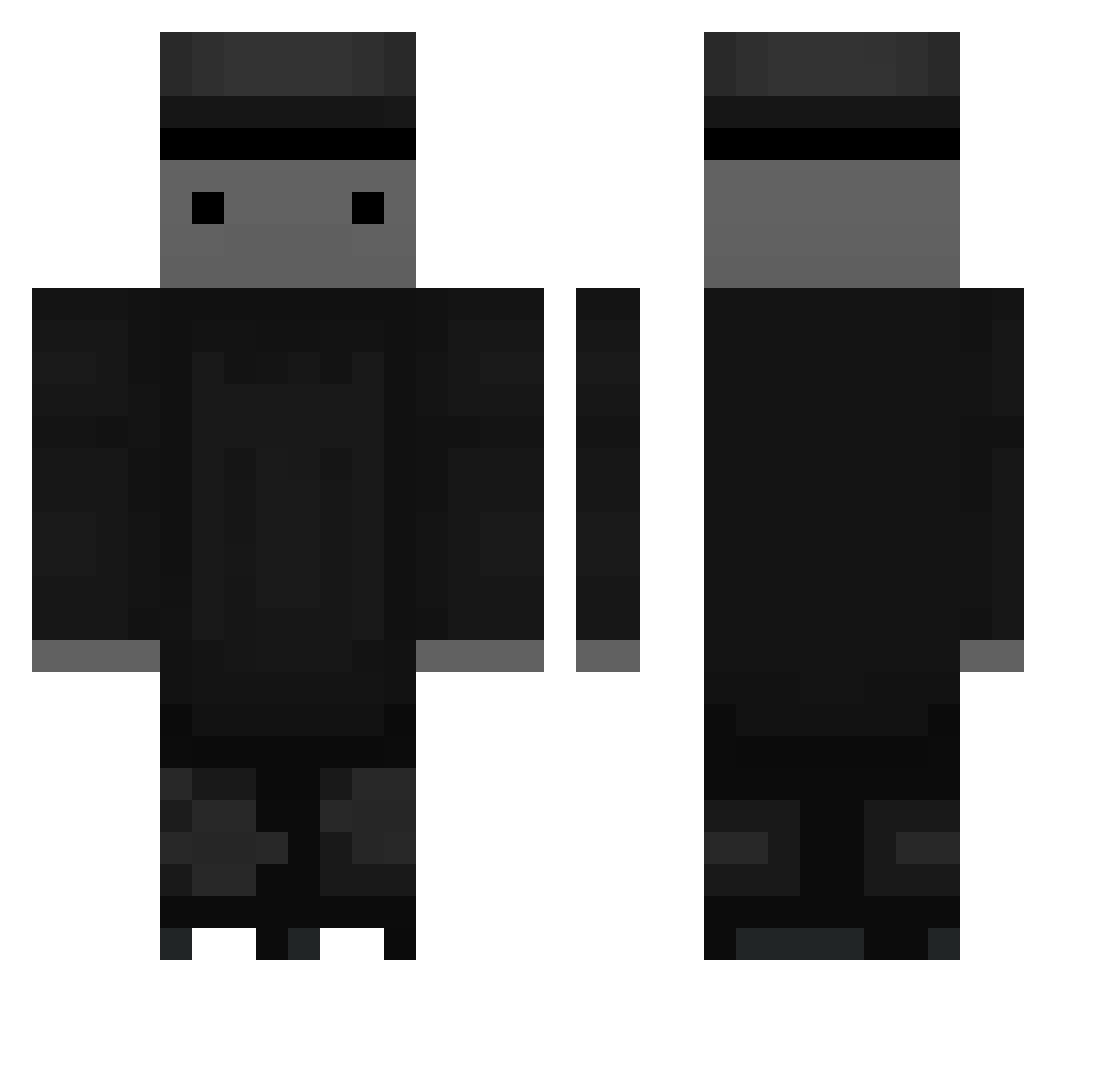
Current Minecraft skin of the player LulinhaTropical, loaded from the official Mojang API. Rotate the 3D model with your mouse or finger, then download the skin as a PNG file and use it in Minecraft: Bedrock Edition or Java Edition for free. When LulinhaTropical changes their skin, this page updates automatically and the old skin stays in the history below.
Other players with this skin (73)
LulinhaTropical was the 17th player we have seen with this skin, first spotted on 25.08.2026. The same skin was seen on these players. Open a nickname to see their current skin and skin history.
 khj5123 x_M4ds_v7 G_Rkall Fried_Mun_eo DaBlackMan4842 Yeongdo_Man YUMIANG BEXcom82 Rlatm wjdxotjd IJK0 viver230 hj0724 M0rXi rudo25 Tagalog 8wq limtaeyang moimoimo rhksdn js2024 sh0105 Atelic_Frime code_K1 _emanuelVINI hampemaaster JK0224 basser00 Maty_584 lilyotvss Missing_host KARN75 x_M4ds_v8 PSJ0227 Joshybat Glofse looeeee MGELs cxoa feest gktmddn03 Sexxyking xXRaz64Xx gomTT uruos_ Rang_ah dragon0414 InoPony REB3L29 sehan_ko Mashiro05 cookoh A_Stadnik dleodnjs88 SANAOUN10 x_M4ds_v4 EliteGriffin47 AROFTOR_ JejuMaru galaeng01
More Top Hat Minecraft skins
How to install the LulinhaTropical skin
- Press the Download button above to save the skin as a PNG file.
- Minecraft: Bedrock Edition (PE): open the Dressing Room from the main menu (or tap your character → Edit Character), go to Classic Skins → Owned, press the + (new skin) button, choose the downloaded PNG and pick the Classic (Steve) model. Works on PC and mobile; consoles cannot import custom skins.
- Minecraft: Java Edition: open the Minecraft Launcher, go to the Skins tab, click New Skin, load the PNG, pick the Classic (Steve) model and press Save & Use. You can also upload it at minecraft.net → Profile → Change Skin.
The skin does not show up after import - what should I do?
Restart Minecraft and open the Dressing Room again - imported skins sometimes appear only after a restart. Also make sure you selected the imported skin and picked the Classic (Steve) model.
Which model should I choose, Classic or Slim?
This skin is designed for the Classic (Steve) model. If you pick the wrong model, the arms of the skin will look stretched or squeezed.
Is the skin of LulinhaTropical free to download?
Yes. Press Download, save the PNG file and use it in Minecraft: Bedrock Edition or Java Edition - no payment or registration needed. The skin also works on multiplayer servers and Realms.
More skins
Looking for more? Go back to all Minecraft skins and check the top skins of the week, month and all time, or find any player's skin by nickname.