
Lukkiebe - Minecraft Skins & Skin History
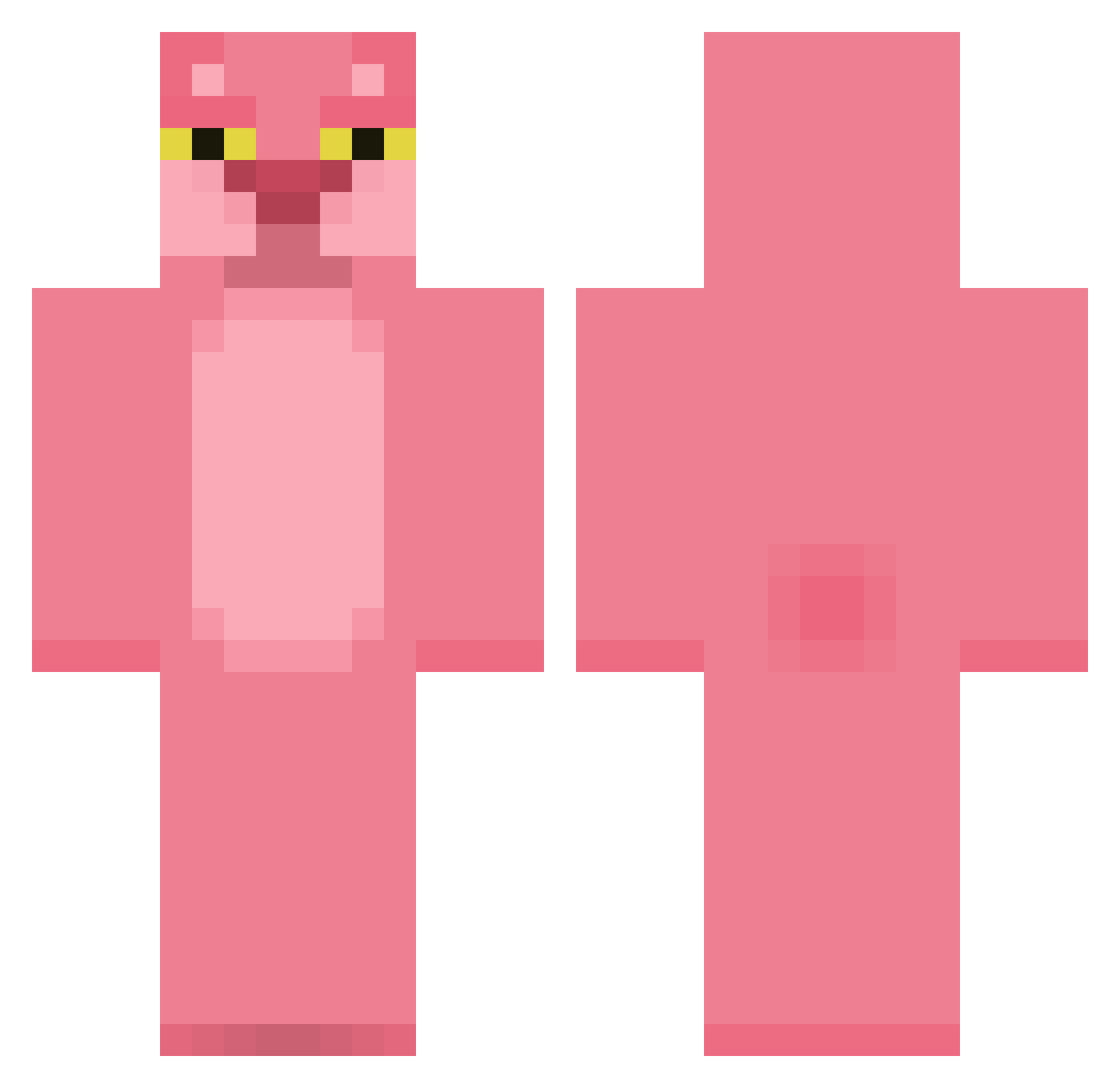
Current Minecraft skin of the player Lukkiebe, loaded from the official Mojang API. Rotate the 3D model with your mouse or finger, then download the skin as a PNG file and use it in Minecraft: Bedrock Edition or Java Edition for free. When Lukkiebe changes their skin, this page updates automatically and the old skin stays in the history below.
Other players with this skin (467)
Lukkiebe was the 429th player we have seen with this skin, first spotted on 03.11.2026. The same skin was seen on these players. Open a nickname to see their current skin and skin history.
 luisfer12395 Pill_In_My_Milk Xelanure murdererH Shmoolik ztonz Bbobear Chelmaster98 Dinosol viciki SkydoesRoeschkii cgives ElBartoKiller David62100 Sev826 Wyan_Dotte 67_Arnaud VTirsgaard gnomeacide Pavel321 SayTeng529 HEISENBERG_03 Skeleton615 TeufelDryad NotSoSpooky SrMagui Shiina_a ConorTeague_ TheDawnSailor Bizzlebazzle_ thinakan tinietim123 Elimbatido seanhanko Bombace ImPhillip MajesticSpirit CamielAdamo cheetahmags chamrodia hadri51 luvdisc SVikie Trashayy Paarthurnax zigarinn guigus62 douwe85 dreisya DuckMalu SMETS290601 amacrm lucasgerrard1 AneCaro Lephiel maxe321 NegxL Captainnpenthez xNukePvP Chentari
More The Pink Panther Minecraft skins
See all 163 The Pink Panther skins
How to install the Lukkiebe skin
- Press the Download button above to save the skin as a PNG file.
- Minecraft: Bedrock Edition (PE): open the Dressing Room from the main menu (or tap your character → Edit Character), go to Classic Skins → Owned, press the + (new skin) button, choose the downloaded PNG and pick the Classic (Steve) model. Works on PC and mobile; consoles cannot import custom skins.
- Minecraft: Java Edition: open the Minecraft Launcher, go to the Skins tab, click New Skin, load the PNG, pick the Classic (Steve) model and press Save & Use. You can also upload it at minecraft.net → Profile → Change Skin.
The skin does not show up after import - what should I do?
Restart Minecraft and open the Dressing Room again - imported skins sometimes appear only after a restart. Also make sure you selected the imported skin and picked the Classic (Steve) model.
Which model should I choose, Classic or Slim?
This skin is designed for the Classic (Steve) model. If you pick the wrong model, the arms of the skin will look stretched or squeezed.
Is the skin of Lukkiebe free to download?
Yes. Press Download, save the PNG file and use it in Minecraft: Bedrock Edition or Java Edition - no payment or registration needed. The skin also works on multiplayer servers and Realms.
More skins
Looking for more? Go back to all Minecraft skins and check the top skins of the week, month and all time, or find any player's skin by nickname.