
Lukan__ - Minecraft Skins & Skin History
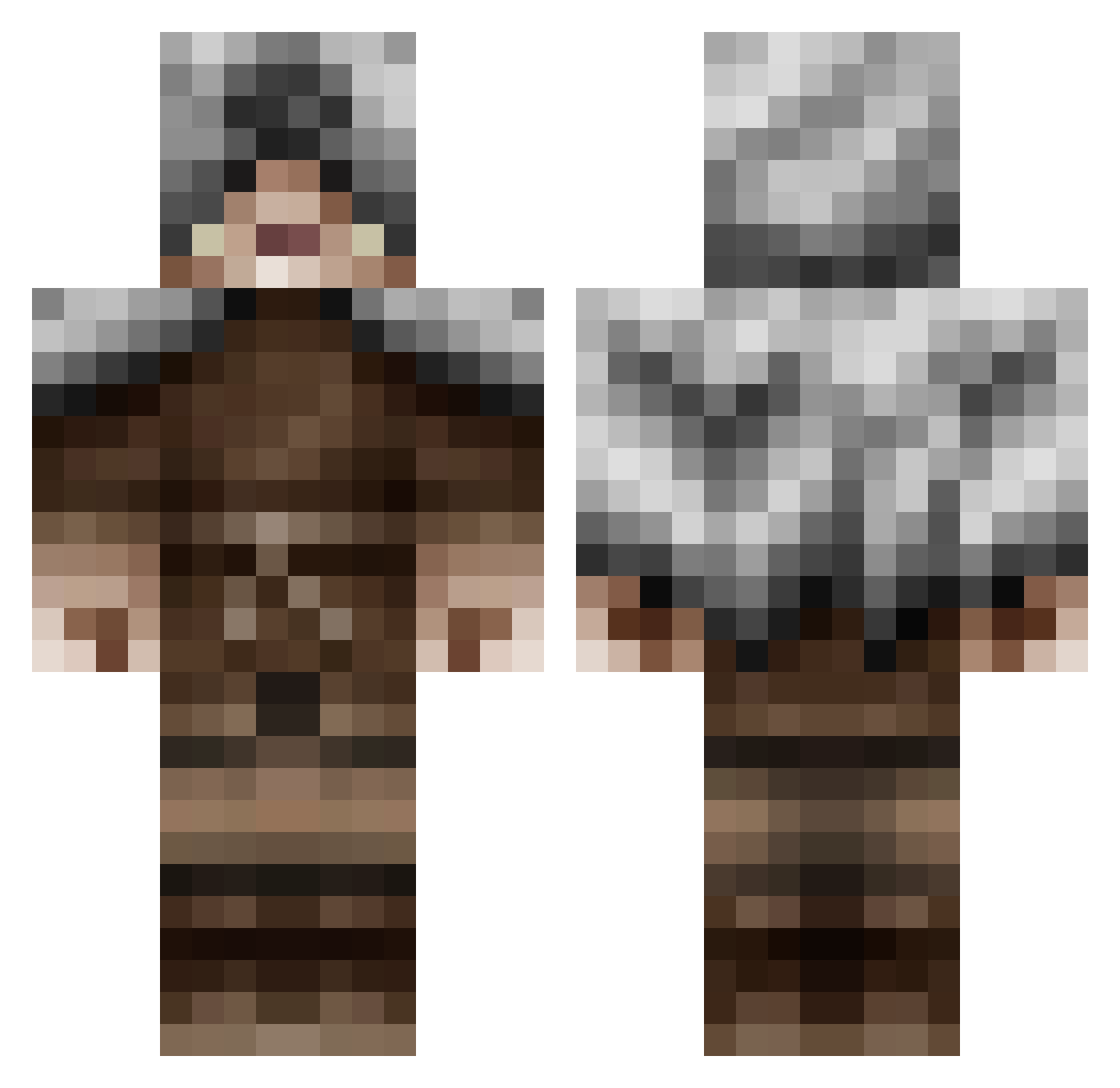
Current Minecraft skin of the player Lukan__, loaded from the official Mojang API. Rotate the 3D model with your mouse or finger, then download the skin as a PNG file and use it in Minecraft: Bedrock Edition or Java Edition for free. When Lukan__ changes their skin, this page updates automatically and the old skin stays in the history below.
Other players with this skin (479)
Lukan__ was the 445th player we have seen with this skin, first spotted on 25.10.2026. The same skin was seen on these players. Open a nickname to see their current skin and skin history.
 LIbertysFallout dicydico brendonice minimark1 MattyB4M drscary MortalMind1 chinesrat MagikAz3 brycekry Arnaud1991 Amail_Legend MrGoMan tyzerz BTMLAX1 bwolf1766 starpilot666 joan41868 Techefficacy baccaman201 BigPlimpin Elphonse frajacuro Jamak cwallis815 ciguarman RyanK43 HalfEdge Nalerenn One_Noble_6 Scissors123 UnwantedAsylum Phoenix_Cross kobe334 ChainsOfDusk ReignHeart animesucksalot CaptainSkywolf JaY5o1 HudsonJJH BathroomSkiing Clockwork200 Swick_Swifty AHumbleBubble Deowin killerpenguin28 ZombieJecht JunKiiezHD Homura627 RohsanBoss hamersforage VirtueOfSin somhovd Dillonxconnolly KtLoaded kinshard Tyravion cools455 vetle200 pathfinder552
More Rogue Minecraft skins
How to install the Lukan__ skin
- Press the Download button above to save the skin as a PNG file.
- Minecraft: Bedrock Edition (PE): open the Dressing Room from the main menu (or tap your character → Edit Character), go to Classic Skins → Owned, press the + (new skin) button, choose the downloaded PNG and pick the Classic (Steve) model. Works on PC and mobile; consoles cannot import custom skins.
- Minecraft: Java Edition: open the Minecraft Launcher, go to the Skins tab, click New Skin, load the PNG, pick the Classic (Steve) model and press Save & Use. You can also upload it at minecraft.net → Profile → Change Skin.
The skin does not show up after import - what should I do?
Restart Minecraft and open the Dressing Room again - imported skins sometimes appear only after a restart. Also make sure you selected the imported skin and picked the Classic (Steve) model.
Which model should I choose, Classic or Slim?
This skin is designed for the Classic (Steve) model. If you pick the wrong model, the arms of the skin will look stretched or squeezed.
Is the skin of Lukan__ free to download?
Yes. Press Download, save the PNG file and use it in Minecraft: Bedrock Edition or Java Edition - no payment or registration needed. The skin also works on multiplayer servers and Realms.
More skins
Looking for more? Go back to all Minecraft skins and check the top skins of the week, month and all time, or find any player's skin by nickname.