
LuisaSG - Minecraft Skins & Skin History
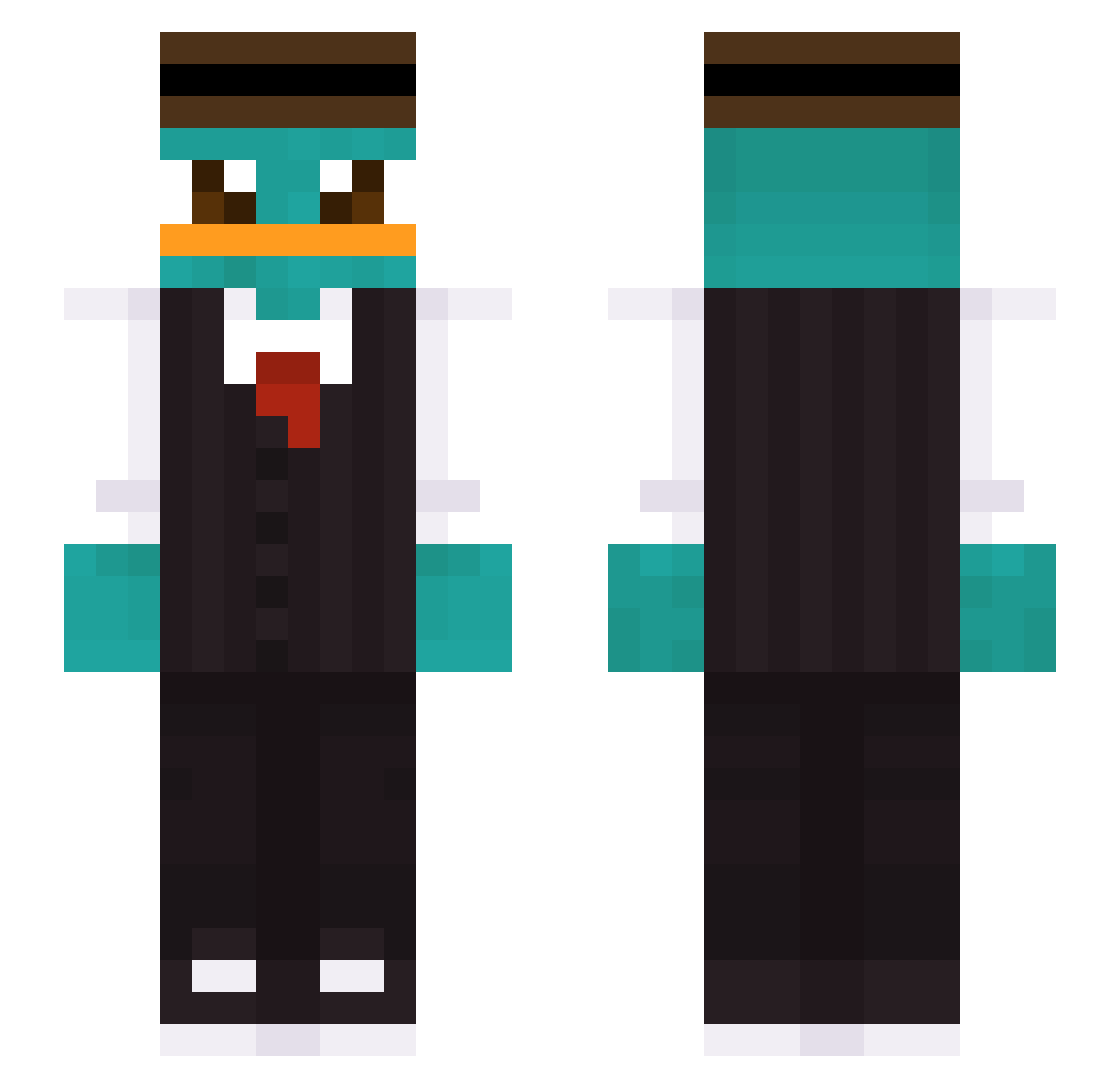
Current Minecraft skin of the player LuisaSG, loaded from the official Mojang API. Rotate the 3D model with your mouse or finger, then download the skin as a PNG file and use it in Minecraft: Bedrock Edition or Java Edition for free. When LuisaSG changes their skin, this page updates automatically and the old skin stays in the history below.
Other players with this skin (447)
LuisaSG was the 381st player we have seen with this skin, first spotted on 28.10.2026. The same skin was seen on these players. Open a nickname to see their current skin and skin history.
 icedoutMads sxnguyen_ ShEr0S Bxsurita youraccisnotyour fabi1006 Smokerkiller Oier_Alba Dome_dlc wisemanhyun 0mava2 S1lents Lynn_293 Darkfishy_7 Joreha PerryChanguito ToesInRanch zxcedov Sunmooon zayn0811 CueioNarcoPopox Bone49 N1TR0FUN BlakeDrg berni7 tim910404 ROCKET_89P13_ Rajszo Myamoto_ sjh060429 Banan_mannen11 digaass SaxisMilchreis tomek3001 Macike FraikSkill Sweet_Eunha criper_16 BKisHandSome s4dia Fecarre MoGrayred keviiin1224 BombsOverCopen joshieboy99 Hyperion23 27perry LordNibble emway56 Danoloillo PleaseHelpMeGod KainLi AvenaaQuaker karatekid69 BUY_8836 CengizBey58 Stormhoppare ProxenonGamer evilgenuis Xtere0_Eru
More Platypus Minecraft skins
How to install the LuisaSG skin
- Press the Download button above to save the skin as a PNG file.
- Minecraft: Bedrock Edition (PE): open the Dressing Room from the main menu (or tap your character → Edit Character), go to Classic Skins → Owned, press the + (new skin) button, choose the downloaded PNG and pick the Slim (Alex) model. Works on PC and mobile; consoles cannot import custom skins.
- Minecraft: Java Edition: open the Minecraft Launcher, go to the Skins tab, click New Skin, load the PNG, pick the Slim (Alex) model and press Save & Use. You can also upload it at minecraft.net → Profile → Change Skin.
The skin does not show up after import - what should I do?
Restart Minecraft and open the Dressing Room again - imported skins sometimes appear only after a restart. Also make sure you selected the imported skin and picked the Slim (Alex) model.
Which model should I choose, Classic or Slim?
This skin is designed for the Slim (Alex) model. If you pick the wrong model, the arms of the skin will look stretched or squeezed.
Is the skin of LuisaSG free to download?
Yes. Press Download, save the PNG file and use it in Minecraft: Bedrock Edition or Java Edition - no payment or registration needed. The skin also works on multiplayer servers and Realms.
More skins
Looking for more? Go back to all Minecraft skins and check the top skins of the week, month and all time, or find any player's skin by nickname.