
Ludupu - Minecraft Skins & Skin History
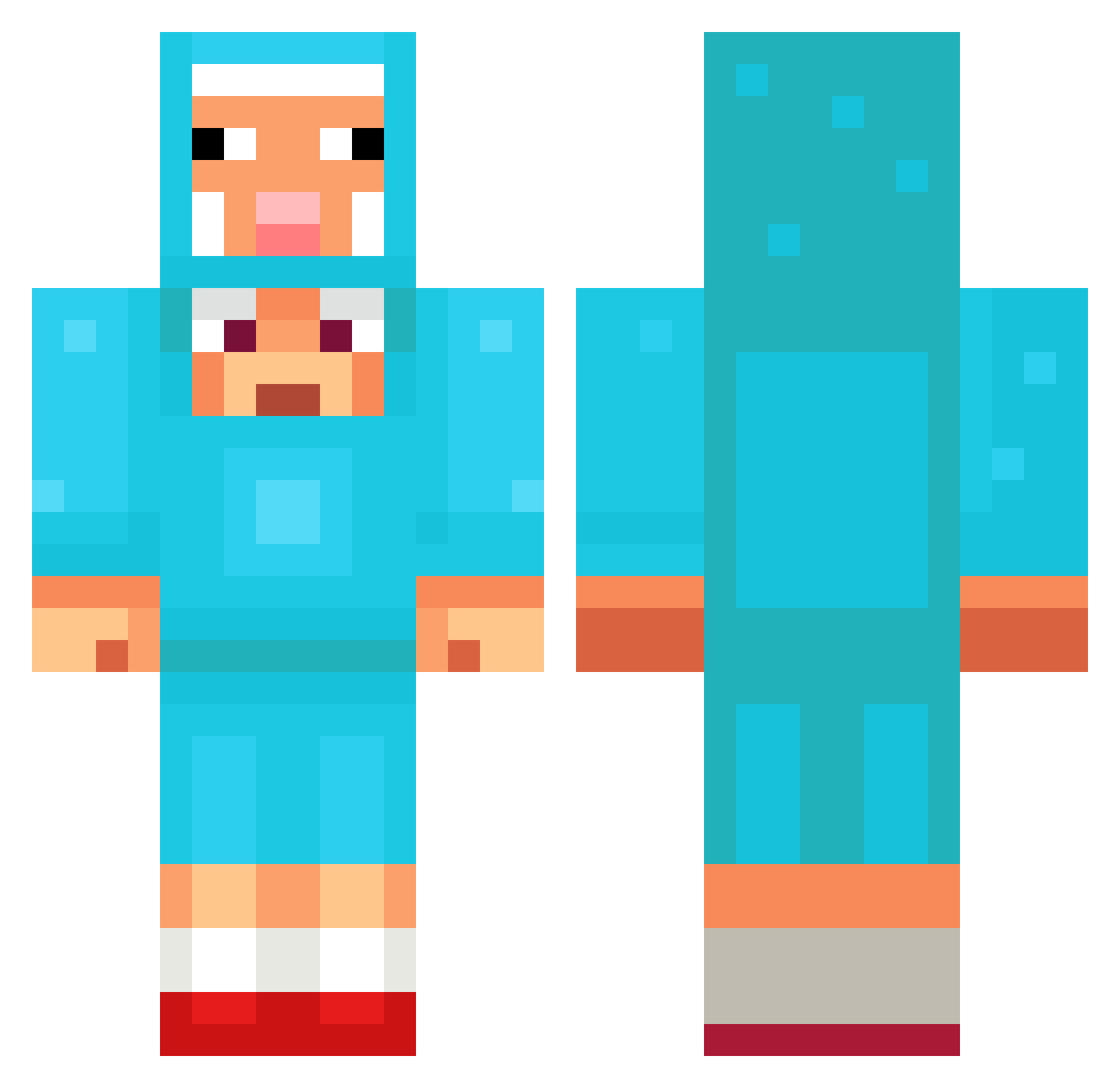
Current Minecraft skin of the player Ludupu, loaded from the official Mojang API. Rotate the 3D model with your mouse or finger, then download the skin as a PNG file and use it in Minecraft: Bedrock Edition or Java Edition for free. When Ludupu changes their skin, this page updates automatically and the old skin stays in the history below.
Other players with this skin (1234)
Ludupu was the 645th player we have seen with this skin, first spotted on 20.09.2026. The same skin was seen on these players. Open a nickname to see their current skin and skin history.
 FAIRY77 blxrz JuggaGaming Zepky Codey___ iloveu1109 carin0408 doodoojjang kamee_ CM_21 MariusSpiritx carburke Roncolato itzz_nikita tyolson Tottiity Starz_Dylan yejun0327 deemske catvador156 KBkkk Lichtgeier_664 theroar69 dalabo1605 Lucas_Ins3st_sis easter_h Fisu111 Jokyje portil discordguy SigmaBlin001 JamesMcBride kAttyC1 SuperBoyHermann JaseBeanz Downier Busti4298 rodrri09 Wa1tJR Twinb0 HonninzFat Aenghdo Pietjepuk 0ZAM Lpdubs27 szwuncio123 xLuminex Xyvenhal Kyansubandrio Helliston LeeKaing TANGTIMMY Lubabu MUGAD Kirbxyz7 Jo_bunny22 kaley1070 LordBlank97 ninjaprimo zamashack
More Sheep Minecraft skins
How to install the Ludupu skin
- Press the Download button above to save the skin as a PNG file.
- Minecraft: Bedrock Edition (PE): open the Dressing Room from the main menu (or tap your character → Edit Character), go to Classic Skins → Owned, press the + (new skin) button, choose the downloaded PNG and pick the Classic (Steve) model. Works on PC and mobile; consoles cannot import custom skins.
- Minecraft: Java Edition: open the Minecraft Launcher, go to the Skins tab, click New Skin, load the PNG, pick the Classic (Steve) model and press Save & Use. You can also upload it at minecraft.net → Profile → Change Skin.
The skin does not show up after import - what should I do?
Restart Minecraft and open the Dressing Room again - imported skins sometimes appear only after a restart. Also make sure you selected the imported skin and picked the Classic (Steve) model.
Which model should I choose, Classic or Slim?
This skin is designed for the Classic (Steve) model. If you pick the wrong model, the arms of the skin will look stretched or squeezed.
Is the skin of Ludupu free to download?
Yes. Press Download, save the PNG file and use it in Minecraft: Bedrock Edition or Java Edition - no payment or registration needed. The skin also works on multiplayer servers and Realms.
More skins
Looking for more? Go back to all Minecraft skins and check the top skins of the week, month and all time, or find any player's skin by nickname.