
Luckyproguy - Minecraft Skins & Skin History
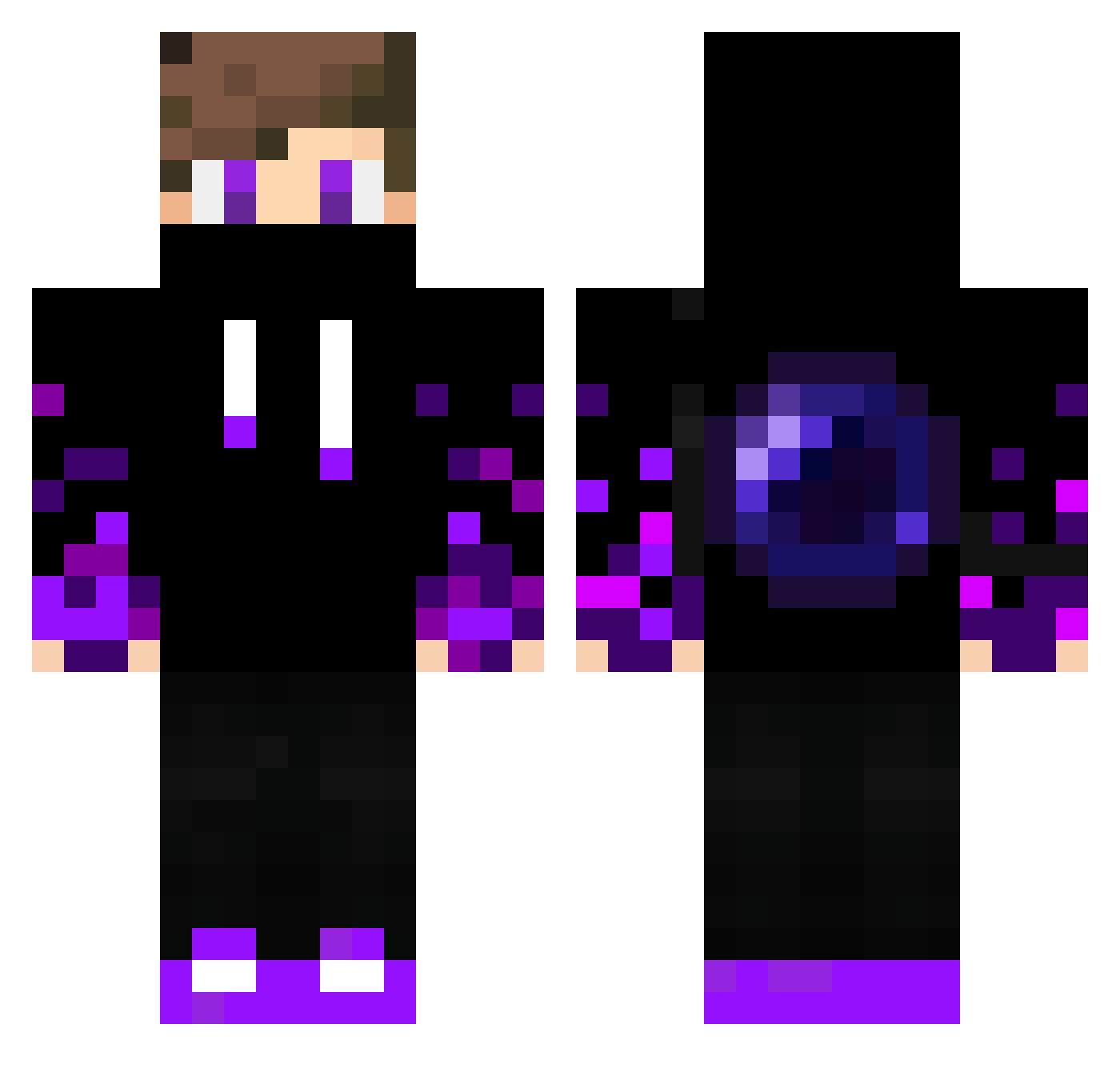
Current Minecraft skin of the player Luckyproguy, loaded from the official Mojang API. Rotate the 3D model with your mouse or finger, then download the skin as a PNG file and use it in Minecraft: Bedrock Edition or Java Edition for free. When Luckyproguy changes their skin, this page updates automatically and the old skin stays in the history below.
Other players with this skin (330)
Luckyproguy was the 316th player we have seen with this skin, first spotted on 27.10.2026. The same skin was seen on these players. Open a nickname to see their current skin and skin history.
 Itxchi_Uchiha__ DAJID12 GalaxyStorm1234 EnderFastYT Zalyn Alex12682 Seaghenn PSMBG15 Kneerios MrNoidd Matti2405 LiLKnight_34 PaulinhoPT FelipeChan EzTracks Jonathan4113 Booklete FordMustangGt3 zz_tapzO_23 XJ_James Petyo04 Space461 YT_BenjaX NoobSepticem Lillandry2008 Nightmare6389 MaximeProGamer EnderTp__ MaxDark96 rexbone02 badmello Rantomgaming Kharuxx HondaClarity ALLENTG CossmiNHatz Kupaaaa YasinYildirim07 Micaiasmk JustNoises bl3ze_next Architekt707 AnaGor01 Zelobinho FranciscoHdz07 OrlaDeBotas DC_ALEX09 pidr69 Azur04 MrFruit2396 x9hk KingKevin1550 F1_nN Augustin2608 luizleonel5 EliaBELLO SkyBlood ItzEnderYT phss1405 SrCapim
More Ender Pearl Minecraft skins
How to install the Luckyproguy skin
- Press the Download button above to save the skin as a PNG file.
- Minecraft: Bedrock Edition (PE): open the Dressing Room from the main menu (or tap your character → Edit Character), go to Classic Skins → Owned, press the + (new skin) button, choose the downloaded PNG and pick the Classic (Steve) model. Works on PC and mobile; consoles cannot import custom skins.
- Minecraft: Java Edition: open the Minecraft Launcher, go to the Skins tab, click New Skin, load the PNG, pick the Classic (Steve) model and press Save & Use. You can also upload it at minecraft.net → Profile → Change Skin.
The skin does not show up after import - what should I do?
Restart Minecraft and open the Dressing Room again - imported skins sometimes appear only after a restart. Also make sure you selected the imported skin and picked the Classic (Steve) model.
Which model should I choose, Classic or Slim?
This skin is designed for the Classic (Steve) model. If you pick the wrong model, the arms of the skin will look stretched or squeezed.
Is the skin of Luckyproguy free to download?
Yes. Press Download, save the PNG file and use it in Minecraft: Bedrock Edition or Java Edition - no payment or registration needed. The skin also works on multiplayer servers and Realms.
More skins
Looking for more? Go back to all Minecraft skins and check the top skins of the week, month and all time, or find any player's skin by nickname.