
LucklessBearrr - Minecraft Skins & Skin History
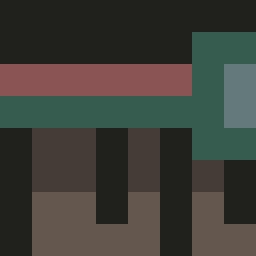
Current Minecraft skin of the player LucklessBearrr, loaded from the official Mojang API. Rotate the 3D model with your mouse or finger, then download the skin as a PNG file and use it in Minecraft: Bedrock Edition or Java Edition for free. When LucklessBearrr changes their skin, this page updates automatically and the old skin stays in the history below.

Other players with this skin (4750)
LucklessBearrr was the 2168th player we have seen with this skin, first spotted on 15.09.2026. The same skin was seen on these players. Open a nickname to see their current skin and skin history.
 Wesitouwu agroQT Cobby UnicornZombiee Sitfos Artemis_Emprius FreshSkillerHD Substring Soepsliertje KrayZee Electrican minetta Rust_ EclipceE kombucha1 IKlutch11 raiiwa1073 sorentoxx SacredLV Dodgyy Donofox umaruuwu Julek20133 rhomb dgt315 dynamitobias Schneeman3 DJerik Ikates82 _Xuhn
 mm247 1Nolan1 craigsdefault mariner999 Sad_Frog_Meme Wanace Zyight joseph2998 lawnmowerfast ilovethugs Zxandak 3mineybonkas DunDunn MagnaNephalem alex_mander HongSaam EuSouNoia tomasxd darkphoenix5392 oosg amberviking 1rsl Samson_1026 Cuthburto osm_ EightBitRanger SvennyIsLove timecharger Mapy123 CigMockDommy420
How to install the LucklessBearrr skin
- Press the Download button above to save the skin as a PNG file.
- Minecraft: Bedrock Edition (PE): open the Dressing Room from the main menu (or tap your character → Edit Character), go to Classic Skins → Owned, press the + (new skin) button, choose the downloaded PNG and pick the Classic (Steve) model. Works on PC and mobile; consoles cannot import custom skins.
- Minecraft: Java Edition: open the Minecraft Launcher, go to the Skins tab, click New Skin, load the PNG, pick the Classic (Steve) model and press Save & Use. You can also upload it at minecraft.net → Profile → Change Skin.
The skin does not show up after import - what should I do?
Restart Minecraft and open the Dressing Room again - imported skins sometimes appear only after a restart. Also make sure you selected the imported skin and picked the Classic (Steve) model.
Which model should I choose, Classic or Slim?
This skin is designed for the Classic (Steve) model. If you pick the wrong model, the arms of the skin will look stretched or squeezed.
Is the skin of LucklessBearrr free to download?
Yes. Press Download, save the PNG file and use it in Minecraft: Bedrock Edition or Java Edition - no payment or registration needed. The skin also works on multiplayer servers and Realms.
More skins
Looking for more? Go back to all Minecraft skins and check the top skins of the week, month and all time, or find any player's skin by nickname.