
Luckiller932 - Minecraft Skins & Skin History
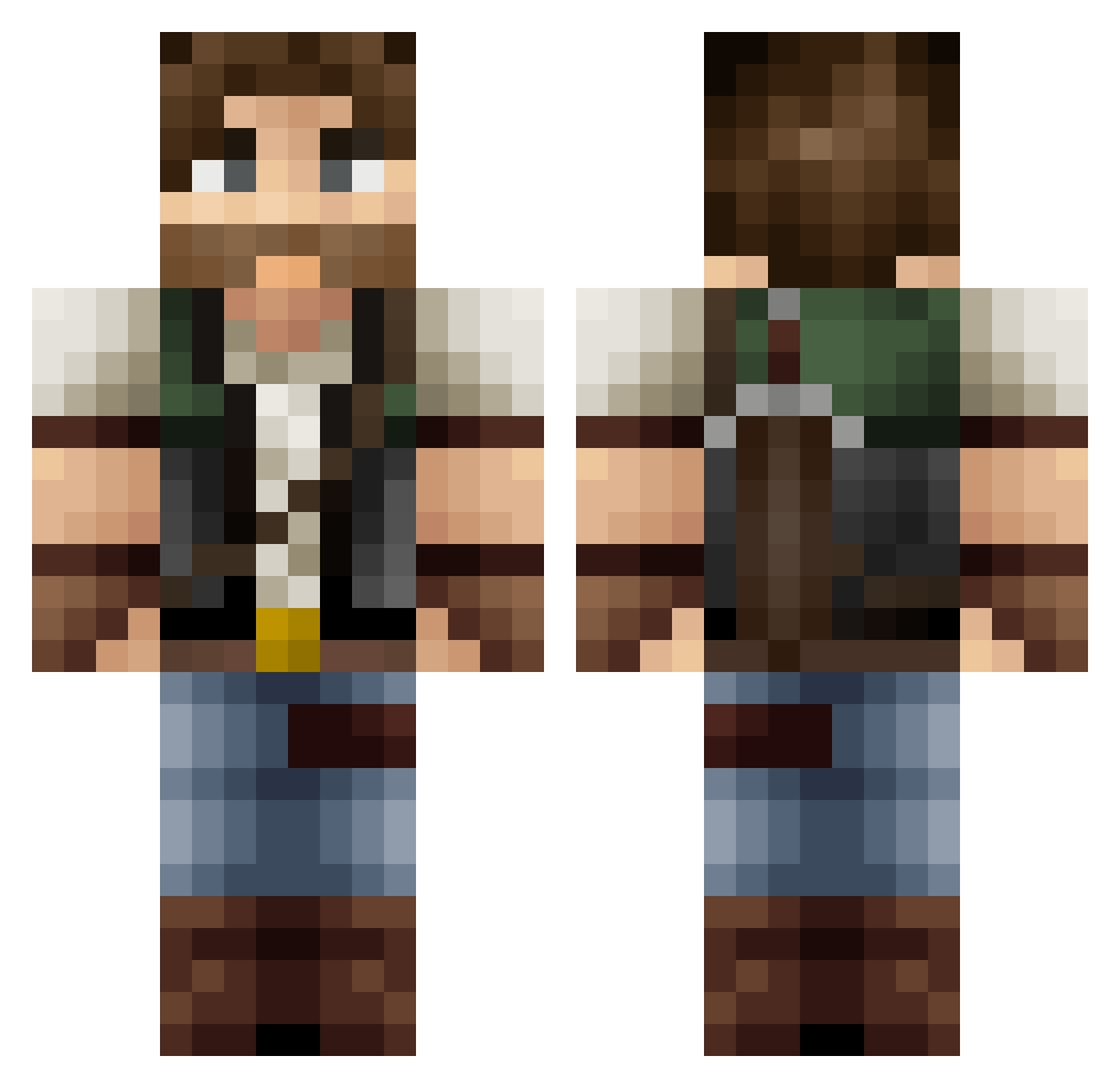
Current Minecraft skin of the player Luckiller932, loaded from the official Mojang API. Rotate the 3D model with your mouse or finger, then download the skin as a PNG file and use it in Minecraft: Bedrock Edition or Java Edition for free. When Luckiller932 changes their skin, this page updates automatically and the old skin stays in the history below.
Other players with this skin (369)
Luckiller932 was the 327th player we have seen with this skin, first spotted on 22.10.2026. The same skin was seen on these players. Open a nickname to see their current skin and skin history.
 Xjimbob Paladinonero Rikimon xStark23 BowedMeteor7 xd_NATSU_xd Auram94 NeZnaik0 Holmaes FamllAm TEAMSKILLZ JakePG xGu1lh3rmex pkmn418 ScrubLuck Gam3Junkie Tenaak UncleSamz Mati53 robin024 Maggolein SebastianPerero madness058 DonVinzon axel_nk Twaroqq Exile118 Vuarong _reO_ SetUp59 dadouf32 Gunjka HudsonHawk007 Avarens Kolwamster AeroNova98 F0nty SirGrilzalot Baloxavir Pipp0Saur0 KaarKatan michellinbaby urban_7 gnasher155 Stepan_77 Vulgaz zentist jamjag2a N18E07S Destetry sneakyget MrVikman 5Cent_ Arilos CrazyNugget Ren_kai2 Grannyspam69 Naax Pliboux AlfaMartino
More Hunter Minecraft skins
How to install the Luckiller932 skin
- Press the Download button above to save the skin as a PNG file.
- Minecraft: Bedrock Edition (PE): open the Dressing Room from the main menu (or tap your character → Edit Character), go to Classic Skins → Owned, press the + (new skin) button, choose the downloaded PNG and pick the Classic (Steve) model. Works on PC and mobile; consoles cannot import custom skins.
- Minecraft: Java Edition: open the Minecraft Launcher, go to the Skins tab, click New Skin, load the PNG, pick the Classic (Steve) model and press Save & Use. You can also upload it at minecraft.net → Profile → Change Skin.
The skin does not show up after import - what should I do?
Restart Minecraft and open the Dressing Room again - imported skins sometimes appear only after a restart. Also make sure you selected the imported skin and picked the Classic (Steve) model.
Which model should I choose, Classic or Slim?
This skin is designed for the Classic (Steve) model. If you pick the wrong model, the arms of the skin will look stretched or squeezed.
Is the skin of Luckiller932 free to download?
Yes. Press Download, save the PNG file and use it in Minecraft: Bedrock Edition or Java Edition - no payment or registration needed. The skin also works on multiplayer servers and Realms.
More skins
Looking for more? Go back to all Minecraft skins and check the top skins of the week, month and all time, or find any player's skin by nickname.