
Lucki23 - Minecraft Skins & Skin History
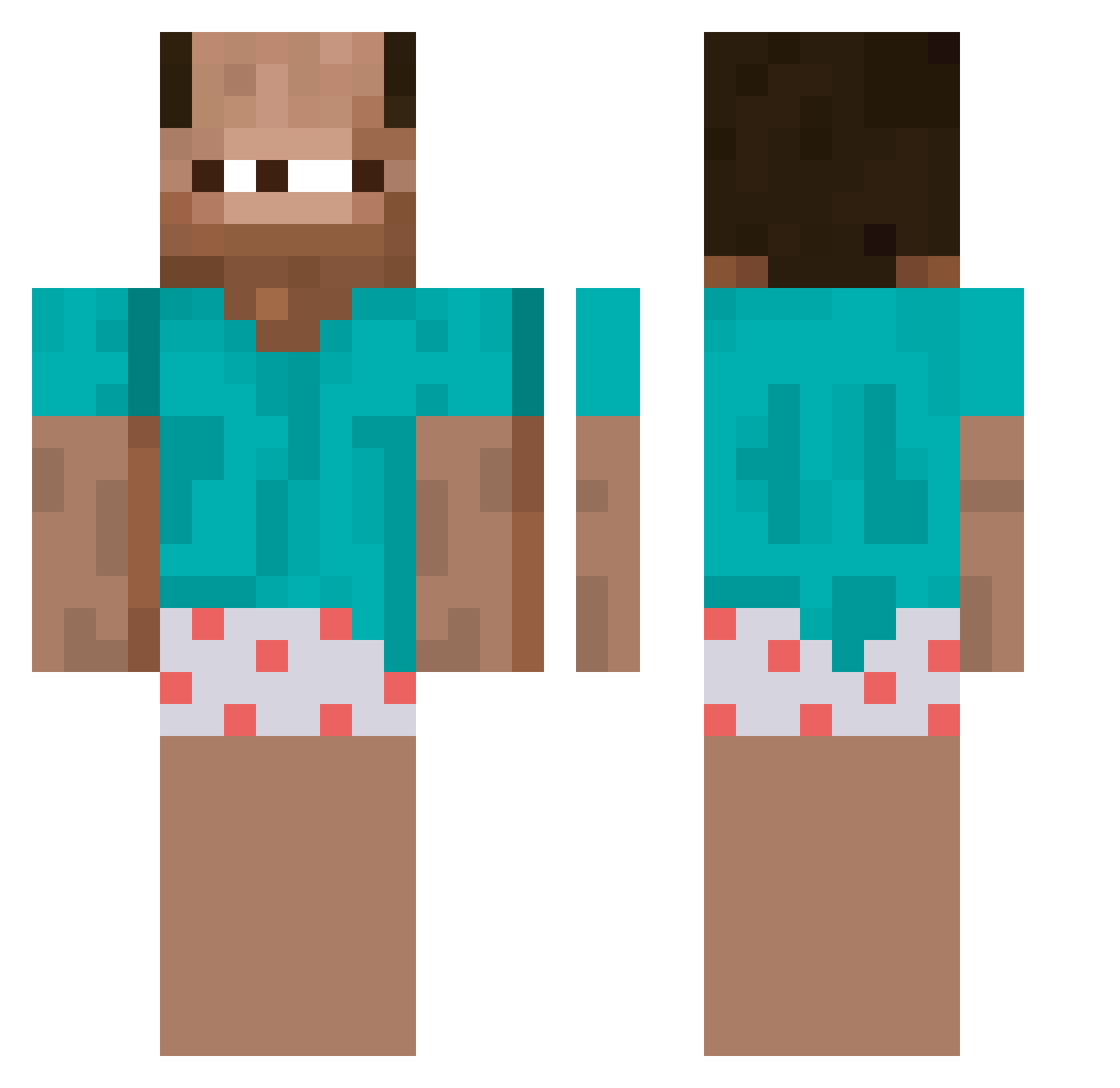
Current Minecraft skin of the player Lucki23, loaded from the official Mojang API. Rotate the 3D model with your mouse or finger, then download the skin as a PNG file and use it in Minecraft: Bedrock Edition or Java Edition for free. When Lucki23 changes their skin, this page updates automatically and the old skin stays in the history below.
Other players with this skin (256)
Lucki23 was the 30th player we have seen with this skin, first spotted on 02.08.2026. The same skin was seen on these players. Open a nickname to see their current skin and skin history.
 Necrot1x RealDav1d limrsog
 yildow FurryOstrich247 IchKaufeRewe Snoopyz234 M1guelit08 Isaac0303 JohnnyDFD keeyboardd Just_Peerfect jedthepogi CrxelMidget _Wrobel_ riotMortdog Crispeeh Serkannnnn Yaldab4oth milx9 DarkenedOpal Visatschik Lan_Gous Kamihot NimmDirDieEhre j00_w102 CaydenFr
 Lemur453 zAcehh zThiagooo DirtyWolf69 HetKnappeKoppie Obunga_69
 g2kZ JefferyChao 7cap Janxski Dachilo Jiyea__
 JLWasax 20241009free AceBeaz
 nihyl_ vvElements CPLMonke
 idozimmer
 _voidlarp
 wsyzc0721 teid Facial_hemp
 uzqr HiImSarah shdow_night13388 Im_nourmom isao_201 vecce2 VoidableAbyss71 lokant_czech sliu69 FaZe_mojon_duro
More Baba Minecraft skins
How to install the Lucki23 skin
- Press the Download button above to save the skin as a PNG file.
- Minecraft: Bedrock Edition (PE): open the Dressing Room from the main menu (or tap your character → Edit Character), go to Classic Skins → Owned, press the + (new skin) button, choose the downloaded PNG and pick the Classic (Steve) model. Works on PC and mobile; consoles cannot import custom skins.
- Minecraft: Java Edition: open the Minecraft Launcher, go to the Skins tab, click New Skin, load the PNG, pick the Classic (Steve) model and press Save & Use. You can also upload it at minecraft.net → Profile → Change Skin.
The skin does not show up after import - what should I do?
Restart Minecraft and open the Dressing Room again - imported skins sometimes appear only after a restart. Also make sure you selected the imported skin and picked the Classic (Steve) model.
Which model should I choose, Classic or Slim?
This skin is designed for the Classic (Steve) model. If you pick the wrong model, the arms of the skin will look stretched or squeezed.
Is the skin of Lucki23 free to download?
Yes. Press Download, save the PNG file and use it in Minecraft: Bedrock Edition or Java Edition - no payment or registration needed. The skin also works on multiplayer servers and Realms.
More skins
Looking for more? Go back to all Minecraft skins and check the top skins of the week, month and all time, or find any player's skin by nickname.