
Lucian_2609 - Minecraft Skins & Skin History
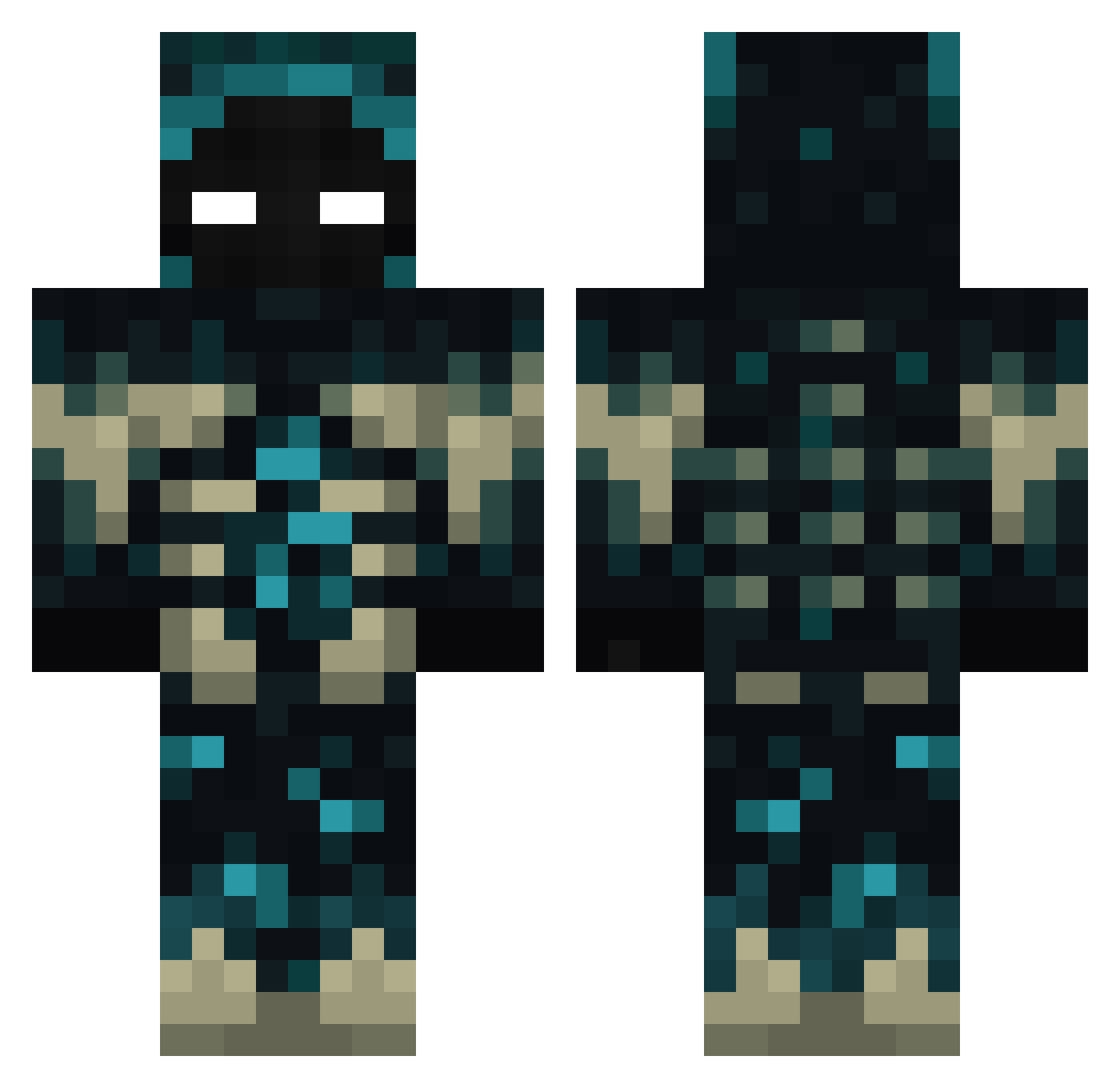
Current Minecraft skin of the player Lucian_2609, loaded from the official Mojang API. Rotate the 3D model with your mouse or finger, then download the skin as a PNG file and use it in Minecraft: Bedrock Edition or Java Edition for free. When Lucian_2609 changes their skin, this page updates automatically and the old skin stays in the history below.
Other players with this skin (385)
Lucian_2609 was the 72nd player we have seen with this skin, first spotted on 14.08.2026. The same skin was seen on these players. Open a nickname to see their current skin and skin history.
 KlatuLevarda WarVictim diveintheocean09 FERRENARO docteurchopper Davfeper sikosia00 auxstra Rdilv flasgy AntiCube_X ZB_Horizon DiegouZz thurra1973 Pietrus97 Susej03 Speterman ivandasdas Whitwspr1ng _0pium_ Verdesium Noowerk ELPEPITOBUENO Thawne12206 Craftinx SkyRED_7 phtofa SuddenWorms Retr0Sloth1 Lolz1231 LMV0911 sokyoto sergeantoof ludobaw Carl035 ransengg Blackgodlegend PadawanEH slipdipwhip topDIEGO13 only1potion LiveDrop18 PPnk
 Tartoche03 Alamax23 enx9a Iambic2018 El_Midry kohyunwoo CasadelOso Speisesalz1 G8SHEEP__2001 Patricio2006 erick112390 djmediko SimplWardenn Petgar100 nashy_XV andyste21 LdFafik
More Sculk Minecraft skins
How to install the Lucian_2609 skin
- Press the Download button above to save the skin as a PNG file.
- Minecraft: Bedrock Edition (PE): open the Dressing Room from the main menu (or tap your character → Edit Character), go to Classic Skins → Owned, press the + (new skin) button, choose the downloaded PNG and pick the Classic (Steve) model. Works on PC and mobile; consoles cannot import custom skins.
- Minecraft: Java Edition: open the Minecraft Launcher, go to the Skins tab, click New Skin, load the PNG, pick the Classic (Steve) model and press Save & Use. You can also upload it at minecraft.net → Profile → Change Skin.
The skin does not show up after import - what should I do?
Restart Minecraft and open the Dressing Room again - imported skins sometimes appear only after a restart. Also make sure you selected the imported skin and picked the Classic (Steve) model.
Which model should I choose, Classic or Slim?
This skin is designed for the Classic (Steve) model. If you pick the wrong model, the arms of the skin will look stretched or squeezed.
Is the skin of Lucian_2609 free to download?
Yes. Press Download, save the PNG file and use it in Minecraft: Bedrock Edition or Java Edition - no payment or registration needed. The skin also works on multiplayer servers and Realms.
More skins
Looking for more? Go back to all Minecraft skins and check the top skins of the week, month and all time, or find any player's skin by nickname.