
Luca801 - Minecraft Skins & Skin History
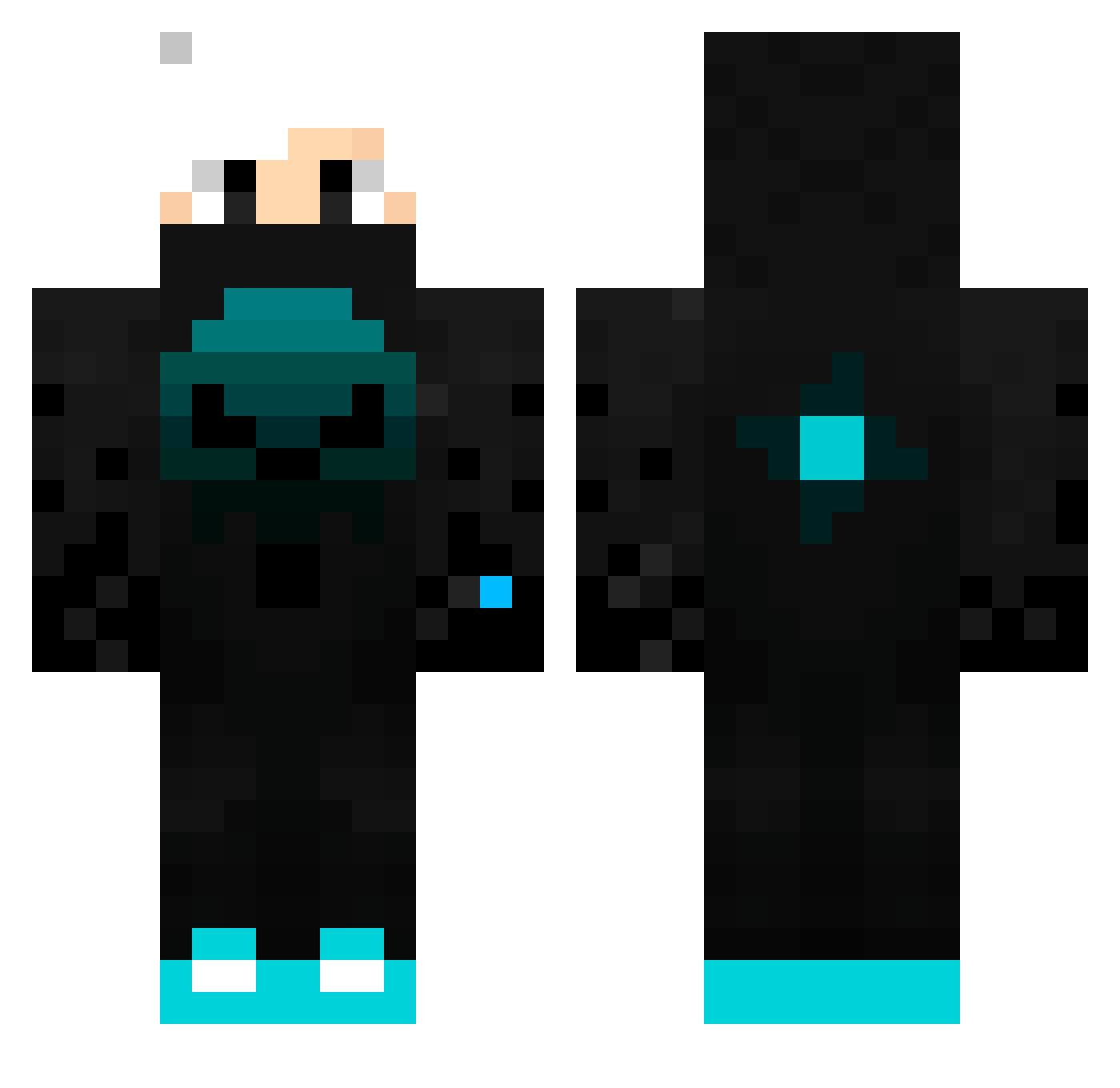
Current Minecraft skin of the player Luca801, loaded from the official Mojang API. Rotate the 3D model with your mouse or finger, then download the skin as a PNG file and use it in Minecraft: Bedrock Edition or Java Edition for free. When Luca801 changes their skin, this page updates automatically and the old skin stays in the history below.
Other players with this skin (116)
Luca801 was the 52nd player we have seen with this skin, first spotted on 11.09.2026. The same skin was seen on these players. Open a nickname to see their current skin and skin history.
 gingerus25 xBladerox ygz445YT JLemoH_ AbdullahArslan ice2bigz pingo202
 namicasi TITI1908 BeardedBassist10 ichhabepickel Kraken2128 2007Fabian FENRIRR568 SamuelPro777 nonfisherman condog2009 SmartyPeter Nathan_orc marzrl2012 AnnyS2 cagankara35 Ancymon2013 hockey_27_pvp papir_ 7imowyd szymixon1984 _bLoodyX_ fabio_13 Lobitos DavidyGamer _BloodyTR Frostxs Julo085 Gamer_SDU Bexy_Cz ly_XBCif_1206 oatza50000 DanisXD DarkDeathPL Xander2258734 schw4artz UnknownWreck123 Anakin197 RipidYT Phoenix007 Yhinn Kazunoko2007 TonyMontxna 541pomelo chemicalmann tufao920 EymenK GoldmooD ant101257 egeobuz321 BlueB1T Timothe_vgl BeyondTheFear Klintos
More Neon Minecraft skins
How to install the Luca801 skin
- Press the Download button above to save the skin as a PNG file.
- Minecraft: Bedrock Edition (PE): open the Dressing Room from the main menu (or tap your character → Edit Character), go to Classic Skins → Owned, press the + (new skin) button, choose the downloaded PNG and pick the Classic (Steve) model. Works on PC and mobile; consoles cannot import custom skins.
- Minecraft: Java Edition: open the Minecraft Launcher, go to the Skins tab, click New Skin, load the PNG, pick the Classic (Steve) model and press Save & Use. You can also upload it at minecraft.net → Profile → Change Skin.
The skin does not show up after import - what should I do?
Restart Minecraft and open the Dressing Room again - imported skins sometimes appear only after a restart. Also make sure you selected the imported skin and picked the Classic (Steve) model.
Which model should I choose, Classic or Slim?
This skin is designed for the Classic (Steve) model. If you pick the wrong model, the arms of the skin will look stretched or squeezed.
Is the skin of Luca801 free to download?
Yes. Press Download, save the PNG file and use it in Minecraft: Bedrock Edition or Java Edition - no payment or registration needed. The skin also works on multiplayer servers and Realms.
More skins
Looking for more? Go back to all Minecraft skins and check the top skins of the week, month and all time, or find any player's skin by nickname.