
Louve56160 - Minecraft Skins & Skin History
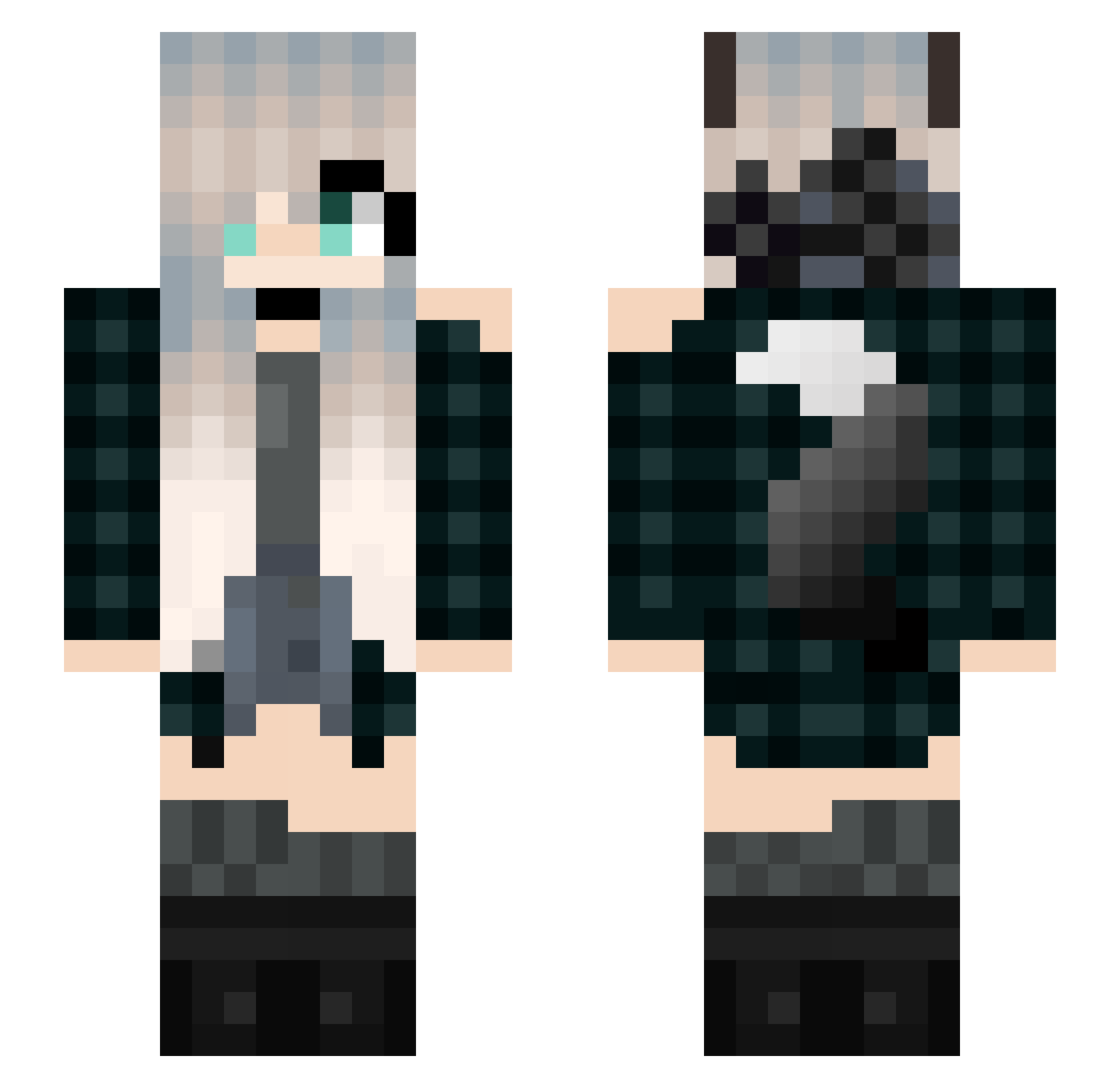
Current Minecraft skin of the player Louve56160, loaded from the official Mojang API. Rotate the 3D model with your mouse or finger, then download the skin as a PNG file and use it in Minecraft: Bedrock Edition or Java Edition for free. When Louve56160 changes their skin, this page updates automatically and the old skin stays in the history below.
Other players with this skin (195)
Louve56160 was the 131st player we have seen with this skin, first spotted on 25.09.2026. The same skin was seen on these players. Open a nickname to see their current skin and skin history.
 Lyra_Black drouxyz Crow_For_Show RavenKitten_ ilincastirbu PoohBearGirl945 SajaWolf ewolf3000 matcha2929 Sakuura_03 KiraSolo AnoukStark WolfBA Ringles namloKrimidalV Dmoney Lixan22 KaizerKomics TaylorGS2 Lyxouille Okami_Feitan dl_OxO_lb shasha0205 SunR_ koishiiiii roopin celica1123 stormmbear YEH_Yuuu sumoten09 kasudama KCKamilek ImmortalGoddesss WolfKnight219 richzii AlitaW0lf SilverTheFox22 Hiikaris ZeRo_Suger valou2801 Fallentree2357 Merena27 Sean1020502 Wolfgamer10056 _Zelda_007 RealTBRNfragsfan Pitbully012 Wolfy_0_0 rosww Vitoria1210 xXSuperSofieXx xMarrx MagicGoat0720 AlphaPsychoWolf HitCombo2010 FuzZyWOLFeY vverti Discreet354 RykerH56 HiverLaurence
More Wolf Ears Minecraft skins
How to install the Louve56160 skin
- Press the Download button above to save the skin as a PNG file.
- Minecraft: Bedrock Edition (PE): open the Dressing Room from the main menu (or tap your character → Edit Character), go to Classic Skins → Owned, press the + (new skin) button, choose the downloaded PNG and pick the Slim (Alex) model. Works on PC and mobile; consoles cannot import custom skins.
- Minecraft: Java Edition: open the Minecraft Launcher, go to the Skins tab, click New Skin, load the PNG, pick the Slim (Alex) model and press Save & Use. You can also upload it at minecraft.net → Profile → Change Skin.
The skin does not show up after import - what should I do?
Restart Minecraft and open the Dressing Room again - imported skins sometimes appear only after a restart. Also make sure you selected the imported skin and picked the Slim (Alex) model.
Which model should I choose, Classic or Slim?
This skin is designed for the Slim (Alex) model. If you pick the wrong model, the arms of the skin will look stretched or squeezed.
Is the skin of Louve56160 free to download?
Yes. Press Download, save the PNG file and use it in Minecraft: Bedrock Edition or Java Edition - no payment or registration needed. The skin also works on multiplayer servers and Realms.
More skins
Looking for more? Go back to all Minecraft skins and check the top skins of the week, month and all time, or find any player's skin by nickname.