
Louiethompson - Minecraft Skins & Skin History
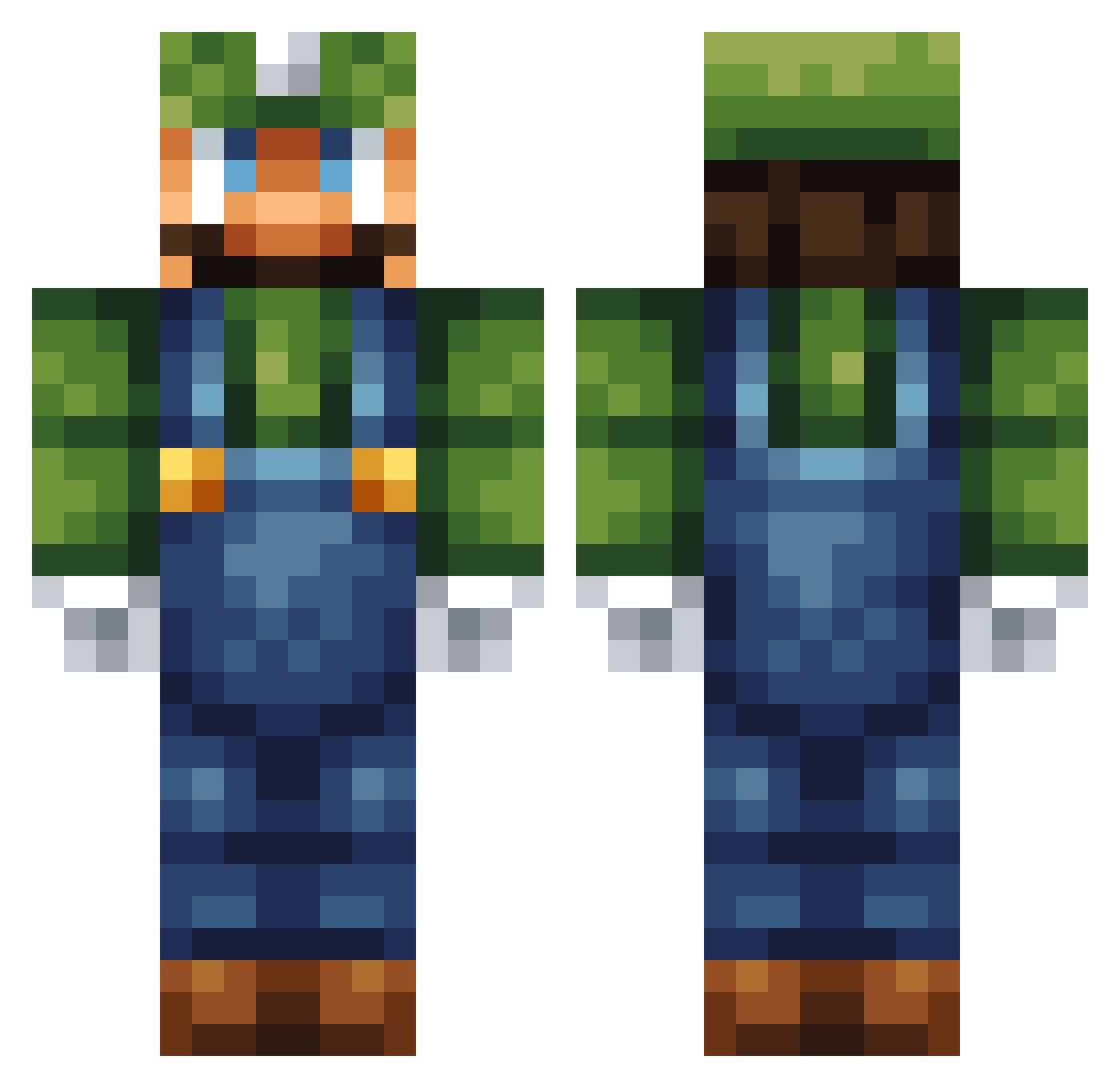
Current Minecraft skin of the player Louiethompson, loaded from the official Mojang API. Rotate the 3D model with your mouse or finger, then download the skin as a PNG file and use it in Minecraft: Bedrock Edition or Java Edition for free. When Louiethompson changes their skin, this page updates automatically and the old skin stays in the history below.
Other players with this skin (315)
Louiethompson was the 284th player we have seen with this skin, first spotted on 08.11.2026. The same skin was seen on these players. Open a nickname to see their current skin and skin history.
 Pencivil Akkiron Zebruhs ponchorocks Suverent21 Silhshoot CR3ATER Dark_Luigi123 glp2001 peempo Carrewen what_is_the navycake Thecool010 jadenboat3 brookseyboys123 joakim1402 diamond_man32 doschdmaster TehBabyWolf banduccid heise94 Nikolaii1 Blackout570 pandaninja123 lavaman8677 Neli361 MCbrand107 Folkeking Maetomies VaIentinee MatthewHood Tendosaur bhalls22 huntdog500 0bso1337 supersoccerkid3 Sea2star subatomic567 EinfachSebi I_Am_Fool Worldfair Oscarmayer256 eze052 thoughtrobin69 BloodHazel QuickKayla unsayablemeat62 luisp5847 SwigitySwoogity DarkFork Humding crispy_corndogg Ozzy279 FireGuy808 amcam Zachiwacky123 DeadWolf56 Schump99 kreiglles
More Luigi Minecraft skins
How to install the Louiethompson skin
- Press the Download button above to save the skin as a PNG file.
- Minecraft: Bedrock Edition (PE): open the Dressing Room from the main menu (or tap your character → Edit Character), go to Classic Skins → Owned, press the + (new skin) button, choose the downloaded PNG and pick the Classic (Steve) model. Works on PC and mobile; consoles cannot import custom skins.
- Minecraft: Java Edition: open the Minecraft Launcher, go to the Skins tab, click New Skin, load the PNG, pick the Classic (Steve) model and press Save & Use. You can also upload it at minecraft.net → Profile → Change Skin.
The skin does not show up after import - what should I do?
Restart Minecraft and open the Dressing Room again - imported skins sometimes appear only after a restart. Also make sure you selected the imported skin and picked the Classic (Steve) model.
Which model should I choose, Classic or Slim?
This skin is designed for the Classic (Steve) model. If you pick the wrong model, the arms of the skin will look stretched or squeezed.
Is the skin of Louiethompson free to download?
Yes. Press Download, save the PNG file and use it in Minecraft: Bedrock Edition or Java Edition - no payment or registration needed. The skin also works on multiplayer servers and Realms.
More skins
Looking for more? Go back to all Minecraft skins and check the top skins of the week, month and all time, or find any player's skin by nickname.