
Loris74 - Minecraft Skins & Skin History
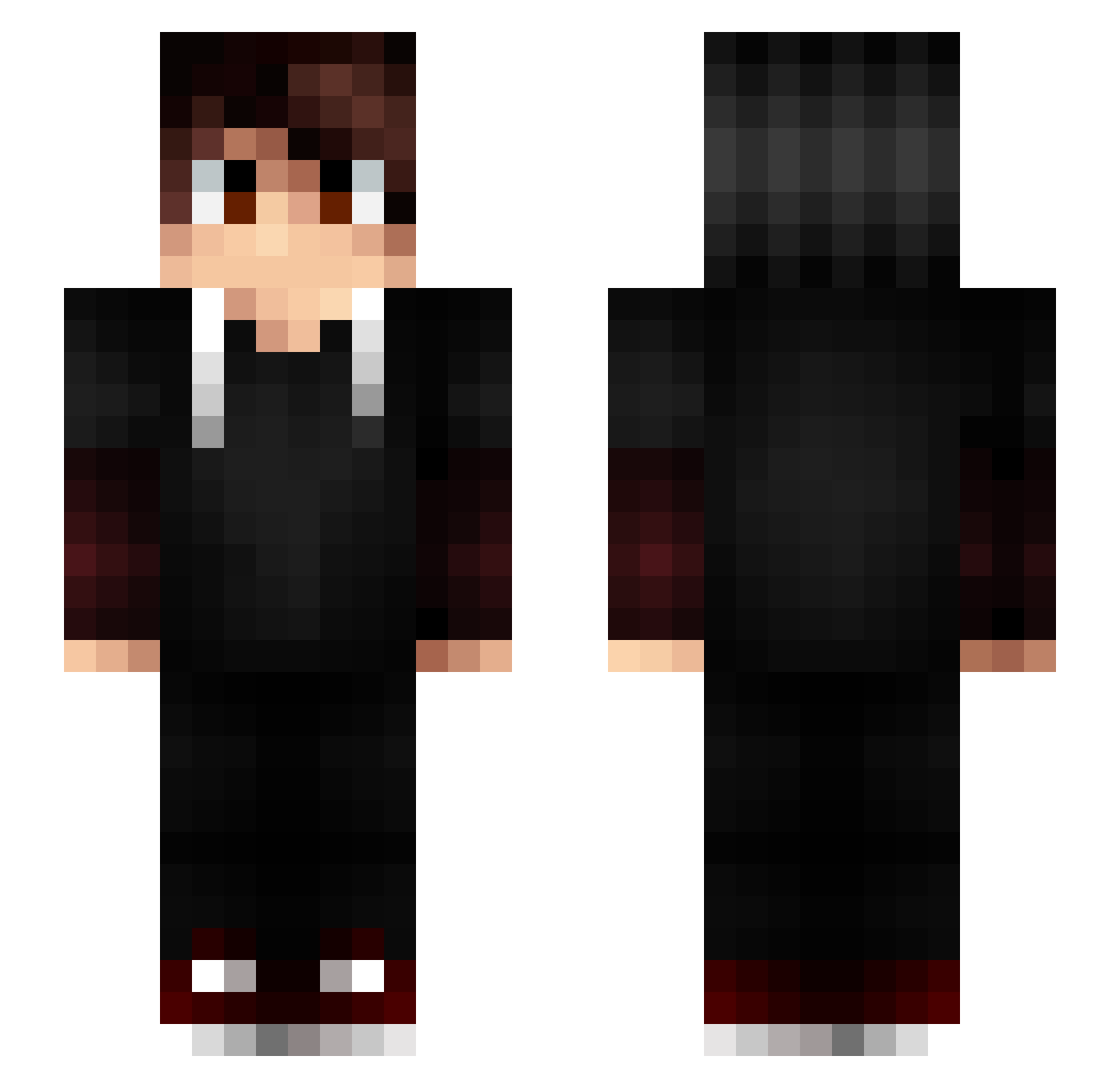
Current Minecraft skin of the player Loris74, loaded from the official Mojang API. Rotate the 3D model with your mouse or finger, then download the skin as a PNG file and use it in Minecraft: Bedrock Edition or Java Edition for free. When Loris74 changes their skin, this page updates automatically and the old skin stays in the history below.
Other players with this skin (161)
Loris74 was the 58th player we have seen with this skin, first spotted on 30.08.2026. The same skin was seen on these players. Open a nickname to see their current skin and skin history.
 AyDeN01 MrXaria L_A_N_G_A J_ETRE_CHARLIE Maddu69 Maxval02 Pvp__ TargeTWorlD LucasDeLaNoche antoineplancon AkirionRey _zago Captainpgon_ iPob2k HotlineShade GetRektOnyt Nertax imVayzor SuleymanTurkmen1 Padgeman Scaurus_ tisteba xXMLG_SNIPERXx AntoVevo vicvic66 Gruterj SkulKay EthanZebra13 LuXiOsE ER_SaThox_ Fex51 DaZzlingToM TheBlitzFR Mihai__ _WEAZ_Zeiko Sor4x Lolypops_ LeKBdeZeykrone Difuce TIMOPLAY18 roblocyan filmasto GasX_ WorFlam Grey_Licorn ibrahim_PvP DeWaiii AimSucuk Kookwiz NiiroZ EnderHanni LeBroDon yosh973 JoelCst Kodyak_ Rinaho NimbusEnY HaZ3xyz nycoow THEfiredark
More Layered Sleeves Minecraft skins
See all 53 Layered Sleeves skins
How to install the Loris74 skin
- Press the Download button above to save the skin as a PNG file.
- Minecraft: Bedrock Edition (PE): open the Dressing Room from the main menu (or tap your character → Edit Character), go to Classic Skins → Owned, press the + (new skin) button, choose the downloaded PNG and pick the Slim (Alex) model. Works on PC and mobile; consoles cannot import custom skins.
- Minecraft: Java Edition: open the Minecraft Launcher, go to the Skins tab, click New Skin, load the PNG, pick the Slim (Alex) model and press Save & Use. You can also upload it at minecraft.net → Profile → Change Skin.
The skin does not show up after import - what should I do?
Restart Minecraft and open the Dressing Room again - imported skins sometimes appear only after a restart. Also make sure you selected the imported skin and picked the Slim (Alex) model.
Which model should I choose, Classic or Slim?
This skin is designed for the Slim (Alex) model. If you pick the wrong model, the arms of the skin will look stretched or squeezed.
Is the skin of Loris74 free to download?
Yes. Press Download, save the PNG file and use it in Minecraft: Bedrock Edition or Java Edition - no payment or registration needed. The skin also works on multiplayer servers and Realms.
More skins
Looking for more? Go back to all Minecraft skins and check the top skins of the week, month and all time, or find any player's skin by nickname.