
LordSe7en - Minecraft Skins & Skin History
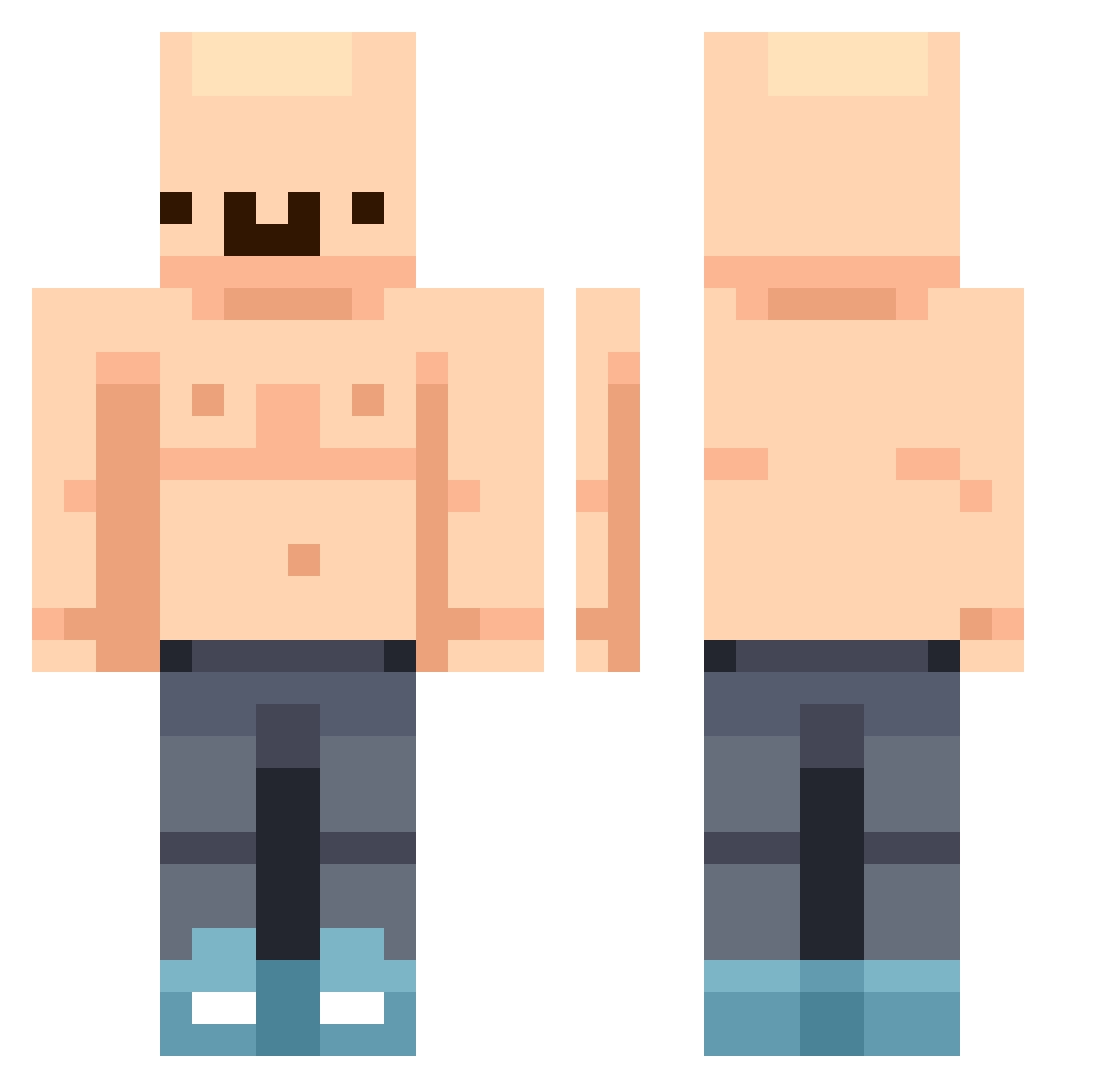
Current Minecraft skin of the player LordSe7en, loaded from the official Mojang API. Rotate the 3D model with your mouse or finger, then download the skin as a PNG file and use it in Minecraft: Bedrock Edition or Java Edition for free. When LordSe7en changes their skin, this page updates automatically and the old skin stays in the history below.
Other players with this skin (386)
LordSe7en was the 16th player we have seen with this skin, first spotted on 26.07.2026. The same skin was seen on these players. Open a nickname to see their current skin and skin history.
 ulnas yaradeleon Sherlock42069 yu_yu_3310 LuggaHDCrafter Roman_420 The_Savage_Rider Qn030 KurtSteel Kazouo orionism shiza123456789 Coconut_Cole Namiahne 0eh_ LordFamilyValues RanchuFish ConorFeely GeorgeSwag FratBroChad
 TyLau197 CortY1155 Cacaman445 thop3701 delaneybug22 Buldoser69 3l_Ch1n00 anunnaki1 sh4d0w_48 o_timeless missemor_ Antters Creeper_2222 imSuyin O_MODD Relatlion michagaming NIBL4 Ilaripuro tilliewillie JohnL1028 VeryMediocreName Itzjorge2 buffcake alalsioso Yanka_z BesyyY BenzoZiomal 7obe FatDexterity333 FAKOO_ Jeopark_ Snoxiii
 Bachus2016 JasperAlles Lamra1 WeirdGen BrotStecher JudyPat2D Maxomol
More Bald Minecraft skins
How to install the LordSe7en skin
- Press the Download button above to save the skin as a PNG file.
- Minecraft: Bedrock Edition (PE): open the Dressing Room from the main menu (or tap your character → Edit Character), go to Classic Skins → Owned, press the + (new skin) button, choose the downloaded PNG and pick the Classic (Steve) model. Works on PC and mobile; consoles cannot import custom skins.
- Minecraft: Java Edition: open the Minecraft Launcher, go to the Skins tab, click New Skin, load the PNG, pick the Classic (Steve) model and press Save & Use. You can also upload it at minecraft.net → Profile → Change Skin.
The skin does not show up after import - what should I do?
Restart Minecraft and open the Dressing Room again - imported skins sometimes appear only after a restart. Also make sure you selected the imported skin and picked the Classic (Steve) model.
Which model should I choose, Classic or Slim?
This skin is designed for the Classic (Steve) model. If you pick the wrong model, the arms of the skin will look stretched or squeezed.
Is the skin of LordSe7en free to download?
Yes. Press Download, save the PNG file and use it in Minecraft: Bedrock Edition or Java Edition - no payment or registration needed. The skin also works on multiplayer servers and Realms.
More skins
Looking for more? Go back to all Minecraft skins and check the top skins of the week, month and all time, or find any player's skin by nickname.