
LordHarlandWhite - Minecraft Skins & Skin History
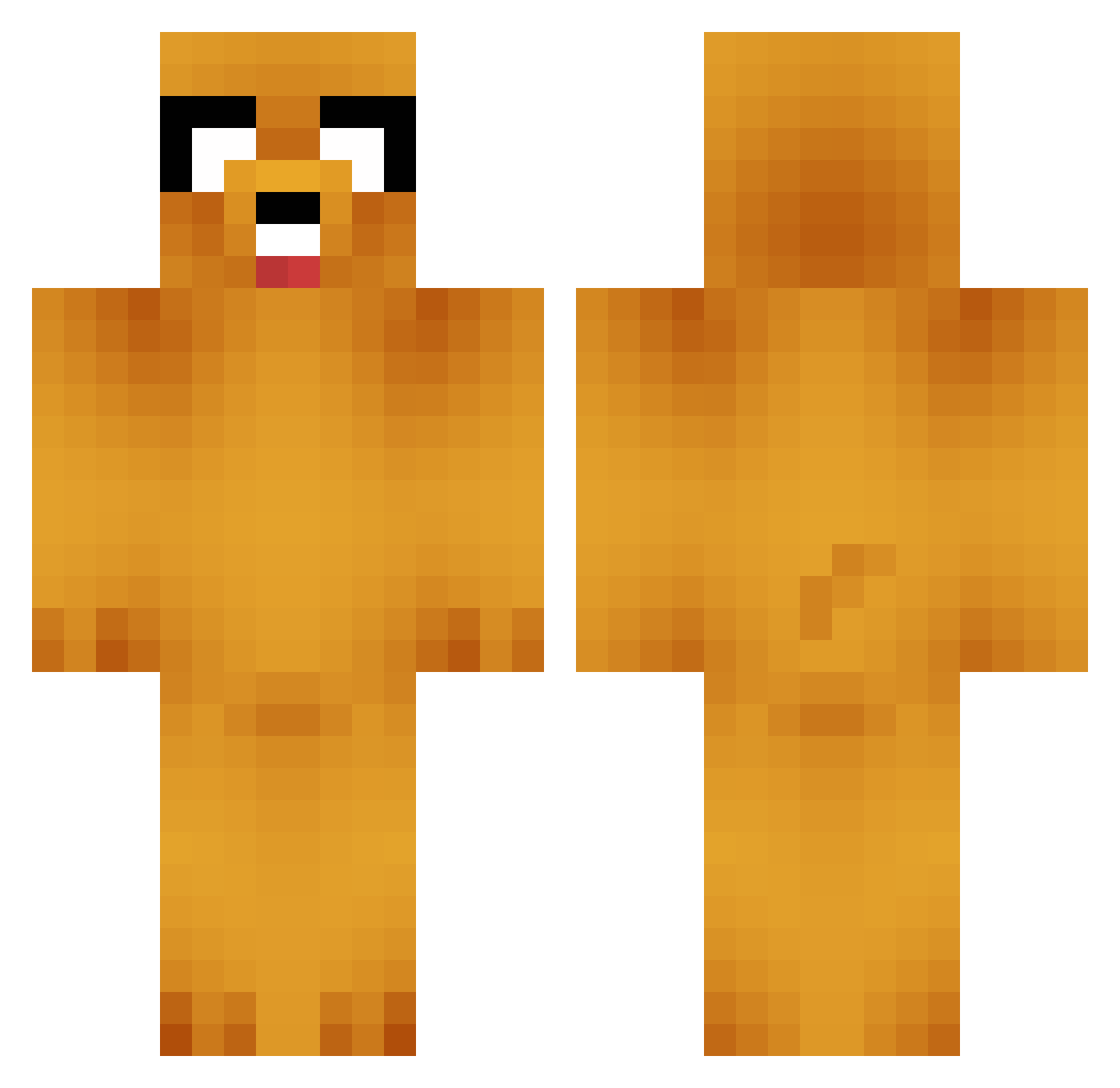
Current Minecraft skin of the player LordHarlandWhite, loaded from the official Mojang API. Rotate the 3D model with your mouse or finger, then download the skin as a PNG file and use it in Minecraft: Bedrock Edition or Java Edition for free. When LordHarlandWhite changes their skin, this page updates automatically and the old skin stays in the history below.
Other players with this skin (743)
LordHarlandWhite was the 724th player we have seen with this skin, first spotted on 29.10.2026. The same skin was seen on these players. Open a nickname to see their current skin and skin history.
 lidman01 sunju2 fripharm Zedantion thebobisback Maplezg toxicwastedump Publicboy 3Baller X_swampy_X jeffm46 Theminecraftpro0 selina1213 fangkiller26 badapple6478 ArmadilloBiker bencenken2 quinnabro ChrizIsGaming AlExSnIpEs201 CarloDK samikiller Raumkrankheit trollpigeon slartybarfast Moto_Psycho classyspider Qsador DragonJoo Bufonsito Ethanbird KnugensBadtunna uberbolt mejson01 aoaoao123 AutieB lantern64 Florider01 EmeliieOhmaan Colt_the_bird PirateRuler Dead_Sam masterlihtg Specialmix0 SoulRocks mycool45 bentsherman Painki11ah Note_Pad got_swager DKnoX sara_azure Touwgh Tahretsim LOLLEPTOP adalum my_satellite Fiaforce UWOTM9 Gandruk
More Jake Minecraft skins
How to install the LordHarlandWhite skin
- Press the Download button above to save the skin as a PNG file.
- Minecraft: Bedrock Edition (PE): open the Dressing Room from the main menu (or tap your character → Edit Character), go to Classic Skins → Owned, press the + (new skin) button, choose the downloaded PNG and pick the Classic (Steve) model. Works on PC and mobile; consoles cannot import custom skins.
- Minecraft: Java Edition: open the Minecraft Launcher, go to the Skins tab, click New Skin, load the PNG, pick the Classic (Steve) model and press Save & Use. You can also upload it at minecraft.net → Profile → Change Skin.
The skin does not show up after import - what should I do?
Restart Minecraft and open the Dressing Room again - imported skins sometimes appear only after a restart. Also make sure you selected the imported skin and picked the Classic (Steve) model.
Which model should I choose, Classic or Slim?
This skin is designed for the Classic (Steve) model. If you pick the wrong model, the arms of the skin will look stretched or squeezed.
Is the skin of LordHarlandWhite free to download?
Yes. Press Download, save the PNG file and use it in Minecraft: Bedrock Edition or Java Edition - no payment or registration needed. The skin also works on multiplayer servers and Realms.
More skins
Looking for more? Go back to all Minecraft skins and check the top skins of the week, month and all time, or find any player's skin by nickname.