
Lollipop005 - Minecraft Skins & Skin History
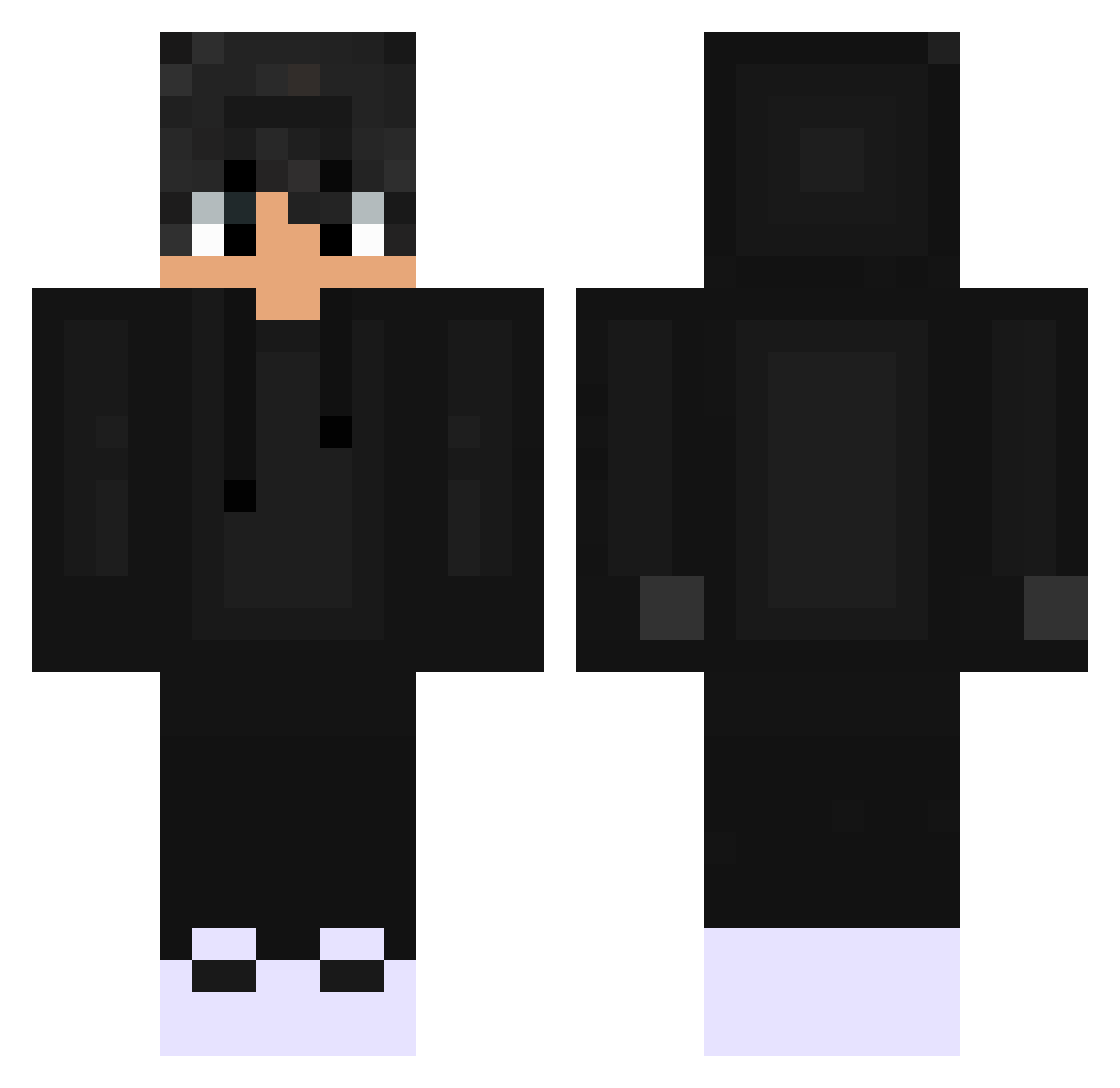
Current Minecraft skin of the player Lollipop005, loaded from the official Mojang API. Rotate the 3D model with your mouse or finger, then download the skin as a PNG file and use it in Minecraft: Bedrock Edition or Java Edition for free. When Lollipop005 changes their skin, this page updates automatically and the old skin stays in the history below.
Other players with this skin (529)
Lollipop005 was the 173rd player we have seen with this skin, first spotted on 30.08.2026. The same skin was seen on these players. Open a nickname to see their current skin and skin history.
 Her_mann Kazutoq_ BAarem ArroWatta Rogberg YetuBoobis pragonx ItsMinerBtw NOT_DELAYED HirziFdxli ThatStellarisGuy Salar2003 preston1506 hodongyee SUGAR_MRSNIKER brandon990 Arowl C4za007 Gahbinho bonniegetsnipet SimplifyFR dom_hero Rarerere Yuri_Makita PR_gaming2 M4r3cz3k MellyBlade Lauta27 Viking_Evo MathSilver02 BloodyShord RyanGenie matiasfm19 itzzBen_YT AMAenderSLAYER WhiskyCocraft MrZelvor xQoQx Villazy MoinAmMorgen JSlayer4 Evermytee Allucard7 DxnielMxleen Felpz97 wenwySW Zirang Evil_Toxic_12 CraxyYT SHATAN0 Sebi_2010 ethanryan77777 AL_2i1 H4M2A
 TchyonBeyond2099 SABI_NYANKO Kruasan1 PrzemeQ12 Grisou80210 lil_ramus
How to install the Lollipop005 skin
- Press the Download button above to save the skin as a PNG file.
- Minecraft: Bedrock Edition (PE): open the Dressing Room from the main menu (or tap your character → Edit Character), go to Classic Skins → Owned, press the + (new skin) button, choose the downloaded PNG and pick the Classic (Steve) model. Works on PC and mobile; consoles cannot import custom skins.
- Minecraft: Java Edition: open the Minecraft Launcher, go to the Skins tab, click New Skin, load the PNG, pick the Classic (Steve) model and press Save & Use. You can also upload it at minecraft.net → Profile → Change Skin.
The skin does not show up after import - what should I do?
Restart Minecraft and open the Dressing Room again - imported skins sometimes appear only after a restart. Also make sure you selected the imported skin and picked the Classic (Steve) model.
Which model should I choose, Classic or Slim?
This skin is designed for the Classic (Steve) model. If you pick the wrong model, the arms of the skin will look stretched or squeezed.
Is the skin of Lollipop005 free to download?
Yes. Press Download, save the PNG file and use it in Minecraft: Bedrock Edition or Java Edition - no payment or registration needed. The skin also works on multiplayer servers and Realms.
More skins
Looking for more? Go back to all Minecraft skins and check the top skins of the week, month and all time, or find any player's skin by nickname.