
Lock14 - Minecraft Skins & Skin History
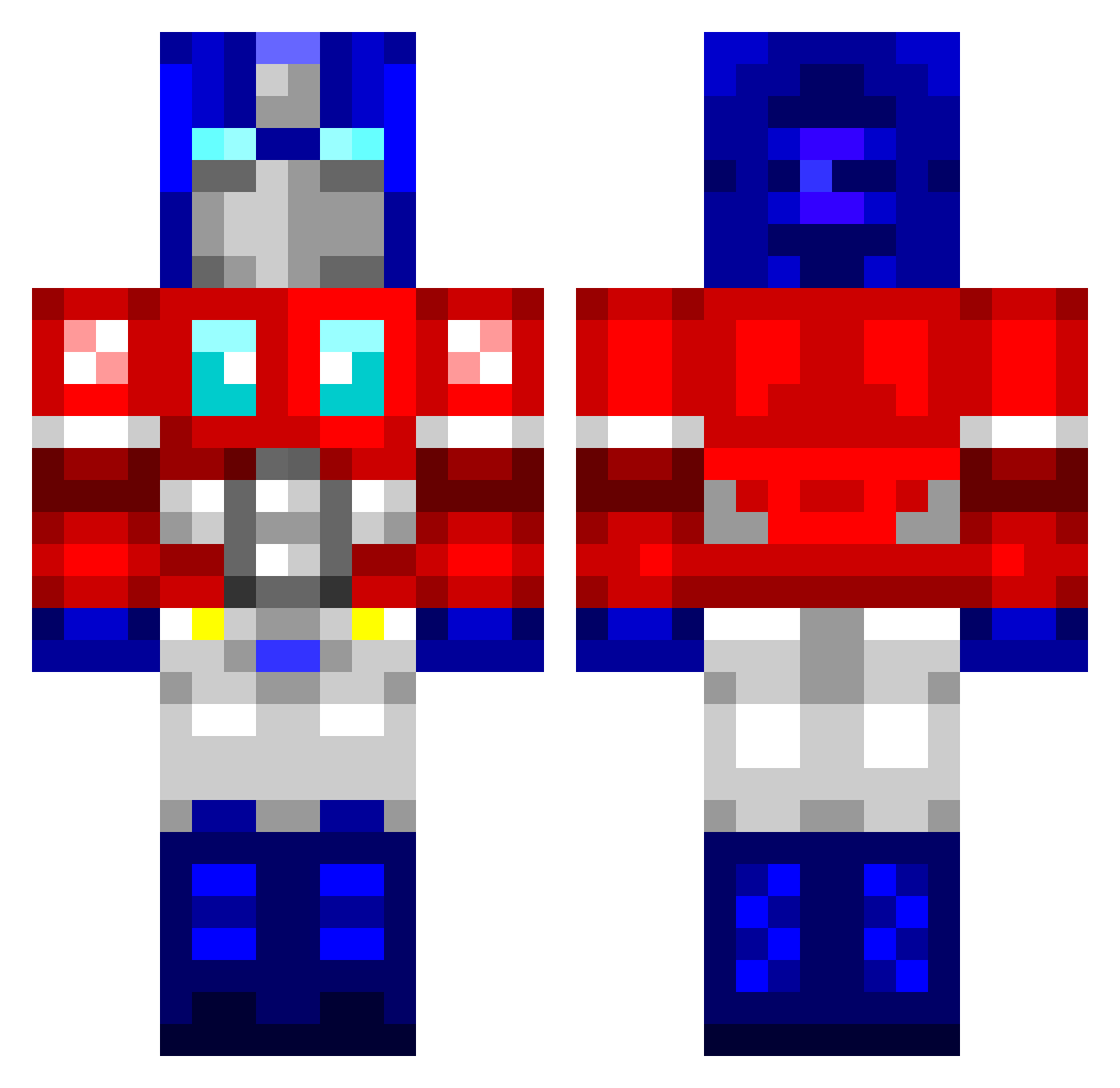
Current Minecraft skin of the player Lock14, loaded from the official Mojang API. Rotate the 3D model with your mouse or finger, then download the skin as a PNG file and use it in Minecraft: Bedrock Edition or Java Edition for free. When Lock14 changes their skin, this page updates automatically and the old skin stays in the history below.
Other players with this skin (760)
Lock14 was the 160th player we have seen with this skin, first spotted on 15.08.2026. The same skin was seen on these players. Open a nickname to see their current skin and skin history.
 tennisgamer12 navyshrimp KaosKronik georgee1234 Azure_Reign LIAMNEVIN cyraxalpha Randomage glocky1986 epark5620 Signia500 StylesMcCool fragpuppy JMP512 muss_minion eXecU7i0neR brewer00 BillSeph Mr_Soh Lawaia Jordbrukaren OptimusPrime223 Pitslug Maxime08000 dylan21506 PeterBro Hippeon kaptinkrunch iulianvrz johnathang scotto8605 Rannek PureTeqno iceshin Caelosum Greed2k littlededdy Lof mgreenwood TinyK stephenallison13 DUR333 roleplayer40k touchmyjunk9 currykei Cloudscape NISMO_350Z iEDMO Hood_Dweller evoaura DUBLEDEUCE maureenponderosa KiLLer19751975 PinkSock69 Deepy75 SmeagZ spinlikecheese eldestructor Wombat5493 Lion9701
More Optimus Prime Minecraft skins
See all 87 Optimus Prime skins
How to install the Lock14 skin
- Press the Download button above to save the skin as a PNG file.
- Minecraft: Bedrock Edition (PE): open the Dressing Room from the main menu (or tap your character → Edit Character), go to Classic Skins → Owned, press the + (new skin) button, choose the downloaded PNG and pick the Classic (Steve) model. Works on PC and mobile; consoles cannot import custom skins.
- Minecraft: Java Edition: open the Minecraft Launcher, go to the Skins tab, click New Skin, load the PNG, pick the Classic (Steve) model and press Save & Use. You can also upload it at minecraft.net → Profile → Change Skin.
The skin does not show up after import - what should I do?
Restart Minecraft and open the Dressing Room again - imported skins sometimes appear only after a restart. Also make sure you selected the imported skin and picked the Classic (Steve) model.
Which model should I choose, Classic or Slim?
This skin is designed for the Classic (Steve) model. If you pick the wrong model, the arms of the skin will look stretched or squeezed.
Is the skin of Lock14 free to download?
Yes. Press Download, save the PNG file and use it in Minecraft: Bedrock Edition or Java Edition - no payment or registration needed. The skin also works on multiplayer servers and Realms.
More skins
Looking for more? Go back to all Minecraft skins and check the top skins of the week, month and all time, or find any player's skin by nickname.