
Lllama_ - Minecraft Skins & Skin History
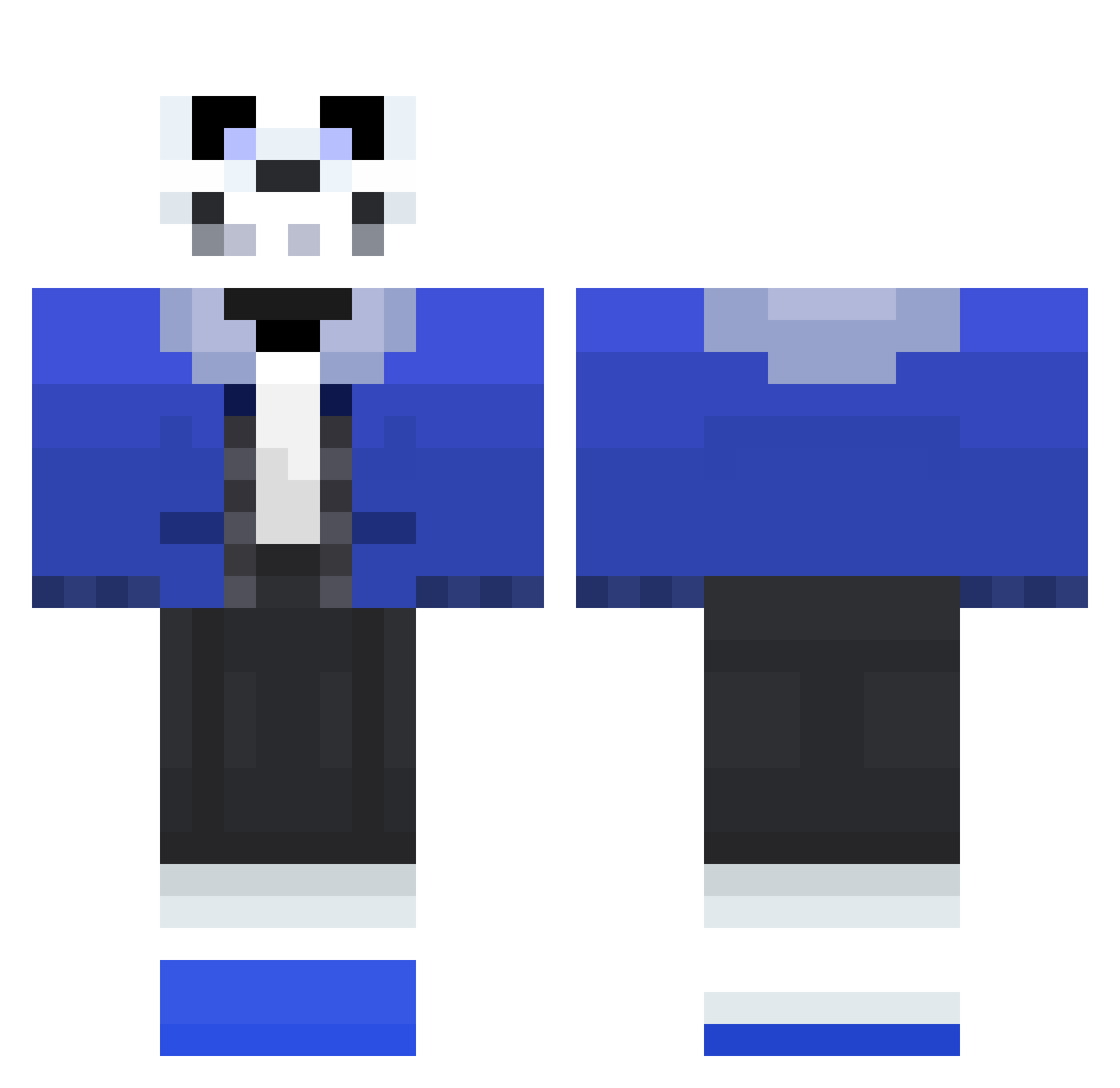
Current Minecraft skin of the player Lllama_, loaded from the official Mojang API. Rotate the 3D model with your mouse or finger, then download the skin as a PNG file and use it in Minecraft: Bedrock Edition or Java Edition for free. When Lllama_ changes their skin, this page updates automatically and the old skin stays in the history below.
Other players with this skin (101)
Lllama_ was the 82nd player we have seen with this skin, first spotted on 14.10.2026. The same skin was seen on these players. Open a nickname to see their current skin and skin history.
 kixisu Hoboderpy TechDK ForIornHope gonza93 MyNamaSteve mizfoxpad thezekroman SpiessMonster JetJaws tinnesa007 WingletSniper EGchan SAKUYA0409 TigerBurrell XLJ_POWER VilsonPL Meglovania xkillerzombie935 Bruisin widdis729 ButlerK TACTICALCL0UD longlarry65 Withersharkk alaskazachattack KaosKombat DeltaGaming1 buta_buta Shutinread OpticEyes ToboGGanIng crexLive ASS_DESTROYER HVX Shadowstepx2 pantaloness DarkBoy_Player WretchedSpectre Mr_DeliriOuS sonicflame22 themonster85 mylolovex LordofLols Pomfland1 ThatAintCool potatos2 MariamDaManiac zachblade3579 AshleyP2006 MaxVarf Kev1nB Alifenrir lSuttol 0rangeLad yungguccimane KetchupSkeleton refrog2000 ChromoDank SilverStripedFox
More Sans Minecraft skins
How to install the Lllama_ skin
- Press the Download button above to save the skin as a PNG file.
- Minecraft: Bedrock Edition (PE): open the Dressing Room from the main menu (or tap your character → Edit Character), go to Classic Skins → Owned, press the + (new skin) button, choose the downloaded PNG and pick the Classic (Steve) model. Works on PC and mobile; consoles cannot import custom skins.
- Minecraft: Java Edition: open the Minecraft Launcher, go to the Skins tab, click New Skin, load the PNG, pick the Classic (Steve) model and press Save & Use. You can also upload it at minecraft.net → Profile → Change Skin.
The skin does not show up after import - what should I do?
Restart Minecraft and open the Dressing Room again - imported skins sometimes appear only after a restart. Also make sure you selected the imported skin and picked the Classic (Steve) model.
Which model should I choose, Classic or Slim?
This skin is designed for the Classic (Steve) model. If you pick the wrong model, the arms of the skin will look stretched or squeezed.
Is the skin of Lllama_ free to download?
Yes. Press Download, save the PNG file and use it in Minecraft: Bedrock Edition or Java Edition - no payment or registration needed. The skin also works on multiplayer servers and Realms.
More skins
Looking for more? Go back to all Minecraft skins and check the top skins of the week, month and all time, or find any player's skin by nickname.